Cash on delivery section
The Cash on Delivery section lets you keep detailed control of the payments your customers make when they receive their orders. Here you can check collection status, export information, download labels, and manage your income easily.
Metrics panel: your financial summary
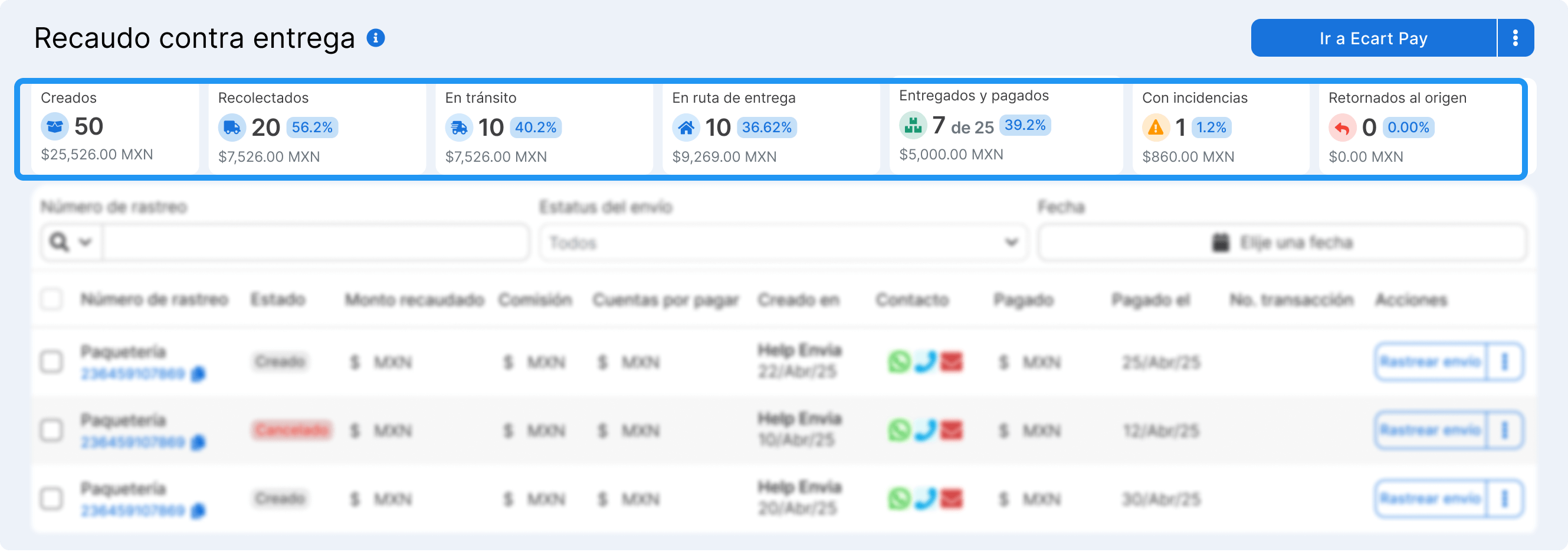
Section titled “Metrics panel: your financial summary”At the top you will find cards that show:
- Created: cash on delivery shipments generated
- Picked up: packages already collected by the carrier
- In transit: packages on the way to their destination
- Out for delivery: packages about to be delivered
- Delivered and paid: shipments collected successfully
- With incidents: shipments that had a problem (such as payment refusal)
Search and filters
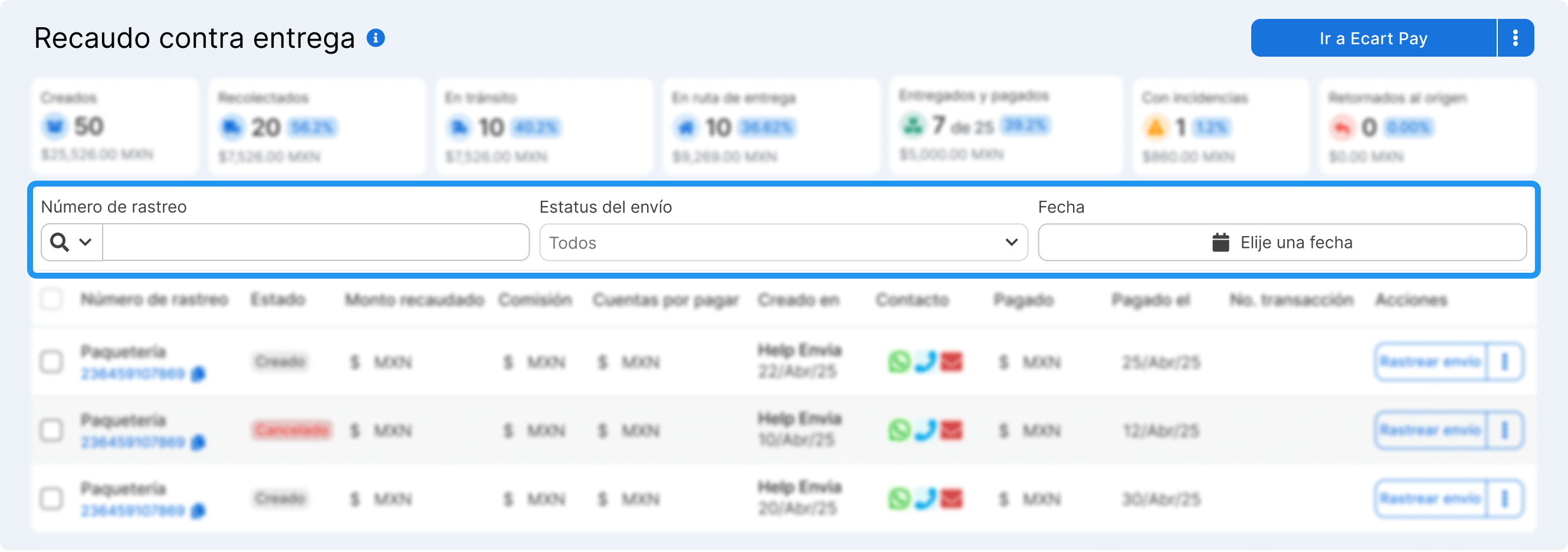
Section titled “Search and filters”Below the panel, you can filter and search by:
- Tracking number
- Shipment status (delivered, canceled, in transit)
- Creation date
Collections table: all your information organized
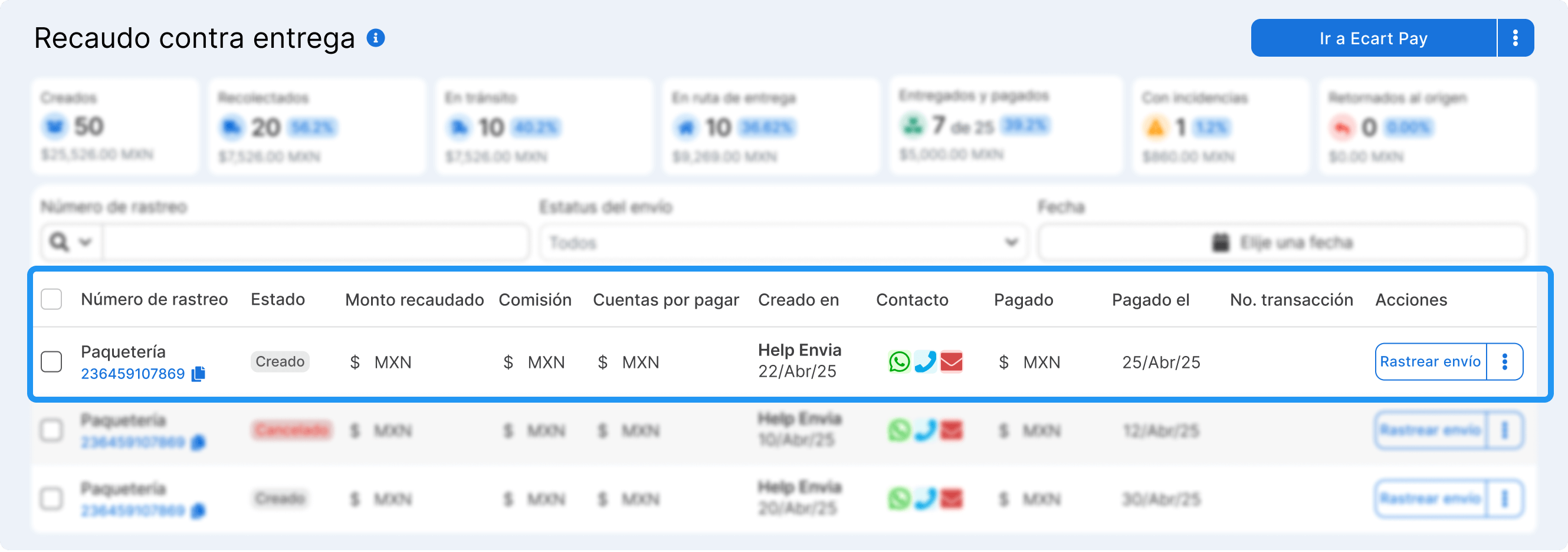
Section titled “Collections table: all your information organized”Each table row shows key information:
- Tracking number (clickable for more details)
- Shipment status (delivered or canceled)
- Amount collected
- Commission applied
- Accounts receivable (net total to receive)
- Creation date
- Contact methods (WhatsApp, call, email)
- Amount paid
- Transaction number
- Available actions (track shipment)
Advanced functions in the top menu
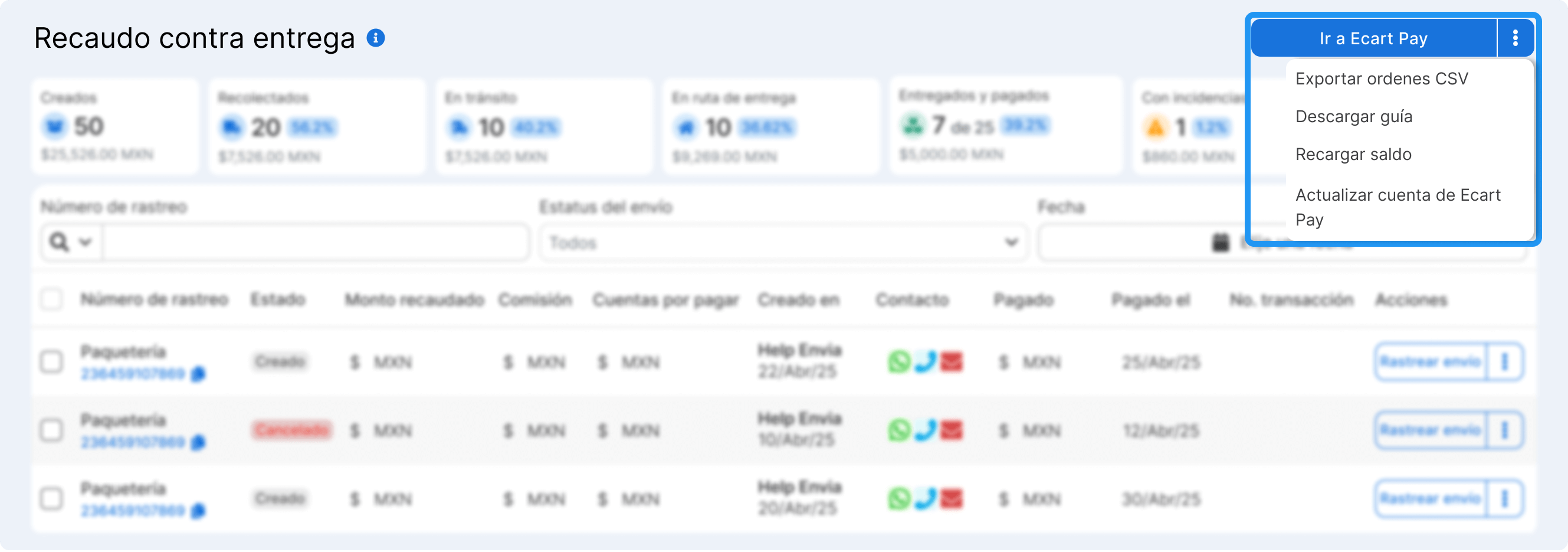
Section titled “Advanced functions in the top menu”The buttons at the top right let you:
- Export orders as CSV: download your collection information for analysis or reports
- Download labels for cash-on-delivery shipments for lookup or audits
- Top up your account balance to operate on Envia.com (if your plan requires it)
- Update your collection account data (such as bank information)