







Ecommerce Pro / FAQ
Create return guides for prepared orders in Shopify
Table of contents
Do you have products that your customers want to return and you want to make it hassle-free? Now you can manage returns quickly and synchronized from Ecommerce Pro for orders prepared in Shopify. This new feature allows you to create return guides in seconds, record the reason for each item and see everything automatically reflected in your Shopify dashboard.
Requirements
Before using this function, be sure to update your store permissions in the Ecommerce Pro Settings section. This enables returns synchronization with your Shopify admin.

Steps to create a return guide
1. Log in to your Envia.com account.
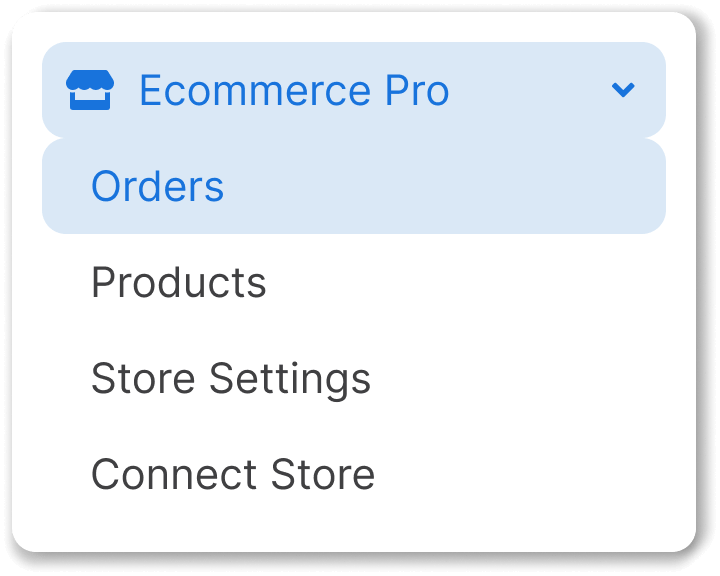
2. Go to Ecommerce Pro > View orders
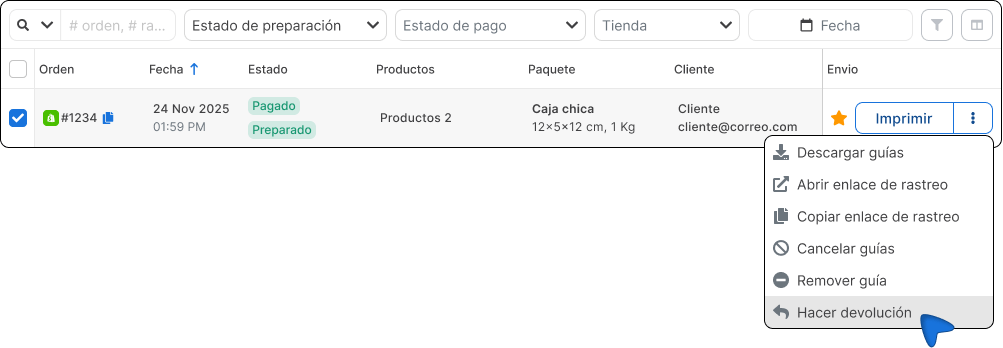
3. Look for a guide that has as its status Prepared
4. Click on the three dots next to Print and select Make a return.
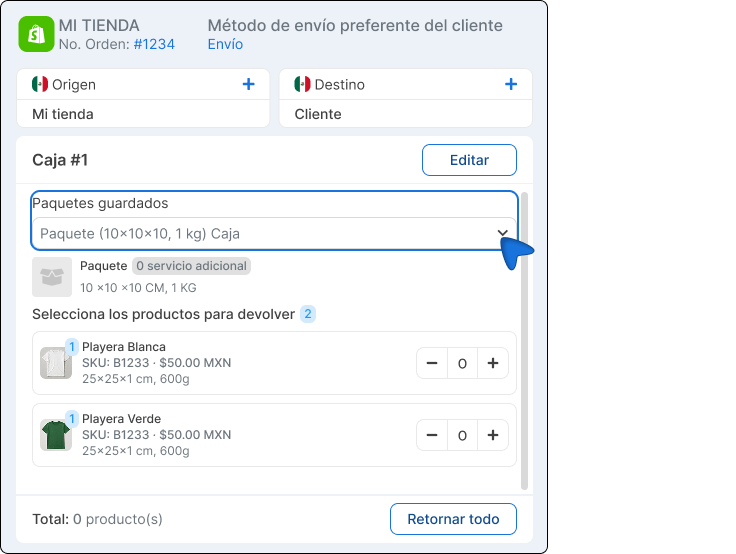
5. Check that the addresses of origin and destination are correct (they are automatically inverted based on the original guide).
6. Select a package for the return.
7. Mark the products to be returned and write the reason for return for each one.
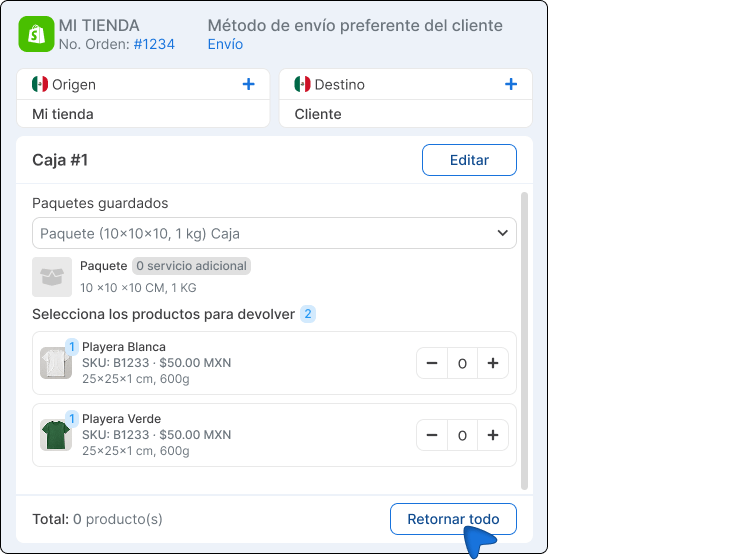
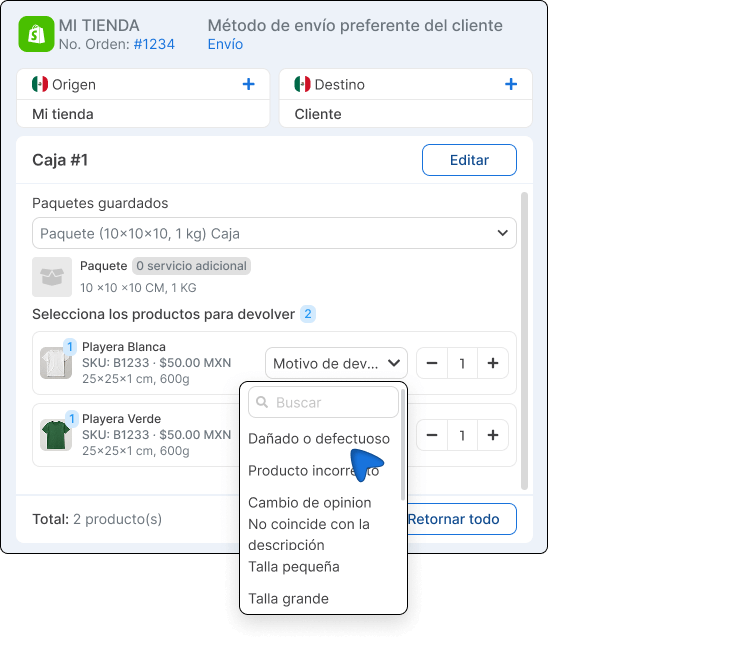
8. Click on Quote, select a package of your preference and generate the waybill.
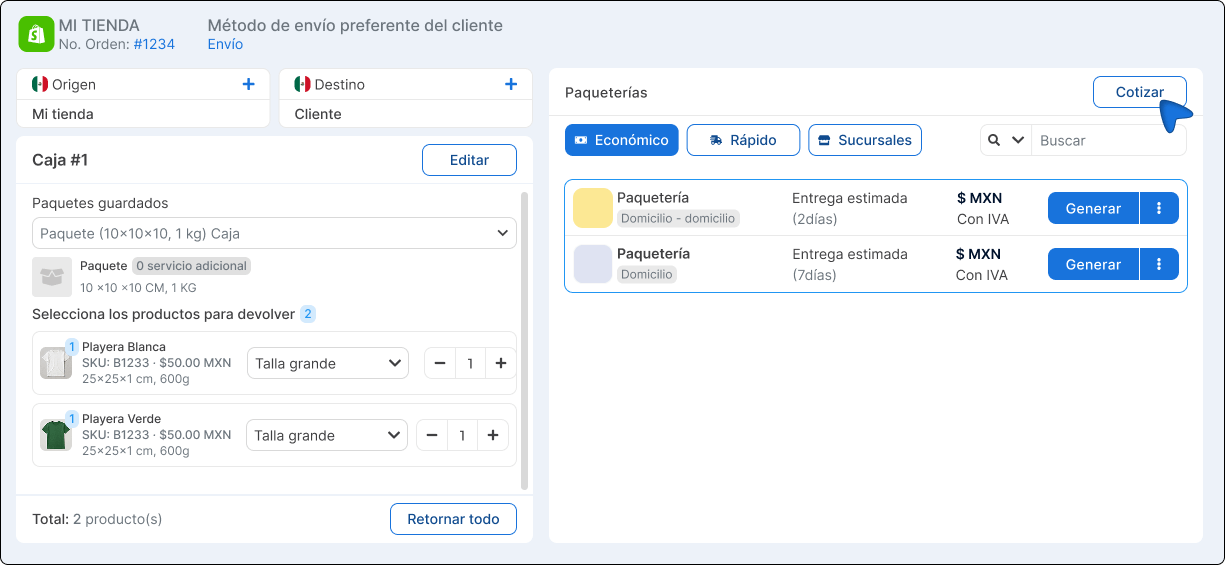
9. You are done! You will be able to see the tracking number, reason and status of your return directly in your Shopify admin.


Did you find this resource useful?