

eBay
Steps to integrate my eBay store
Section titled “Steps to integrate my eBay store”- Go to envia.com
- Go to Ecommerce Pro > Connect Store
- Click the Integrate my ecommerce button and select eBay
- Enter your eBay store name and click continue.
- Accept the permissions our app needs. Check the box and click Continue.
- Authorize our “Envia Shipping” app to connect with your eBay store by clicking the Authorize this application button.
- Verify the email registered in Envia.com and click Continue.
That’s it! Your eBay store is now integrated with Envia.com.
Set up your store in Envia.com
Section titled “Set up your store in Envia.com”You make these settings from your Envia.com dashboard. They are required for the integration to work correctly.

Origin address and packages
Set where your shipments leave from and which packaging you use. This is required to schedule pickups and get quotes
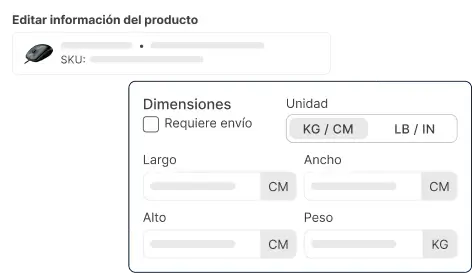
Products
Set the weight and size of each product. The system then calculates rates correctly and picks the right package

Automatic package
The system picks the best packaging for each order so you do not have to do it by hand
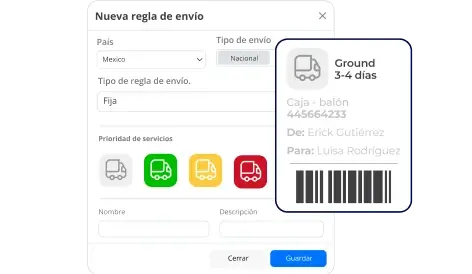
Automatic shipping rules
Set shipping rules that automatically calculate shipping costs for your orders