Scheduled maintenance on Envia.com: Thursday, October 29, 12:00–12:30 a.m. Login, APIs, and operations will be unavailable.


Prestashop
You can connect PrestaShop with Envia in two ways. Choose one and follow only that section.
The Envia Shipping and Fulfillment module shows rates in the cart and at checkout, and generates the shipping label from the order. Install now downloads the ZIP.
The webservice key connects the store in Ecommerce Pro. Integrate opens that connection.
Choose how to connect
Section titled “Choose how to connect”Module. Use it if you want to quote at checkout and generate the shipping label in PrestaShop. Follow Install the module.
Webservice key. Use it if you want to connect the store from Ecommerce Pro, without installing the module. Follow Integrate with a webservice key.
There are settings in Envia.com and, if you use the module, also in PrestaShop. Even when they look alike, you set them on each platform. Origin and packages in the module become available when the status is Connected.
Install the module
Section titled “Install the module”Download the module
Section titled “Download the module”- Download the plugin.
- Save the ZIP file on your computer.
Install the module in PrestaShop
Section titled “Install the module in PrestaShop”-
Open your PrestaShop store admin.
-
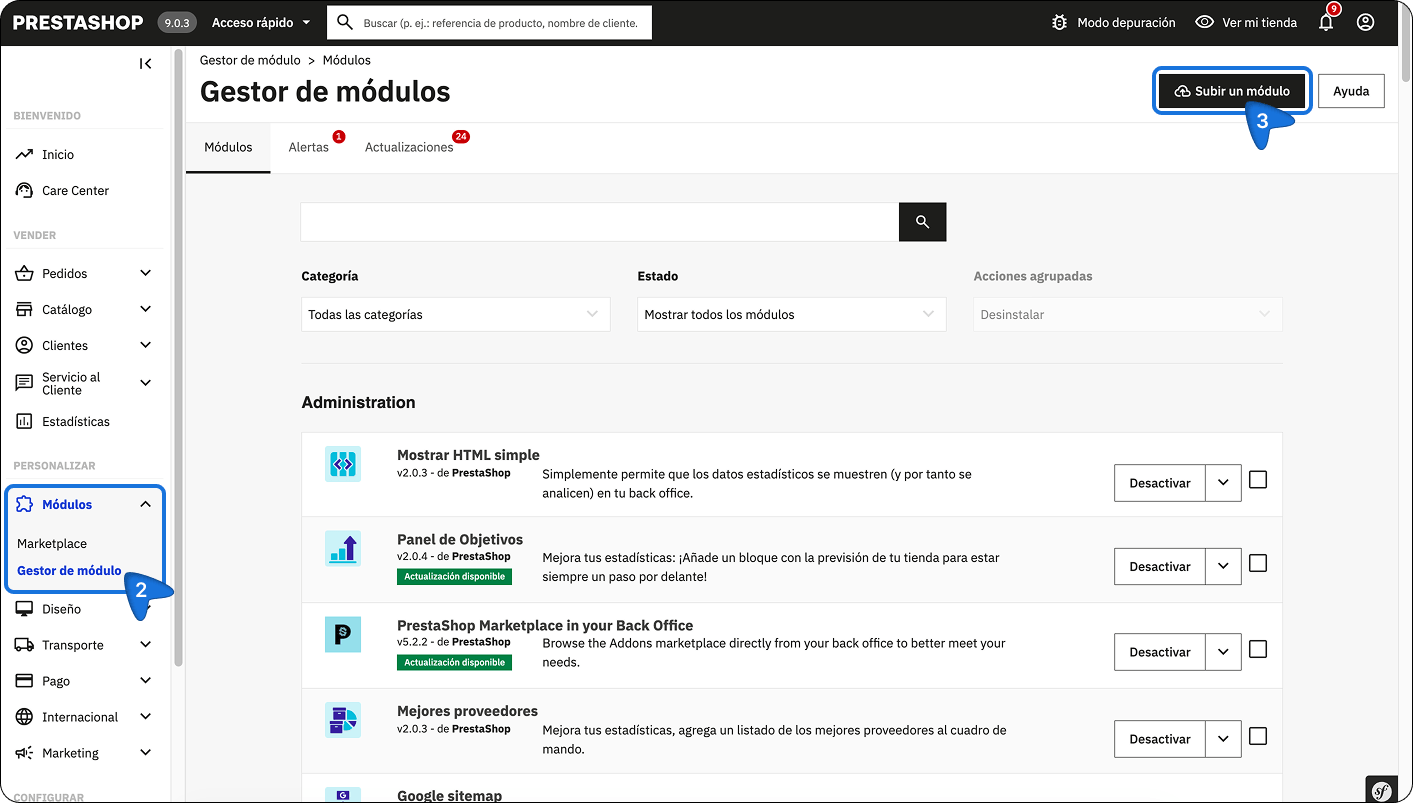
In Customize, open Modules > Module Manager.
-
Select Upload a module.
-
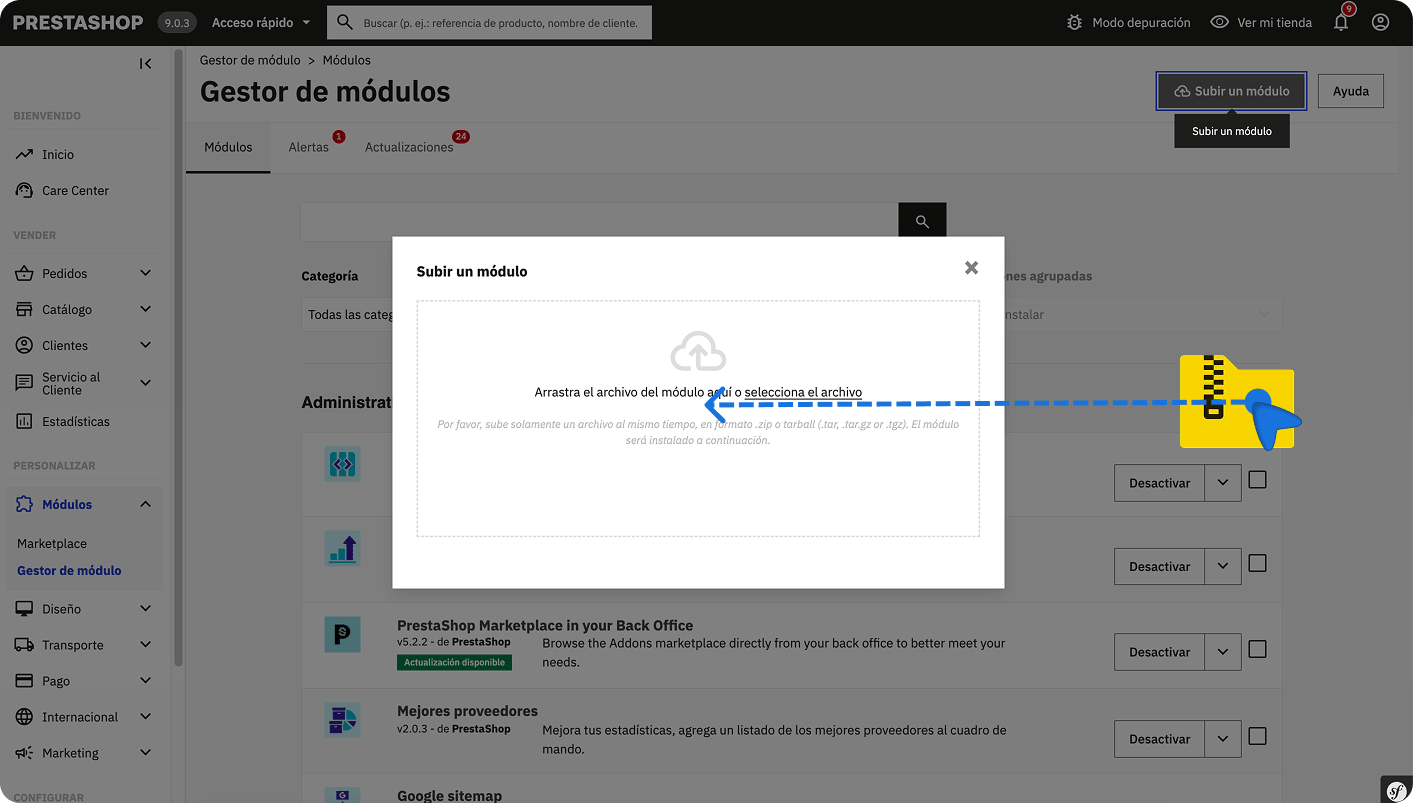
Choose the ZIP you downloaded and install it.
-
When you see Module installed!, select Configure.
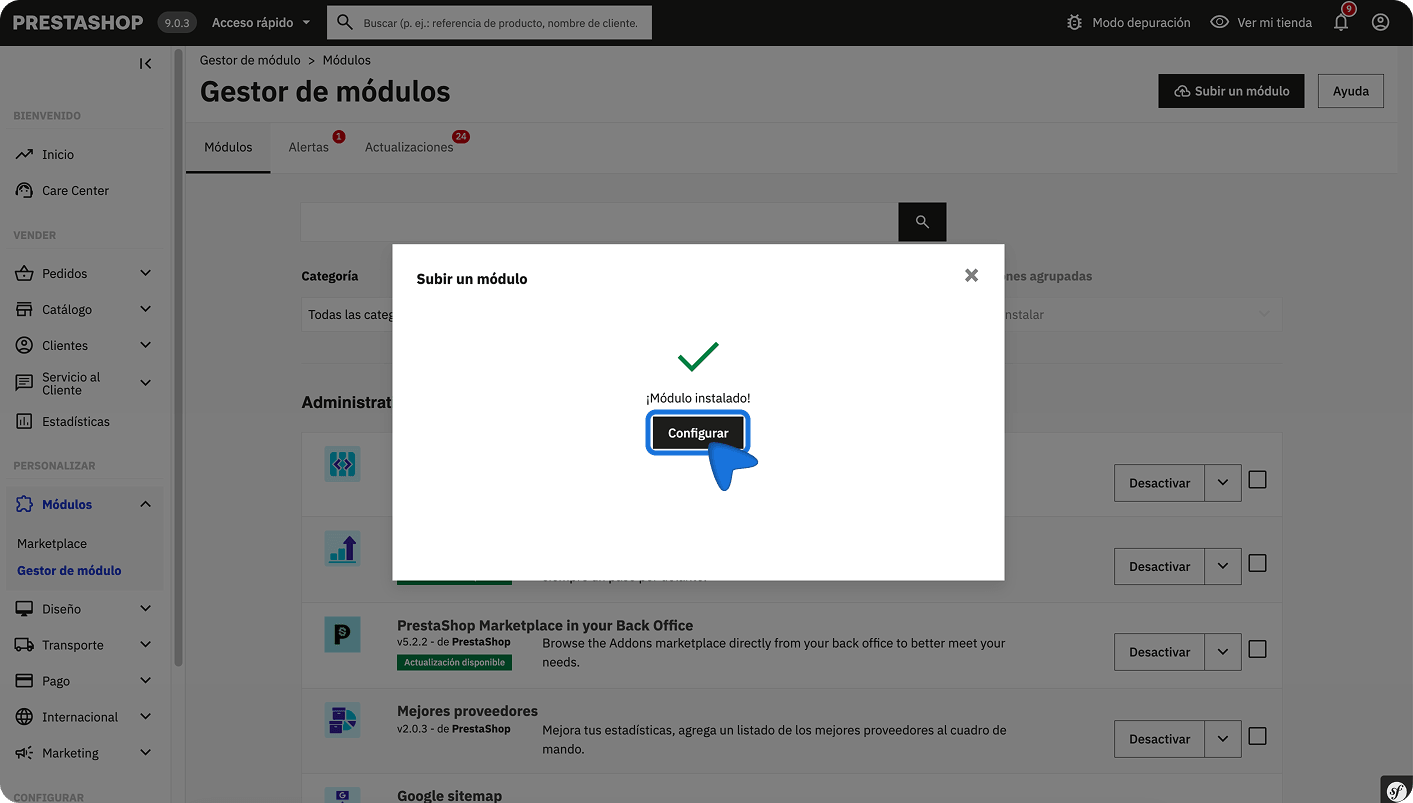
If you closed that window, search for Envia Shipping and Fulfillment in the module manager and open it to configure it.
Connect the store from the module
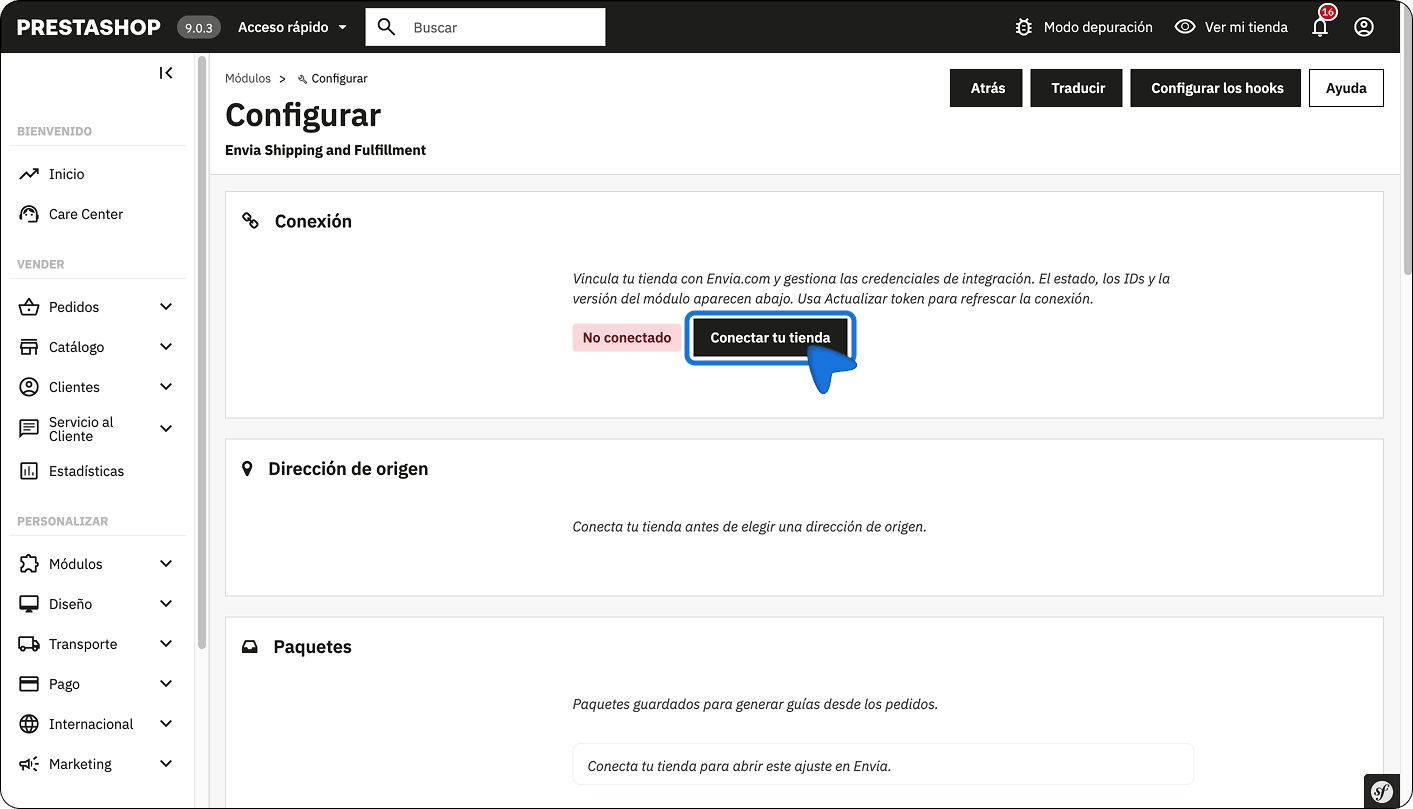
Section titled “Connect the store from the module”In Configure, the status appears as Not connected. The origin address and packages become available after you connect.
-
In Connection, select Connect your store.
-
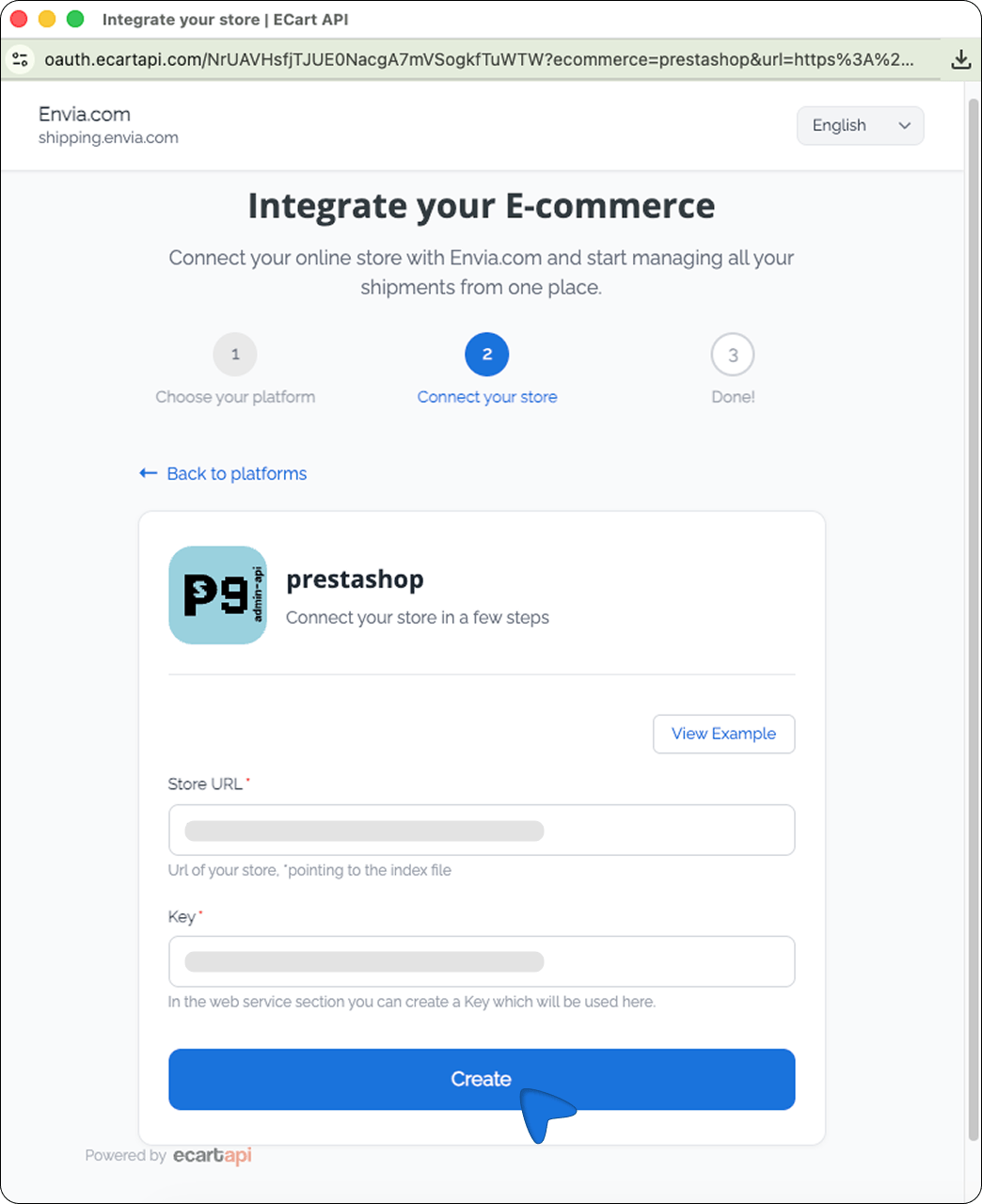
The Envia screen opens to integrate your ecommerce.
-
Check your store URL and the key. The module usually fills them in; confirm them.
-
Select Create.
-
Verify the email registered in Envia.com and click Continue.
When the connection is ready, the status in PrestaShop changes to Connected. You will see the Store ID, the Company ID, the module version, the PrestaShop API key (read only), and the Envia shipping token (saved when you connect).
Update the module
Section titled “Update the module”If you already have it installed, download the ZIP again and upload it to replace the current one.
- In Customize, open Modules > Module Manager.
- Select Upload a module.
- Choose the new ZIP.
Clear the cache
Section titled “Clear the cache”After updating, clear the cache so the store picks up the changes.
- In the side menu, open Advanced Parameters > Performance.
- In the upper-right corner, select Clear cache.
Configure the module in PrestaShop
Section titled “Configure the module in PrestaShop”With the store Connected, in the module Configure screen you set origin, packages, checkout, and the settings that open in Envia.
Origin address
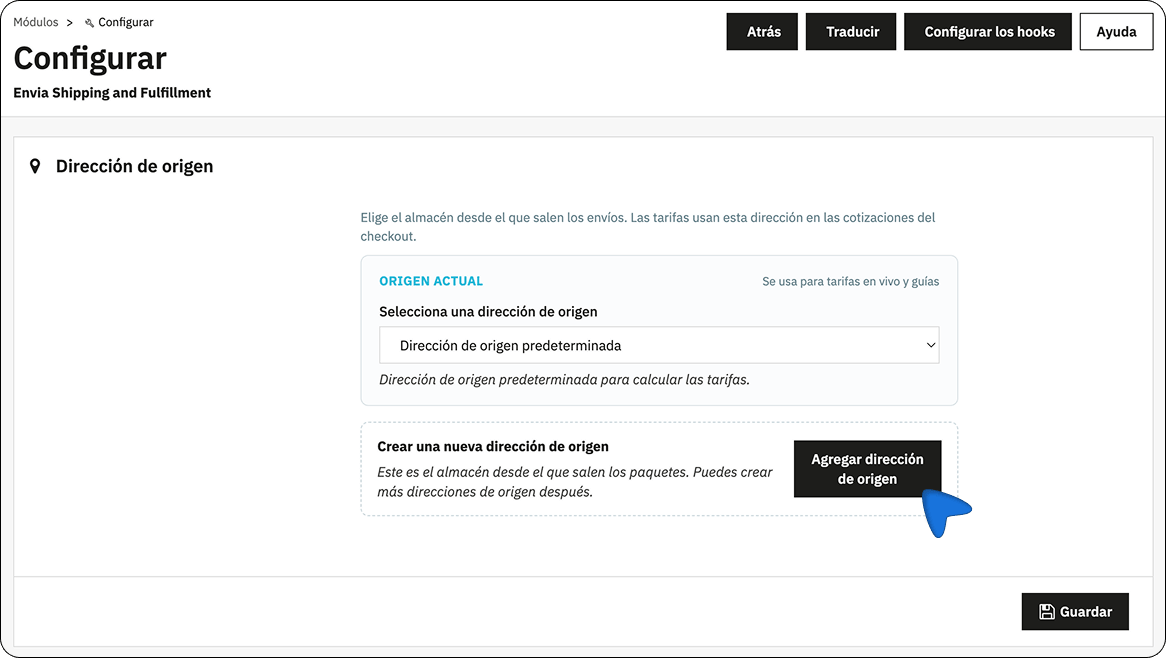
Section titled “Origin address”The origin address is the warehouse shipments leave from. Checkout rates use that address.
- In Origin address, open the Current origin list.
- Choose the address that applies, or Default origin address.
- If you need another one, select Add origin address.
- Select Save.
Packages
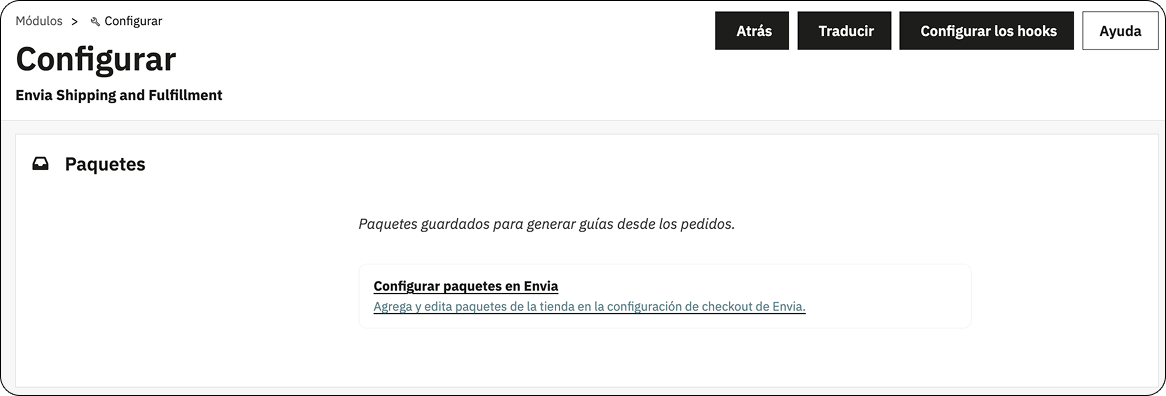
Section titled “Packages”Packages holds the saved packages used to generate shipping labels from orders. If you have not connected the store yet, this setting opens in Envia after you link it.
Ecommerce checkout
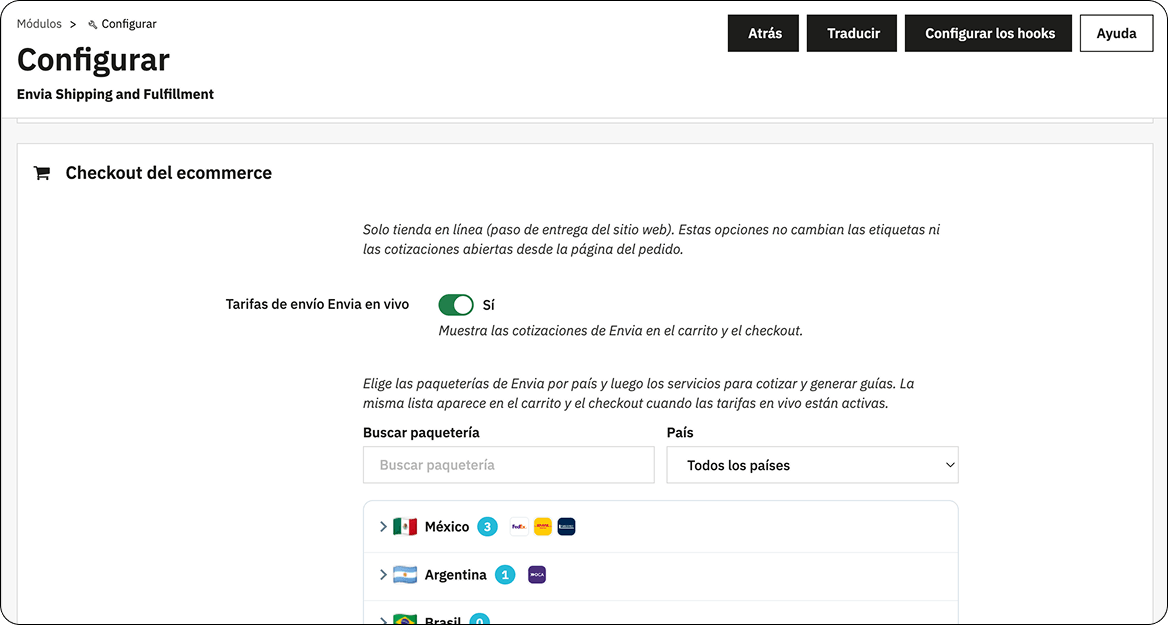
Section titled “Ecommerce checkout”You define what the buyer sees at the delivery step. This does not change shipping labels or quotes you already have open from the order. Rates are recalculated when the cart or order contents change.
- Turn Live Envia shipping rates to Yes to show Envia quotes in the cart and at checkout.
- Choose the carriers by country. Open the country (for example Mexico), check the carriers you want and, if you need to, open Services to choose which ones to quote.
- If you offer branch delivery, turn on Enable pickup at the ecommerce checkout.
- In Pickup display format, choose how the points are shown. (Map and list, list only, or map only).
- In Maximum branches per carrier, set how many points to show (from 1 to 10; the closest first).
- Select Save.
Generate the shipping label from the order
Section titled “Generate the shipping label from the order”On the order detail, the Envia panel only appears when the shipment is from Envia. Select Generate label. The form does not ask for the origin branch where you drop off the package.
Rate rules
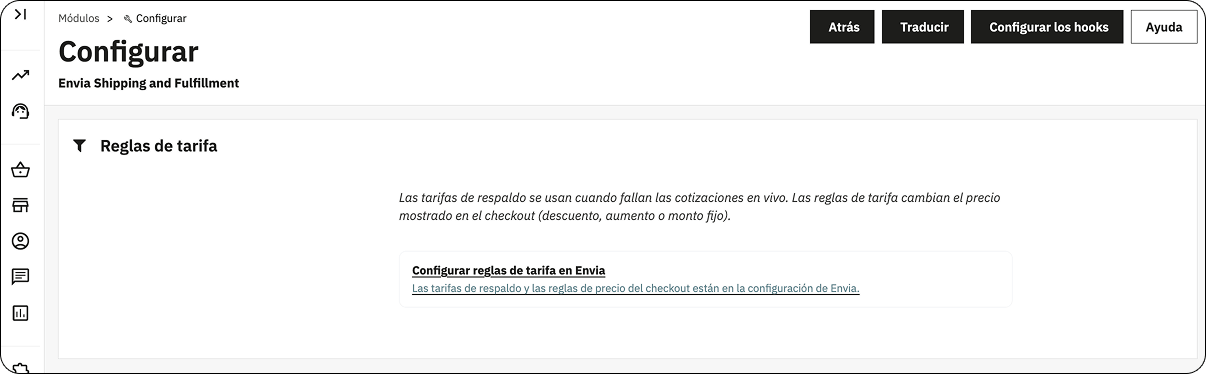
Section titled “Rate rules”Fallback rates are used when live quotes fail. Rate rules change the price shown at checkout (discount, increase, or fixed amount). Select Configure rate rules in Envia to set them in Envia.
Advanced settings
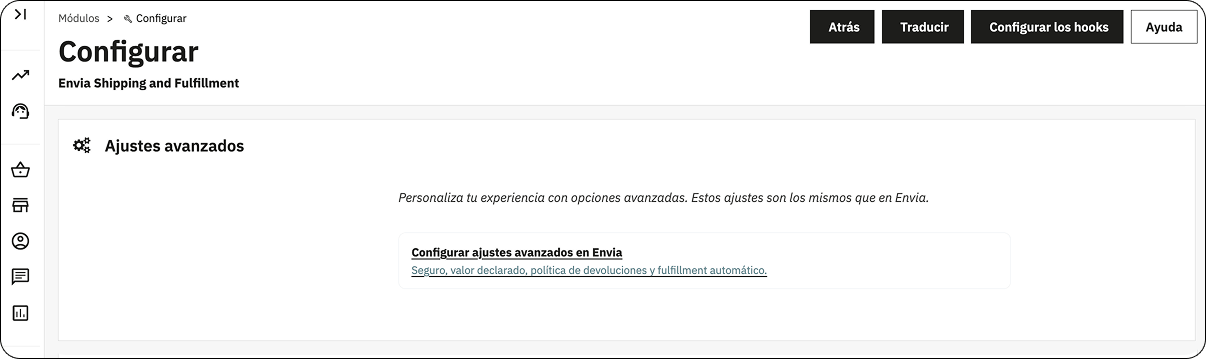
Section titled “Advanced settings”These settings are the same as in Envia: insurance, declared value, return policy, and automatic fulfillment. Select Configure advanced settings in Envia.
Shipping zones
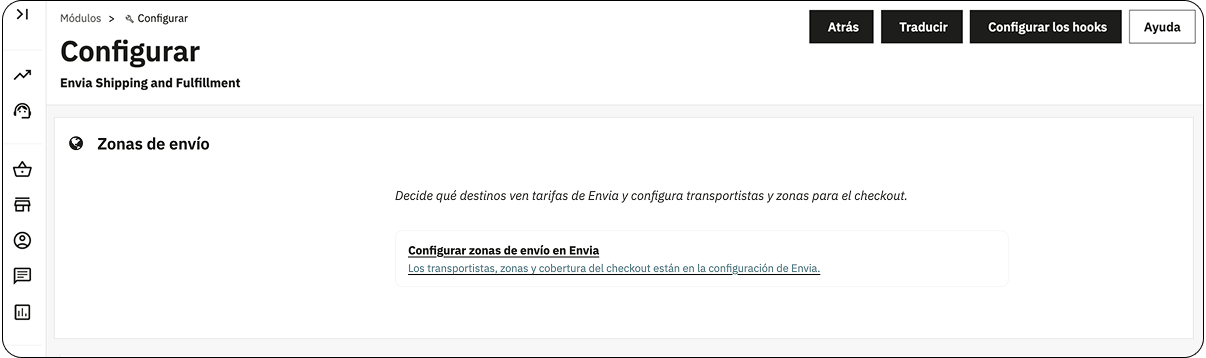
Section titled “Shipping zones”Decide which destinations see Envia rates, and configure carriers and zones for checkout. Select Configure shipping zones in Envia.
Integrate with a webservice key
Section titled “Integrate with a webservice key”This section does not use the module. You create a key in PrestaShop and paste it in Ecommerce Pro.
Create the key in PrestaShop
Section titled “Create the key in PrestaShop”- Open your PrestaShop store admin.
- Open Advanced Parameters > Webservice.
- Select Add new webservice key.
- Complete the key and select Save.
| Section | Action |
|---|---|
| Key | Generate a new key. You will paste it when you connect the store. |
| Key description | Write a description for the key. |
| Status | Leave it on Yes. |
| Permissions | Review and set the permissions. |
On the same screen, in Configuration, leave Enable PrestaShop’s Webservice on Yes. If you already saved the key, open it again to check.
Connect the store in Ecommerce Pro
Section titled “Connect the store in Ecommerce Pro”- Sign in to your Envia.com account.
- Open Ecommerce Pro > Prestashop.
- Enter your store URL and select Continue.
- Paste the key and select Create.
- Verify the email registered in Envia.com and select Continue.
To confirm the URL, add /api/ at the end. If the browser asks for a username and password, the address is correct. See the PrestaShop documentation.
In Brazil, to show the Identification number field at checkout, follow these steps.
Set up your store in Envia.com
Section titled “Set up your store in Envia.com”You make these settings in your Envia.com dashboard, whether you use the module or the webservice key.

Origin address and packages
Set where your shipments leave from and which packaging you use to calculate shipping rates.
Products
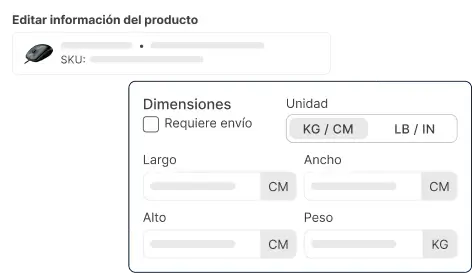
Set the weight and size of each product. The system then calculates rates correctly and picks the right package.
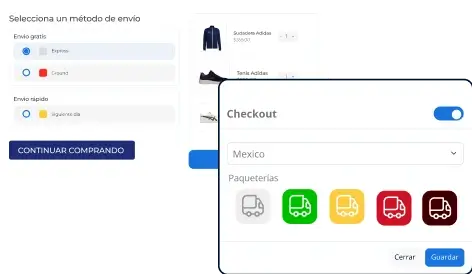
Your store checkout
Show the shipping cost to the customer in real time when they buy. It improves the experience and avoids surprises.
If it does not work
Section titled “If it does not work”Module
Section titled “Module”- Confirm that the module is installed and that the status is Connected.
- If Connect your store does not open Envia, sign in to your Envia account and try again.
- If rates do not appear at checkout, check that Live Envia shipping rates is Yes and that there are active carriers for the buyer’s country.
- If rates do not change when you edit the cart, clear the cache in Advanced Parameters > Performance.
- If Origin address or Packages stay locked, the store is not connected yet.
- If you do not see the Envia panel on the order, that shipment is not from Envia.
Webservice key
Section titled “Webservice key”If 403 Forbidden or 400 appears while integrating, the firewall is blocking the API. Turn off the block for a moment or add these IPs to the whitelist:
- 3.209.100.219
- 34.224.235.111
- 3.211.106.119
- 35.173.225.189

If you integrated several stores on the same root URL, run one integration per domain. For example, https://ejemplo.com/1 and https://ejemplo.com/2 are integrated separately, even though they share https://ejemplo.com.