







Create shipment / Create shipment
Generate a consolidated freight shipment (LTL)
Table of contents
Consolidated freight shipments, also known as LTL (Less Than Truckload), allow you to transport goods without the need to fill a complete unit, sharing space with other shipments. This modality helps reduce costs and optimize logistics.
ℹ️ Do you need a full truckload? That's an FTL shipment. From this same screen, you can click on the tab Truck, which will take you to cargo.envia.com where you can manage it.
Steps to generate your shipment
1. Go to "Create Shipment"
Log in to Envia.com and, in the side menu, click on Create shipment > Freight shipping
2. Fill in the origin and destination
Complete Sender's Address and Destination Address. Required fields are marked with a red asterisk (*), for example: first name, company, email, phone number, country, street, house number, ZIP code, and neighborhood.

3. Select the shipping method: Freight
In Shipping type You'll see these options; choose one Load
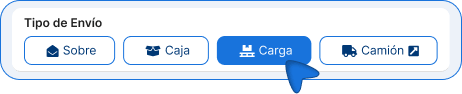
| Shipping type | What is it used for? |
|---|---|
| About | Documents or small items. |
| Box | Conventional parcel delivery. |
| Load | LTL Shipping (consolidated freight). |
| Truck | Full Truckload (FTL); visit cargo.envia.com. |
4. Fill in the shipment details
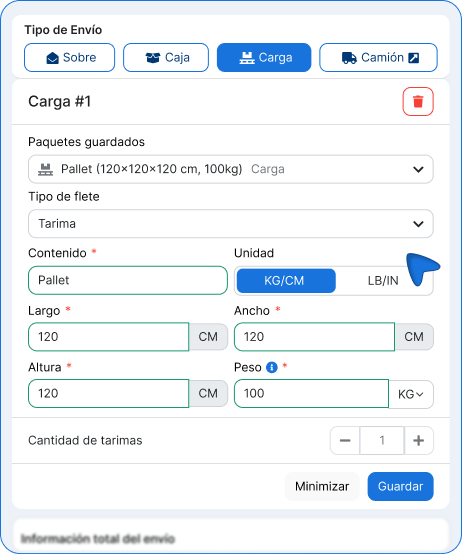
In Carga #1, enter the details of your shipment.
- Saved packages. If you already have a saved package profile, you can select it from "Saved Packages" to reuse measurements and data.
- Freight Type (origin: Mexico). Specify how your shipment will be transported so that the shipping carrier can classify it correctly when providing a quote and generating the shipping label.
Content, unit, measurements, weight, and quantity
- Content: Describe what you are sending (maximum 50 characters). This field is required.
- Unit: Confirm KG/CM or switch to LB/IN if needed.
- Measurements: length, width, and height. These are required.
- Weight: Enter the weight. This field is required.
- Quantity: Use the + / – buttons to specify how many identical units you are sending (minimum 1, maximum 100).
If you have packages of different sizes or weights, click on + Add a platform to register another section (Load #2, Load #3, etc.) and fill in your information one by one.
ℹ️ The shipping rate is displayed only for shipments originating in Mexico and with the "Freight" shipping type, for shipments via Almex.
5. Enter the declared value and activate the insurance (if you'd like)
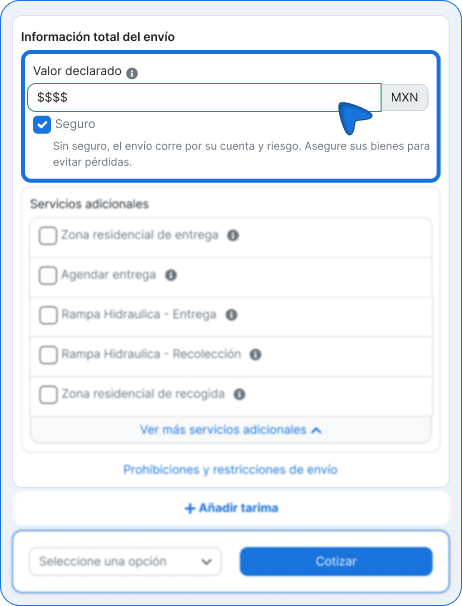
In Complete Shipping Information:
- Enter the Declared value in MXN. This field is required; if you leave it blank, you'll see the message Required field.
- If you want to insure the shipment, check the box Insurance.
ℹ️ Without insurance, shipping is at your own expense and risk. Insure your goods to avoid loss.
ℹ️ If the reported value exceeds $50,000 MXN, an additional field will be added to enter the invoice number.
6. Select additional services (optional)
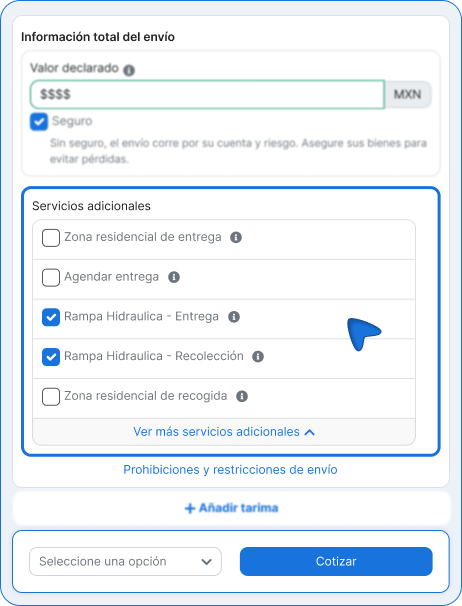
In Additional Services You can check the ones you need. Each option has an information icon (i) along with its definition.
| Additional service | Description |
|---|---|
| Residential Delivery Area | Some delivery companies charge a residential delivery fee to cover the extra effort involved in delivering directly to homes or apartments. |
| Schedule a Delivery | The time and date agreed upon by the seller and the buyer for the products to arrive at the selected destination. |
| Hydraulic Ramp – Delivery | When a shipment requires a lift gate for delivery, it usually means that the recipient does not have a loading dock or a forklift to unload the cargo. |
| Hydraulic Ramp – Pickup | When a shipment requires a lift gate at pickup, it usually means that there is no loading dock or forklift at the origin to load the goods. |
| Residential pickup area | A home or home-based business in a residential area that typically does not have a loading dock. |
ℹ️ Before getting a quote, check out the link Shipping Prohibitions and Restrictions to confirm that your merchandise can be shipped.
7. Get a quote and choose a shipping carrier
- Click Quote.
- A modal window opens displaying a summary of the origin, destination, and cargo, along with a list of available options. This screen is only for Choose a shipping carrier.
- Filter the results by: More affordable, Faster, With branches
- If you need to, use the search function in the modal or Services Configuration.
- Review each option: shipping carrier, type of service (for example, Headquarters-Headquarters or Branch-Branch), estimated delivery date, weight, and cost (including VAT).
- Click Generate whichever option you choose. The guide isn't created yet—you'll just move on to the confirmation screen.
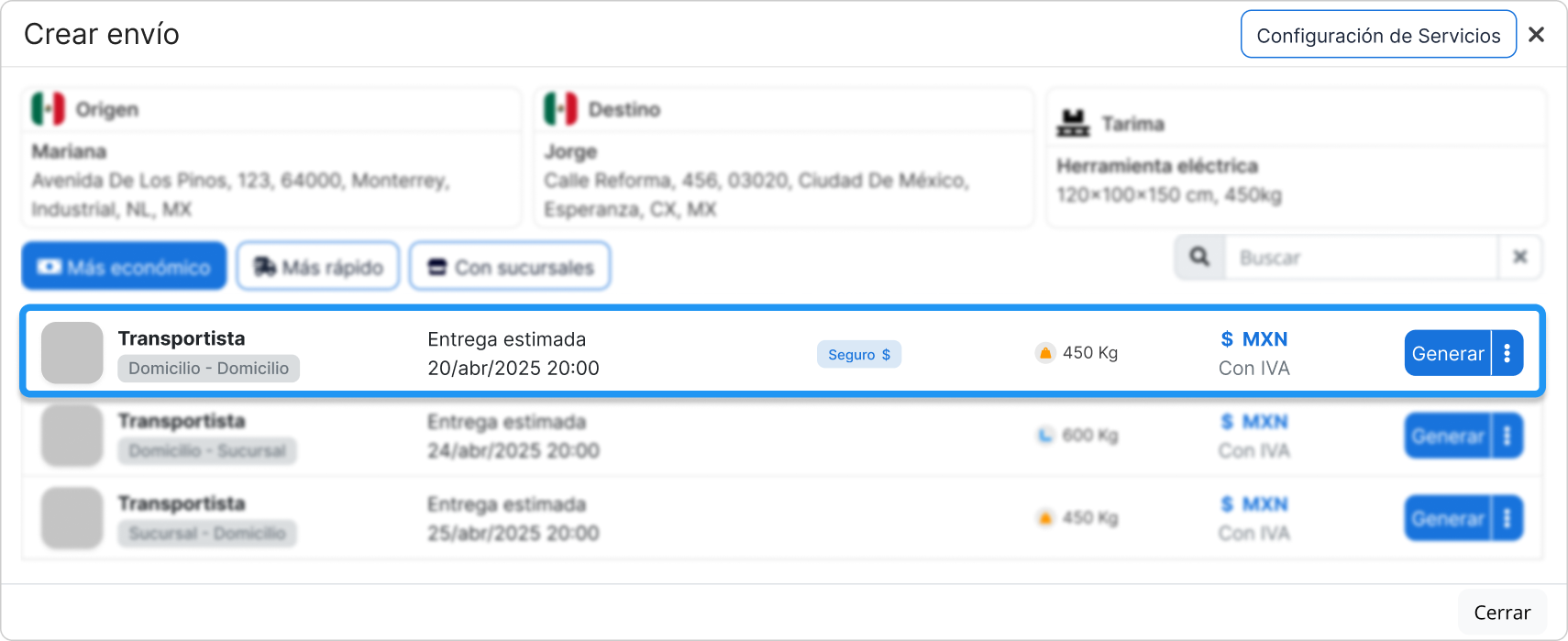
ℹ️ You can also check the footer of the modal Packing Instructions, Help or the contribution history, or close with Close.
8. Fill in the information before generating the shipping label
When you click on Generate The confirmation screen opens. Here, you fill out the bill of lading, review the cost, and create the shipping label with Generate guide.
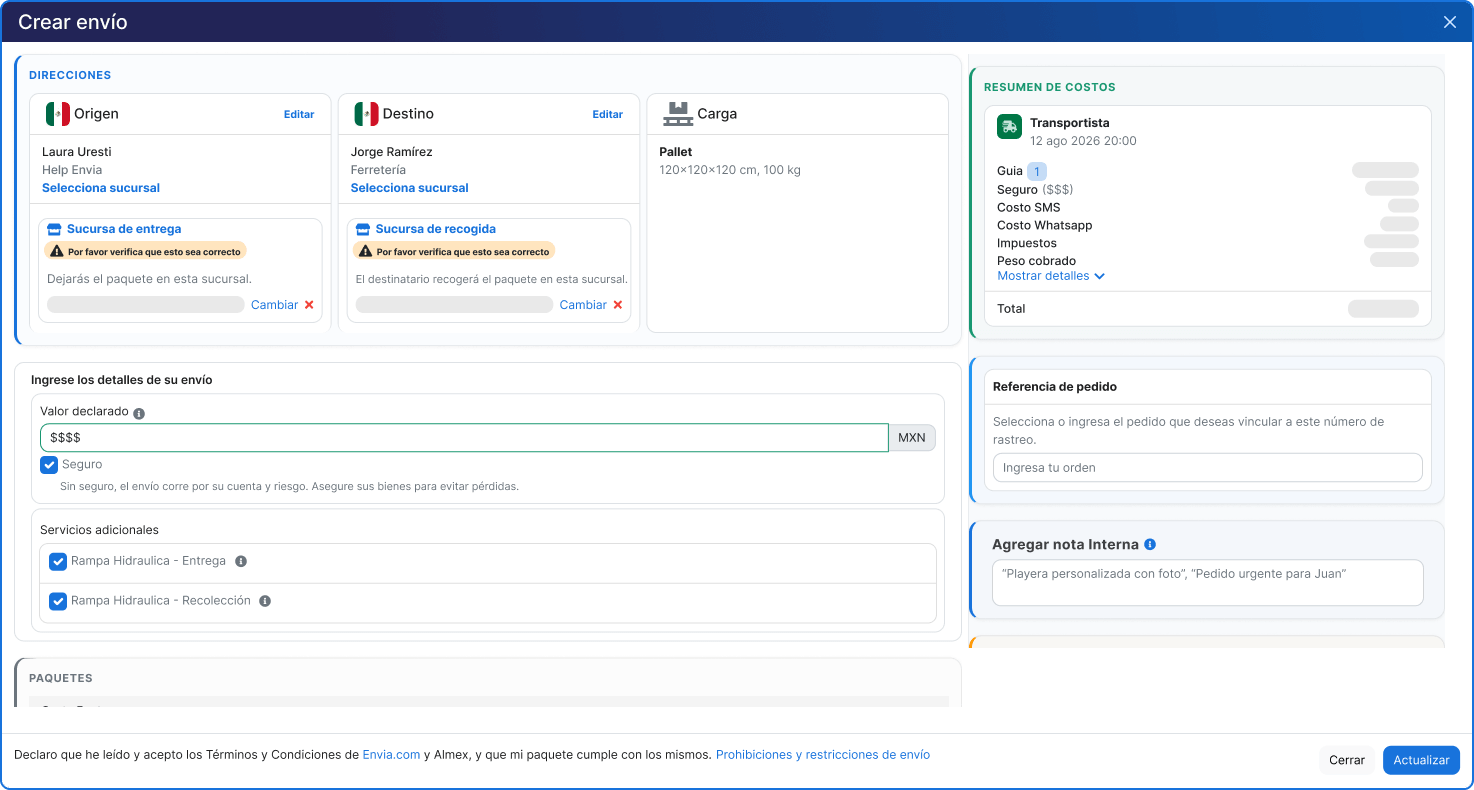
Directions and Loading
In the ADDRESSES You'll see the summary of:
- Origin
- Destination
- Load (contents, dimensions, and weight)
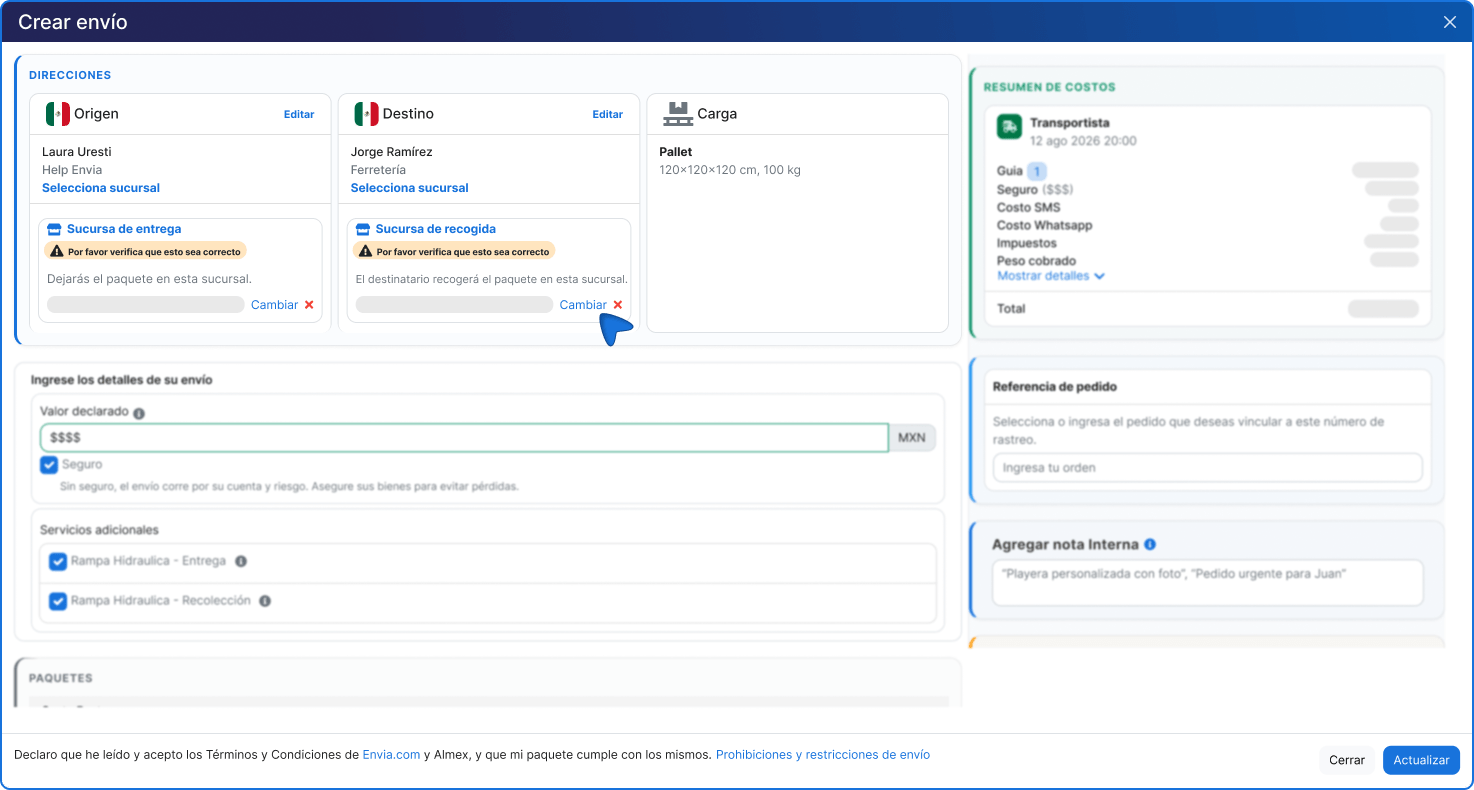
You can use Edit if you need to correct something. If the service is provided through a branch (for example, it happens), options such as Delivery Branch and Pickup Location. Please verify that the branch is correct before continuing.
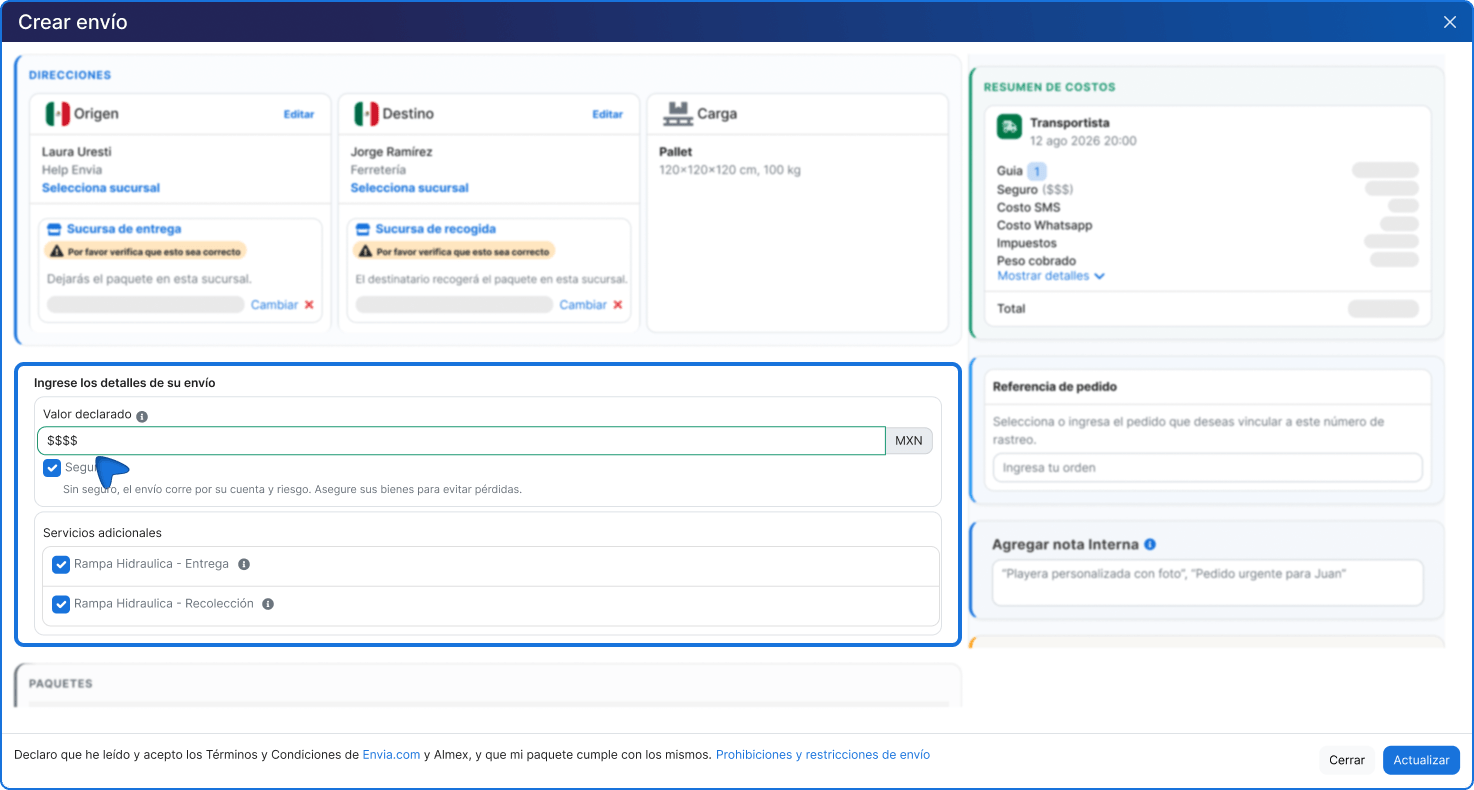
Shipping details
In Enter your shipping details you'll see the Declared value and, if you selected them before getting a quote, the Insurance and the Additional Services already shortlisted (for example, Hydraulic Ramp – Delivery or Hydraulic Ramp – Pickup).
On this screen, you don't select new services, nor are any additional options displayed: you can only confirm the amount you entered or uncheck insurance or any additional services if you no longer need them.
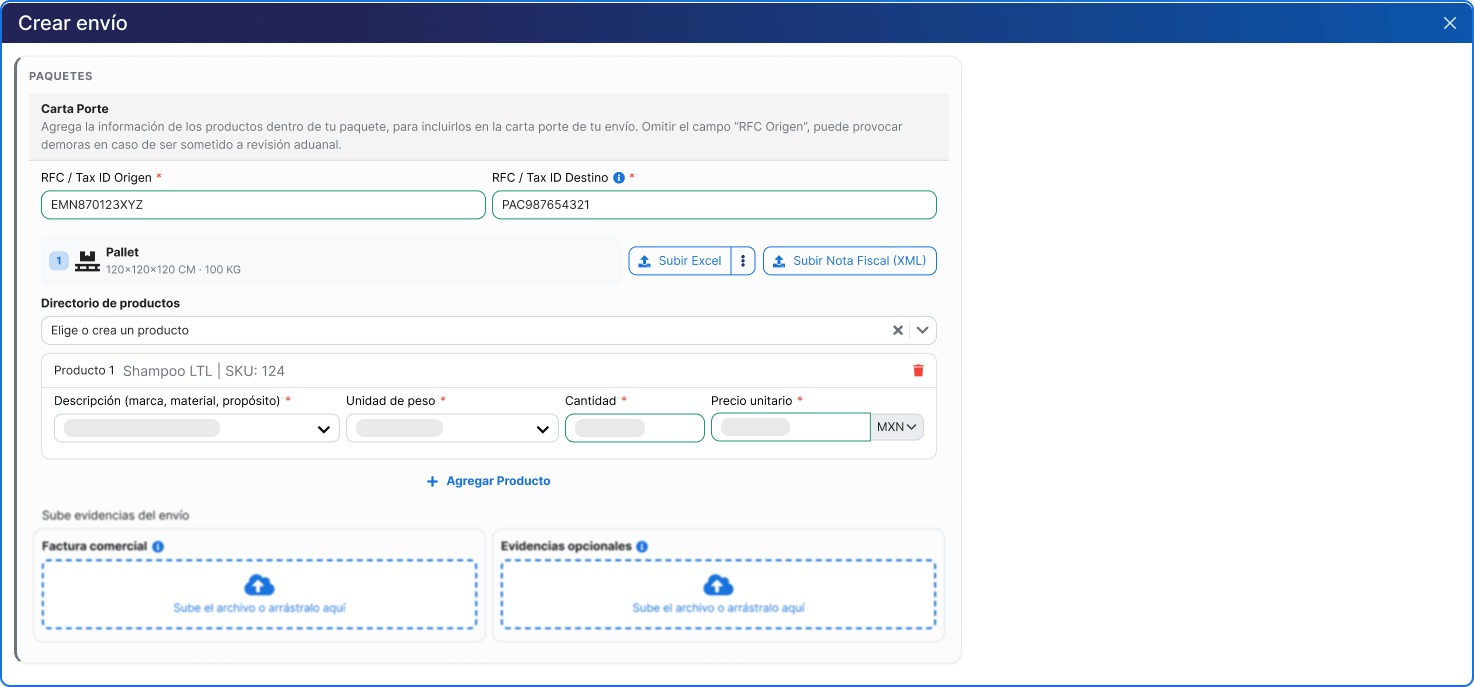
Waybill
For shipments within Mexico, fill out the tax information for Waybill. If you omit the source RFC, you may experience delays in reviews or inspections.
Tax fields:
- RFC / Tax ID of Origin (required)
- RFC / Tax ID of the Recipient (required)
For the items in the shipment, you can:
- Choose a product from Product Directory
- Enter them manually in Product 1 (and following)
- Use Upload Excel to upload them in batches
- Use Upload Invoice (XML) if applicable
If you're entering the product manually, please fill out these required fields:
- Description (brand, material, purpose)
- Unit of weight
- Amount
- Unit price (with currency, e.g., MXN)
To register another product, click + Add Product.
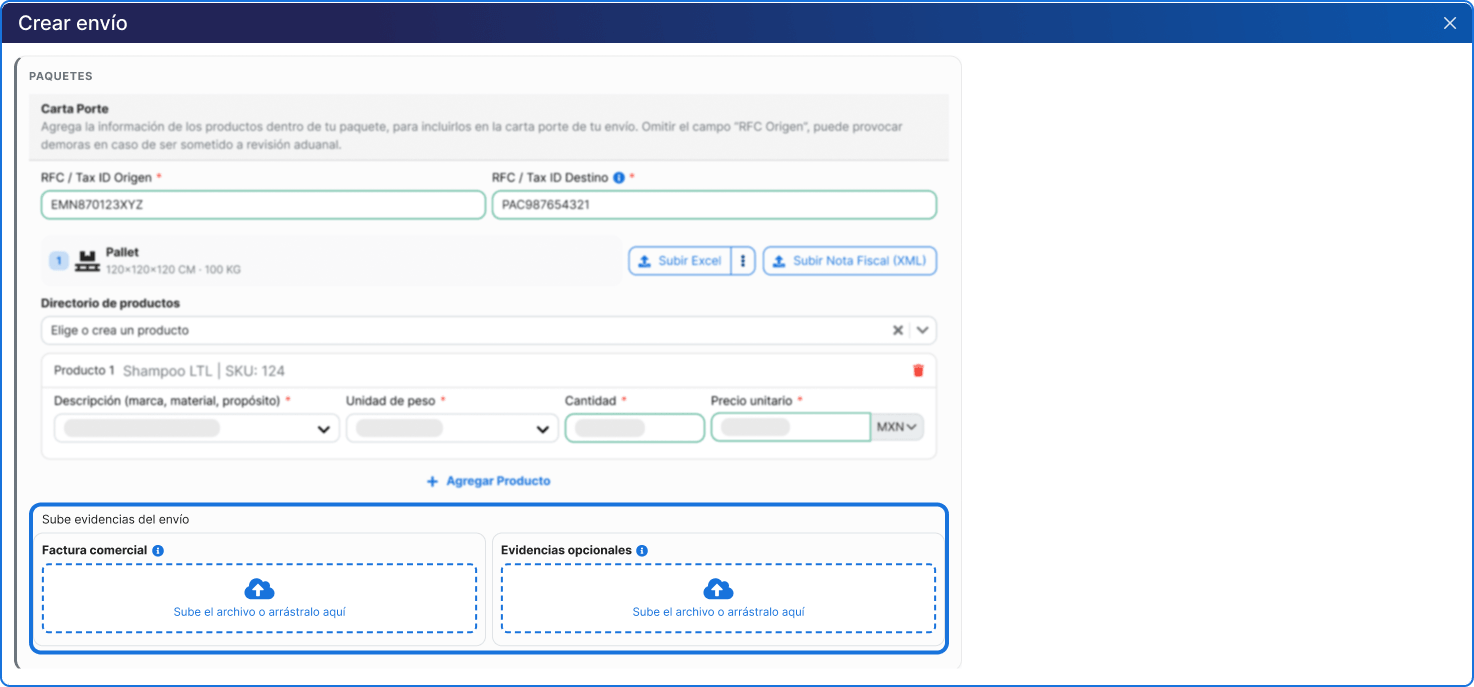
Proof of shipment
- Commercial invoice: Required if you are shipping high-value items. Upload the file or drag it to the designated area.
- Optional evidence: You can attach images of the product or its packaging.
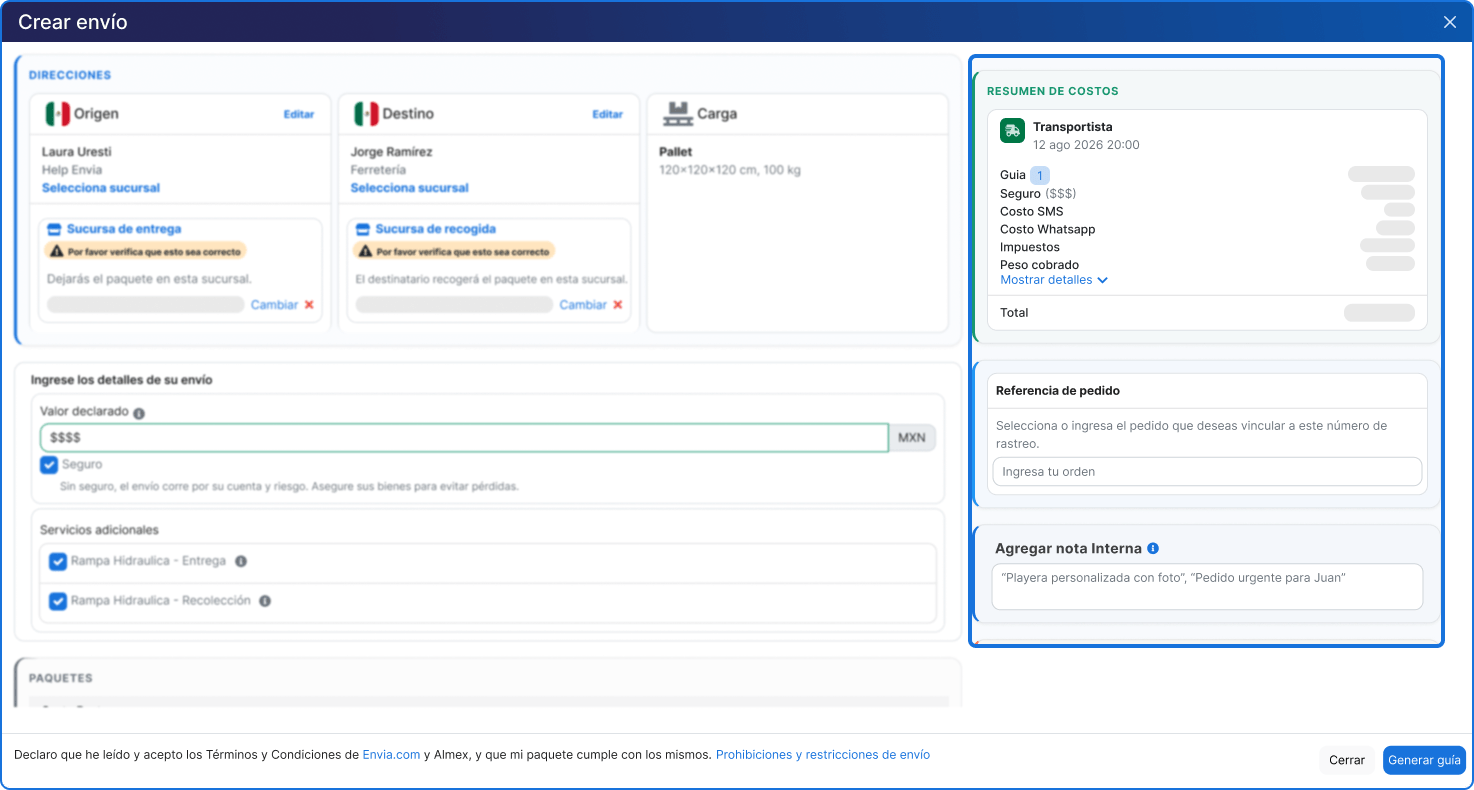
Summary of Costs and Optional Information
In the right-hand panel, check the COST SUMMARY: Parcel delivery and service, breakdown (guide, taxes, amount charged, etc.) and the total.
Optionally, you can capture:
- Order Number
- Add an internal note (for internal use only; not included in the guide)
9. Create your guide
Check to make sure all the information is correct, and click the blue button Generate guide to complete the process. Your guide will be ready to download.
FAQ
What is the difference between LTL and FTL?
LTL (consolidated shipment) is when your cargo shares space with other shipments on the same truck, which reduces costs. FTL (full truckload) That's when you rent the entire unit for yourself. If you need FTL, click the tab Truck From the generation screen, go to cargo.envia.com.
Can I ship multiple pallets with different dimensions? Yes. Click on + Add a platform to record each group of pallets along with their dimensions and weight.
Is it mandatory to fill out the waybill? Yes. The Carta Porte is a tax requirement for the transport of goods in Mexico. You must enter the sender's RFC, the recipient's RFC, and the details of the contents.
What happens if the declared value exceeds $50,000 MXN? An additional field will be added for entering the invoice number, which is required to properly document the shipment.
What is the "Freight Type" field used for? Specify how your goods will be shipped (pallet, roll, drum, etc.). This information is used when providing a quote and generating the waybill. Select this option before requesting a quote.
What are additional services? These are optional selections you can check before getting a quote, such as a residential area or a hydraulic ramp for pickup or delivery. To see what each one means, hover your cursor over the information icon (i). Use See more additional services if you don't see the one you need. Availability may vary depending on the shipping carrier.

Did you find this resource useful?