Scheduled maintenance on Envia.com: Thursday, October 29, 12:00–12:30 a.m. Login, APIs, and operations will be unavailable.


Automatic quoter (checkout)

Connecting your store with envia.com gives you access to the automatic quoter (checkout), a tool that shows real-time shipping costs. This makes the purchase process easier, letting your customers know the exact cost and estimated delivery dates before they finish their order. You can also select all the carriers you want per country to offer the best rates.
Compatible ecommerce platforms
Section titled “Compatible ecommerce platforms”The automatic quoter is available only for the following platforms:





Steps to turn on checkout for your store
Section titled “Steps to turn on checkout for your store”-
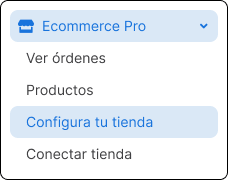
Go to Ecommerce Pro > Set up your store
-
Choose your store and click Settings

-
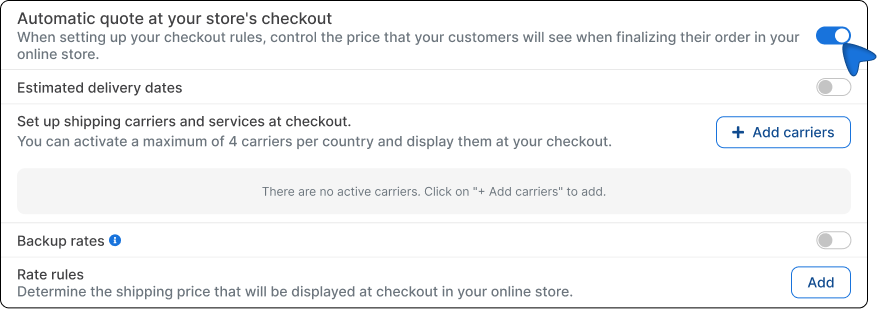
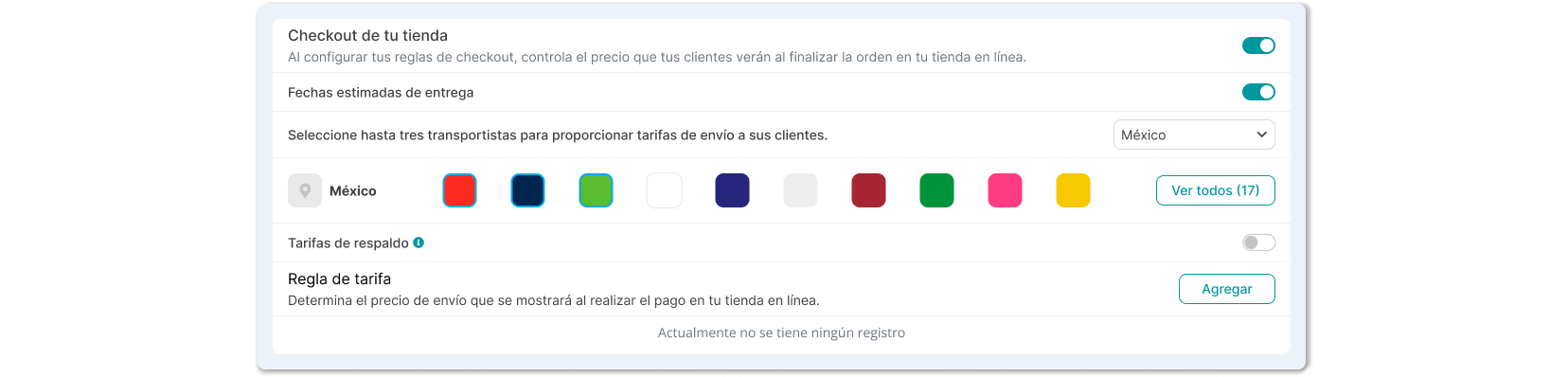
In Store checkout turn on the switch to enable the automatic quoter.
-
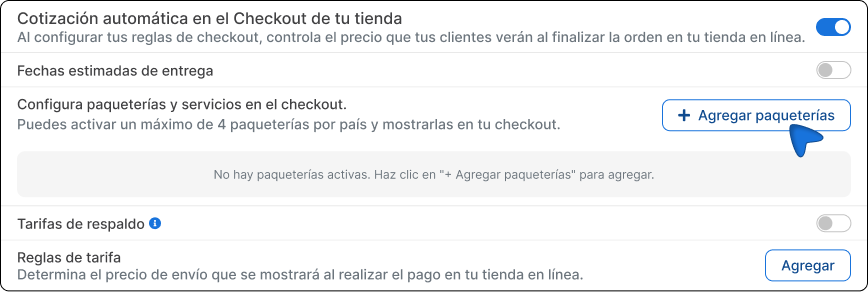
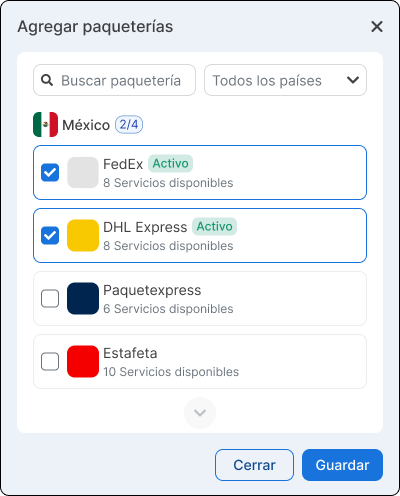
Click the Add carriers button and select the carrier services you want per country, based on your preference.
-
Save the changes.
Customize the services shown at checkout
Section titled “Customize the services shown at checkout”In addition to turning on the automatic quoter, you can customize which carrier services are shown at checkout and how your end customer sees them. This option lets you offer a clearer purchase experience, aligned with your operation and how you want to present your shipments.
-
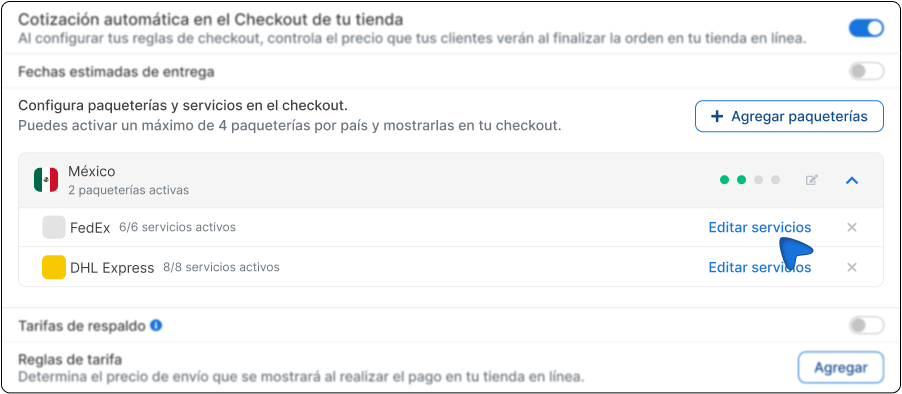
In the Automatic quote at store checkout section, click the arrow to expand the carrier services.
-
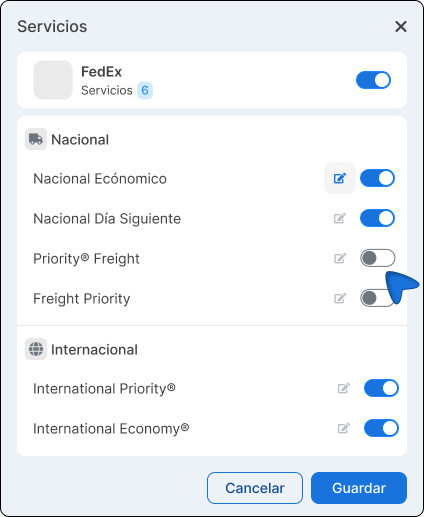
Click Edit services.
-
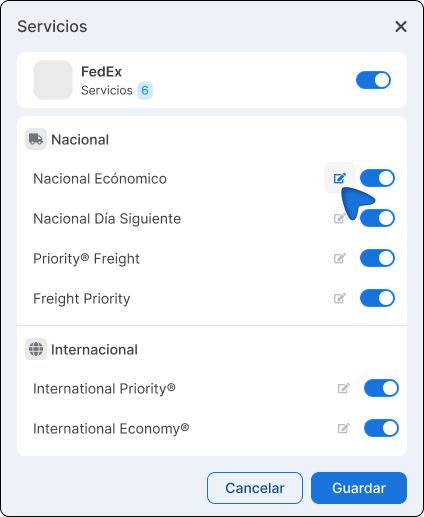
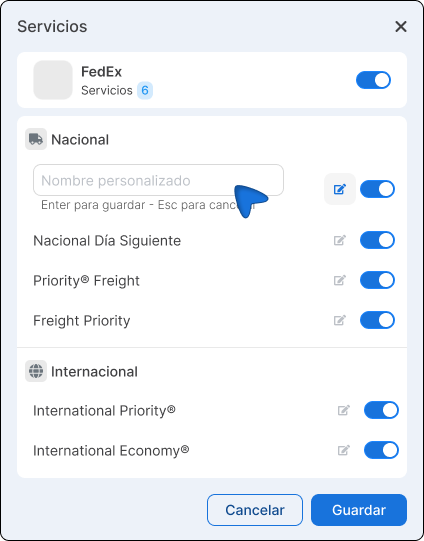
Customize the service name if you want. To do this, click the edit icon and type the name you want to show the buyer.
-
If you need to, you can also turn off the services you do not want to show. To do this, click the corresponding switch.
-
Save the changes.
-
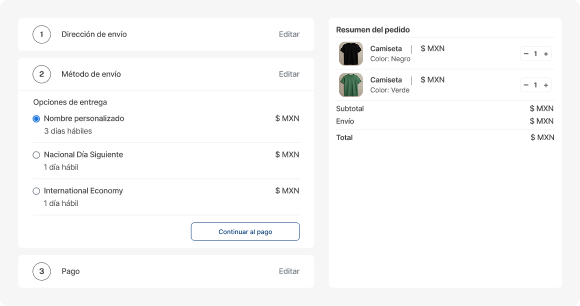
Run a test from your store checkout by entering a ZIP code to verify that the services and custom names are shown correctly.
Recommendations for using the quoter
Section titled “Recommendations for using the quoter”- Turn on delivery date visibility so your customers know when they will receive their order.
- Verify that your addresses and package details are up to date.
- If you need to, apply rate rules: discount, increase, fixed price, or omit carriers.
- Keep the weights and dimensions of your products up to date (in cm and kg) to ensure an accurate quote.