Scheduled maintenance on Envia.com: Thursday, October 29, 12:00–12:30 a.m. Login, APIs, and operations will be unavailable.


Advanced settings
Ecommerce Pro advanced settings are tools designed to automate and optimize how you handle shipments. These options help you save time, avoid errors, and offer a better experience to your customers.
- Automatic insurance
- Automatic declared value
- Return policy
Automatic insurance
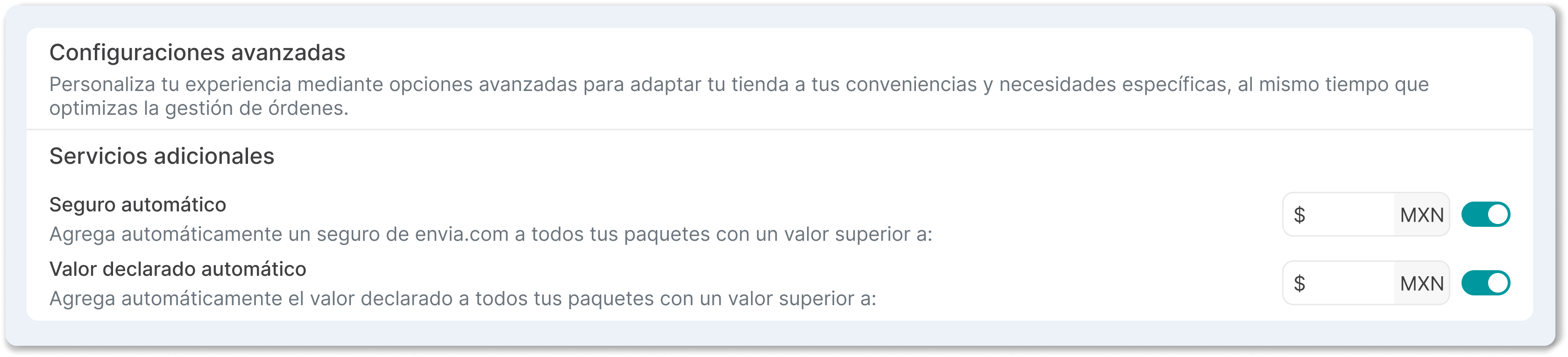
Section titled “Automatic insurance”Automatic insurance lets you automatically add Envia.com insurance to your shipments, protecting them in case of loss or damage.
How does it work?
- Insurance is calculated automatically based on the total value of the products in the order.
- It is only applied if the order value exceeds the minimum amount you set.
- The insurance cost will appear as an additional service in the total shipping cost.
Steps to set it up
- Go to Ecommerce Pro > Set up your store
- Find the Advanced settings section
- Turn on the Automatic insurance switch
- Set the minimum amount for insurance to apply automatically (for example, $500).
Automatic declared value
Section titled “Automatic declared value”Automatic declared value ensures that the real value of the products in an order is recorded correctly and consistently throughout the process, from checkout in your store to the record in Ecommerce Pro.
Declared value is the amount that represents the real price of the products you are shipping. This value can affect the shipping cost depending on the policies of the carrier you use.
How does it work?
- The system automatically calculates the declared value at checkout in your store, based on the product prices.
- That same value will be reflected when the order arrives in Ecommerce Pro.
- It helps you avoid discrepancies in shipping costs, because without this feature the declared value could be 0 at checkout, generating extra costs when you correct it later.
Steps to set it up
-
Go to Ecommerce Pro > Set up your store
-
Find the Advanced settings section
-
Turn on the Automatic declared value option*(on by default)*
-
Set the minimum amount from which declared value will apply (the default value is 0)
Return policy
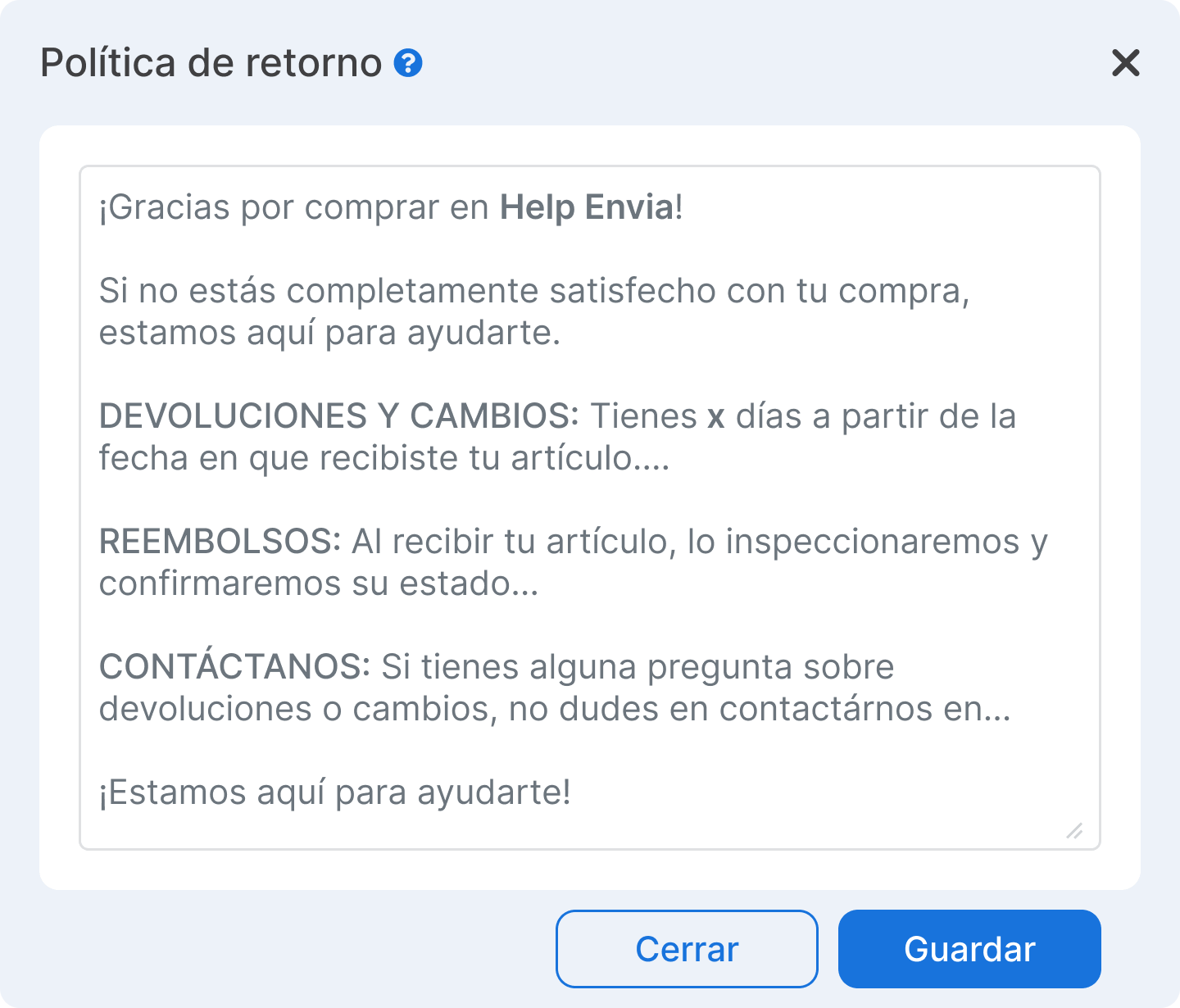
Section titled “Return policy”The Return policy tool lets you include a custom section with your return policies directly on the packing slip printed with each shipment. This feature streamlines the post-sale process, because your customers receive clear instructions inside the package about returns, exchanges, and refunds, avoiding the need to contact support.
How does it work?
- When you turn it on, each packing slip generated will automatically include your custom policy.
- You can edit the content based on your conditions, timeframes, and contact channels.
- You can add emails, URLs, or specific instructions.
Steps to set it up
-
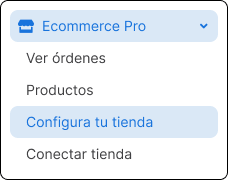
Go to Ecommerce Pro > Set up your store
-
Open your store settings

-
In Advanced settings, find the Shipment preparation section and turn on the Return policy option.

-
Customize the template with the specific information for your store:
- Conditions for exchanges and returns.
- Deadline to request refunds.
- Contact channels and next steps.