







Ecommerce Pro / Store settings
Live checkout rates (checkout)
Integrating your store with envia.com gives you access to the automatic shipping calculator (checkout), a tool that displays shipping costs in real time. This streamlines the checkout process, allowing your customers to see the exact cost and estimated delivery dates before finalizing their order. Plus, you can select as many shipping carriers as you want per country to offer the best possible rates.
Compatible Ecommerces
The automatic shipping calculator is available only for the following platforms:



Steps to activate checkout rates in your store
1. Go to Ecommerce Pro > Store settings
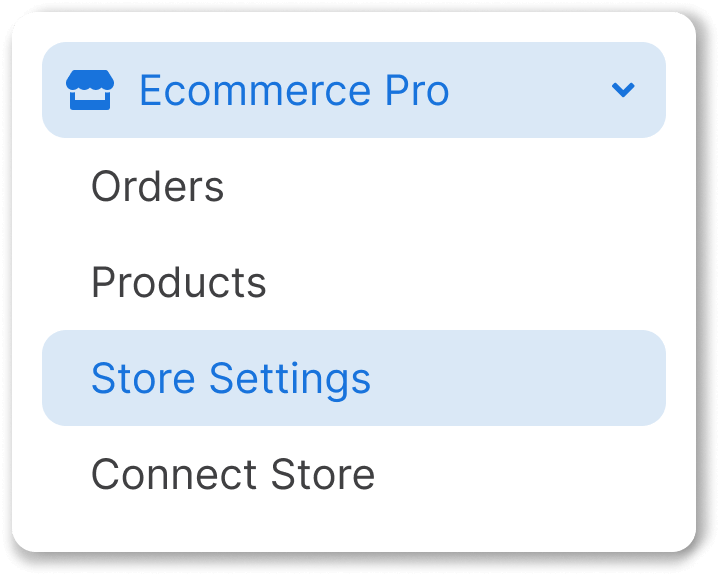
2. Select your store and click Settings

3. At Checkout of your store enable the toggle to activate the automatic shipping calculator.
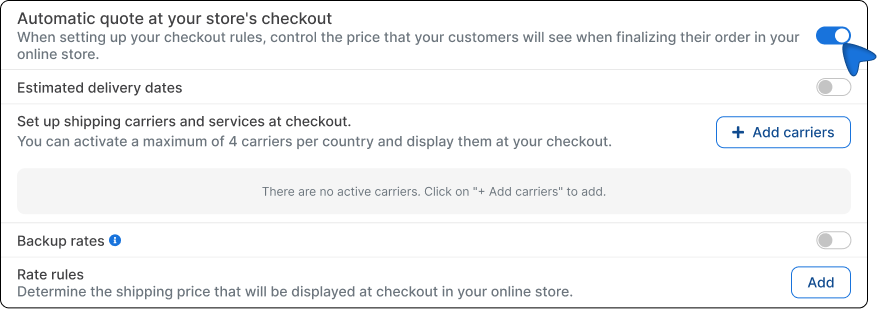
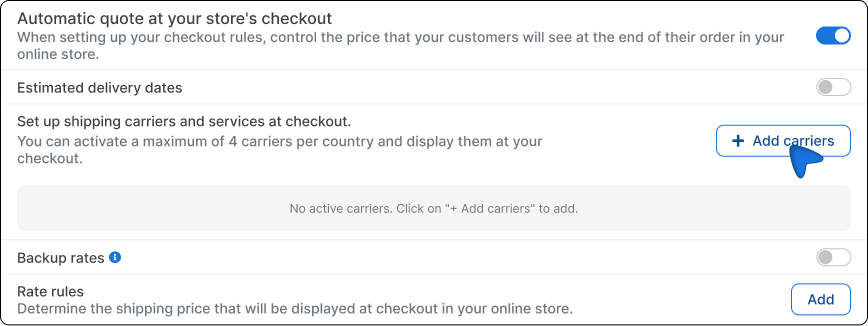
4. Click the Add carriers and select the shipping services you want by country, based on your preference.
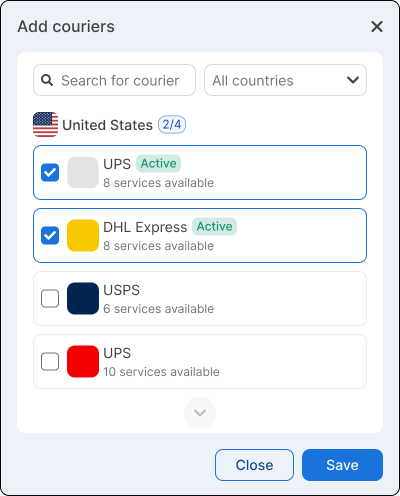
5. Save the changes.
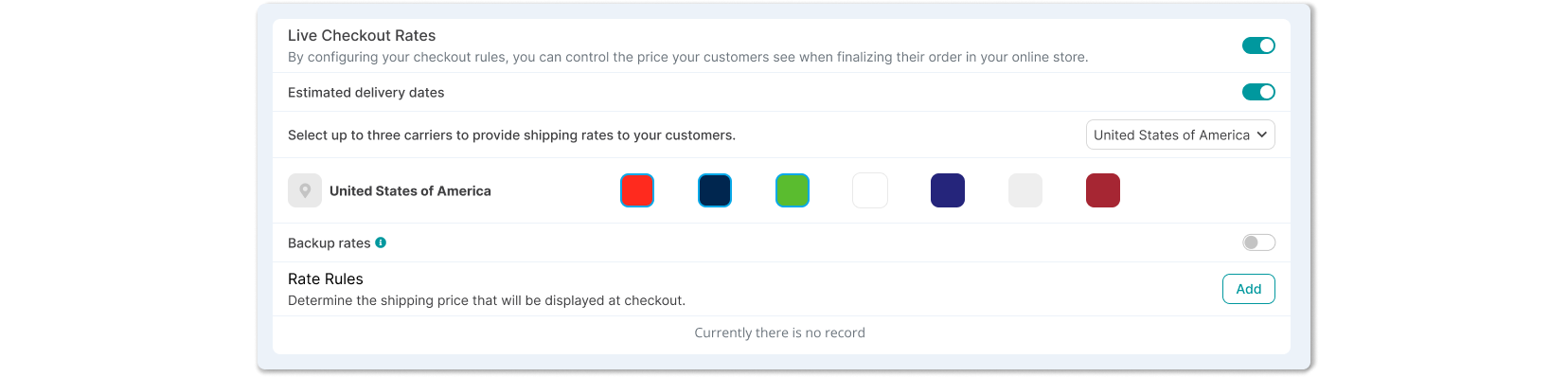
Customize the services shown at checkout
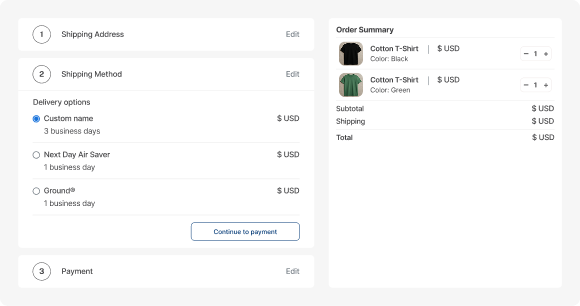
In addition to enabling the automatic shipping calculator, you can customize which carrier services are displayed at checkout and how they appear to your end customers. This option allows you to offer a clearer shopping experience that aligns with your operation and how you want to present your shipping options.
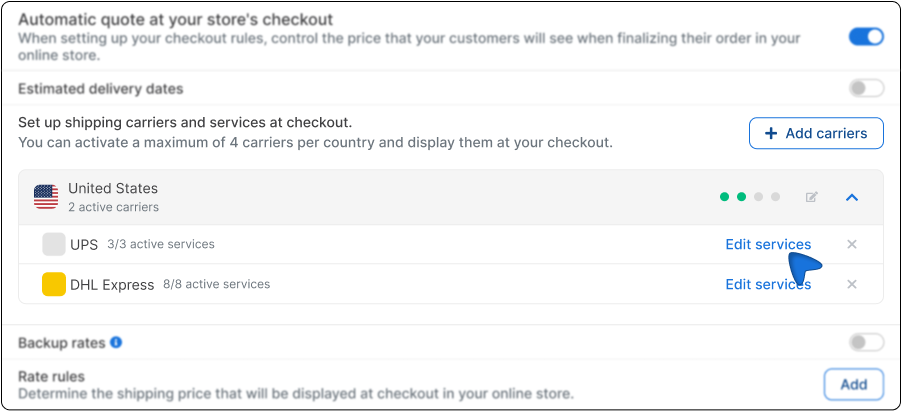
1. In the automatic quotation in checkout section, click the arrow to expand the list of carrier services.
2. Click on Edit services.
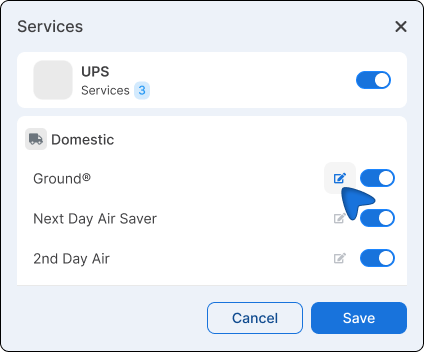
3. If needed, customize the service name by clicking the edit icon and entering the name you want to display to the shopper.
4. You can also disable services you do not want to show by clicking the corresponding toggle.
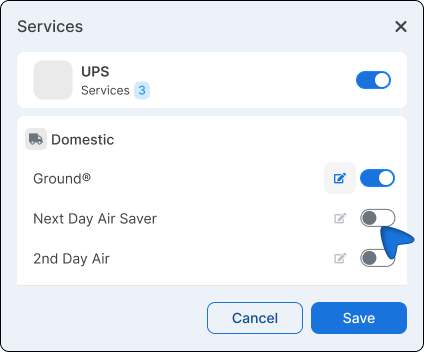
5. Save the changes.
6. Run a test from your store’s checkout by entering a postal code to confirm that the services and custom names are displayed correctly.
Recommendations for the use of the checkout
- Enable delivery date visibility so your customers know when to expect their order.
- Ensure your addresses and package details are up to date.
- Apply rate rules if needed: discounts, surcharges, or fixed prices.
- Keep your product weights and dimensions updated (in cm and kg) to ensure accurate quotes.

Did you find this resource useful?