







Payments and Billing / Payments
Billing
What are invoices?
Invoices are official documents that record the details of a transaction: products or services purchased, quantities, prices and other relevant information. They serve as proof of payment between the seller and the buyer.
The invoices issued by envia.com are official and valid before the corresponding tax authority.
📌 The invoice is generated based on the. amount you recharged, not on the shipments you have made.
Before you begin
Please note the following before requesting or setting up your billing:
- It is at least one recharge must have been performed to enter your billing information.
- The first invoice must always be generated manually.
- Invoices can only be requested within the same month in which the recharge was performed. After this period, the invoice is automatically issued as a transaction to General Public transaction.
Enter your billing information
Log in to your Envia.com account.
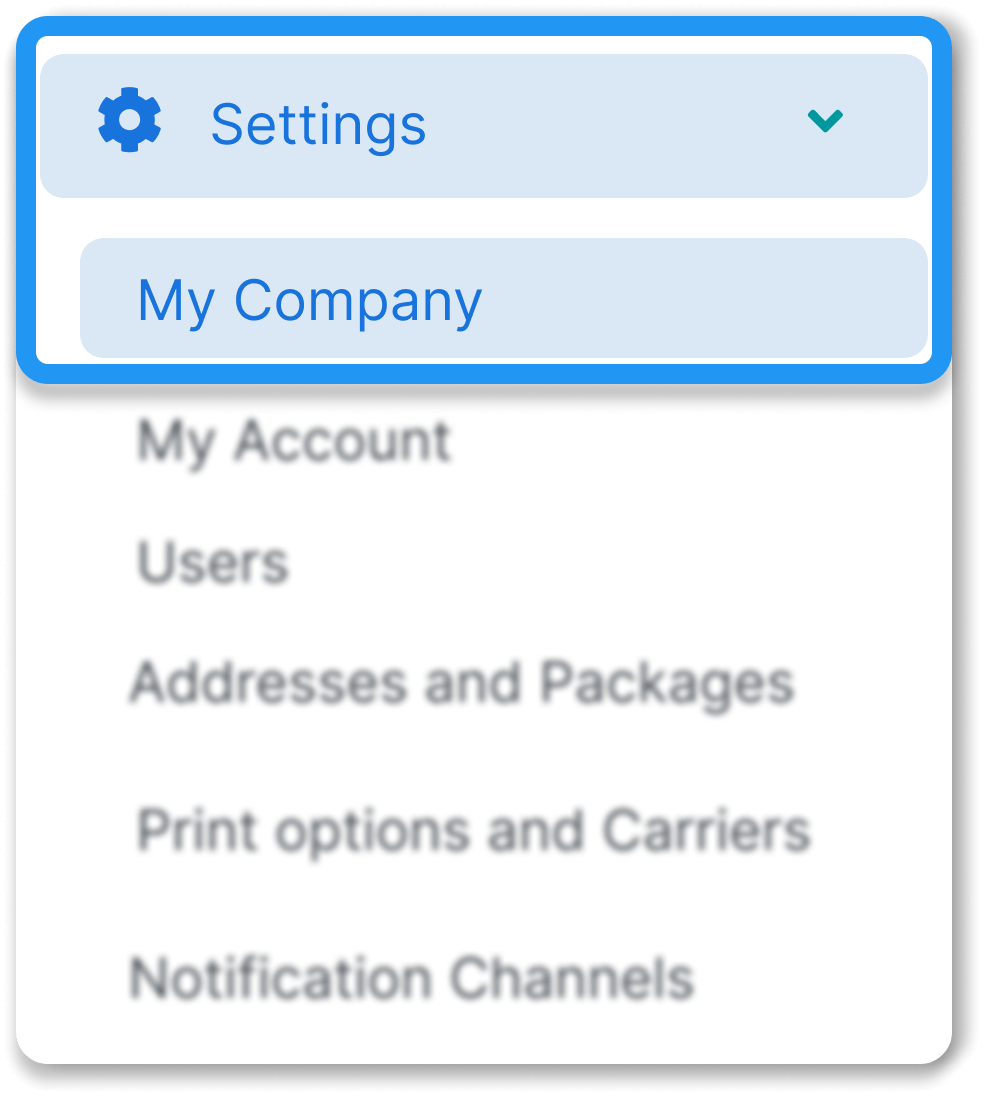
2. Go to Settings > My company
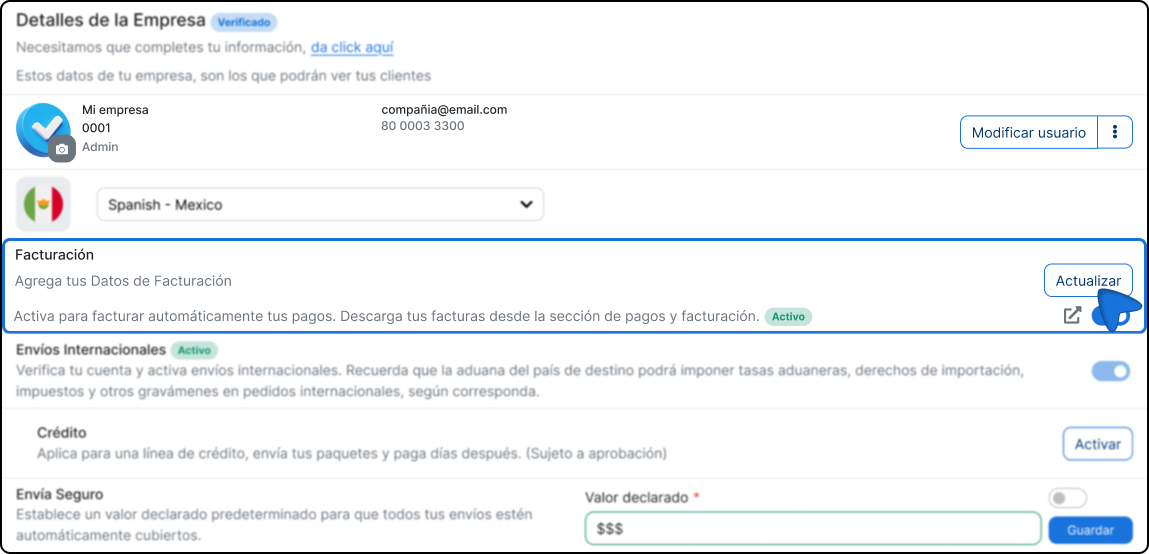
3. Locate the section Billing section and click on Update
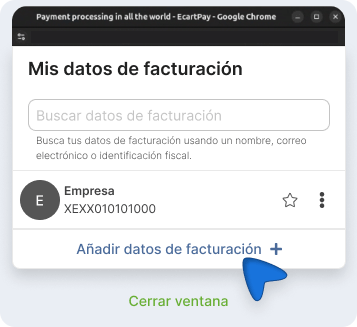
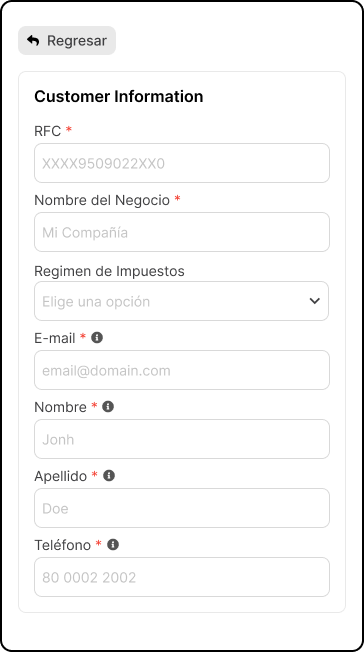
4. Click on Add billing data + and fill in the requested fields:
Tax information
Billing address
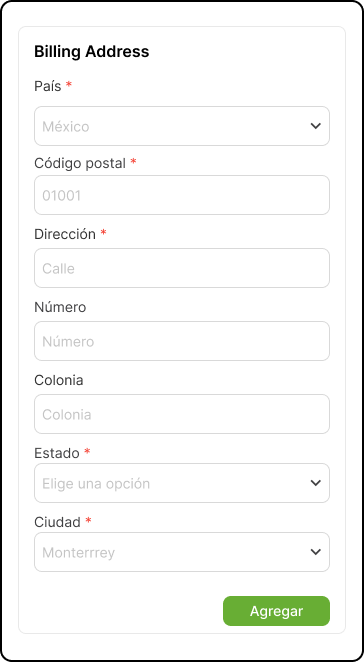
6. Click on Add to save the information.
💡 Verify that the data entered exactly matches your customer's tax information to avoid errors on the invoice.
Generate invoice manually
Once you have registered your billing information, follow these steps to create an invoice from an existing payment.
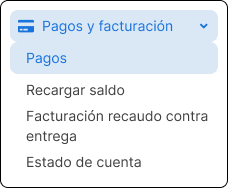
1. Go to Billing & Payments) > Payments.
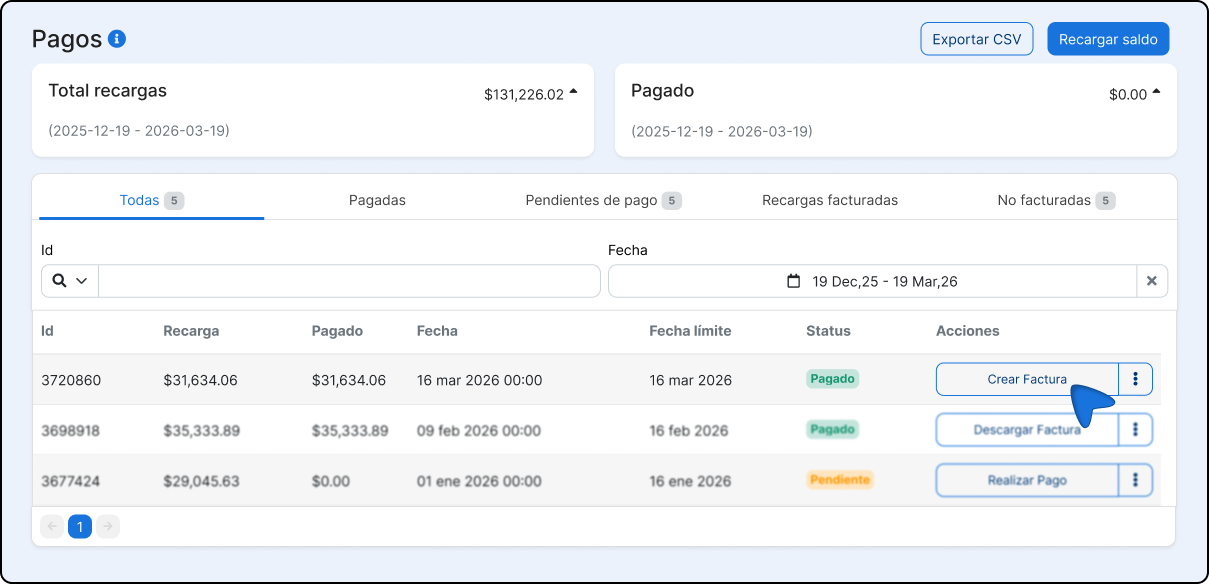
2. Locate the payment you wish to bill and click on the three dots icon on the right.
3. Select Create invoice in the drop-down menu.
4. Complete the required fields and click on Create invoice to finish.
| Field | Description |
|---|---|
| Method of payment | How payment was made (card, transfer, etc.) |
| Type of payment | Payment in a single exhibition or in installments. |
| Invoice date | You can only select the current date or a later date. |
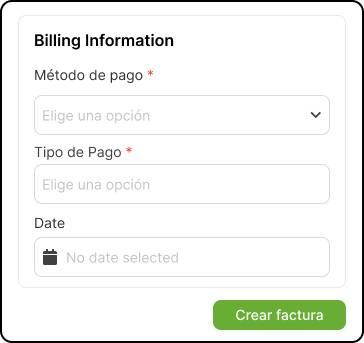
It is not possible to select a date prior to the day you generate the invoice.
Automatic Billing
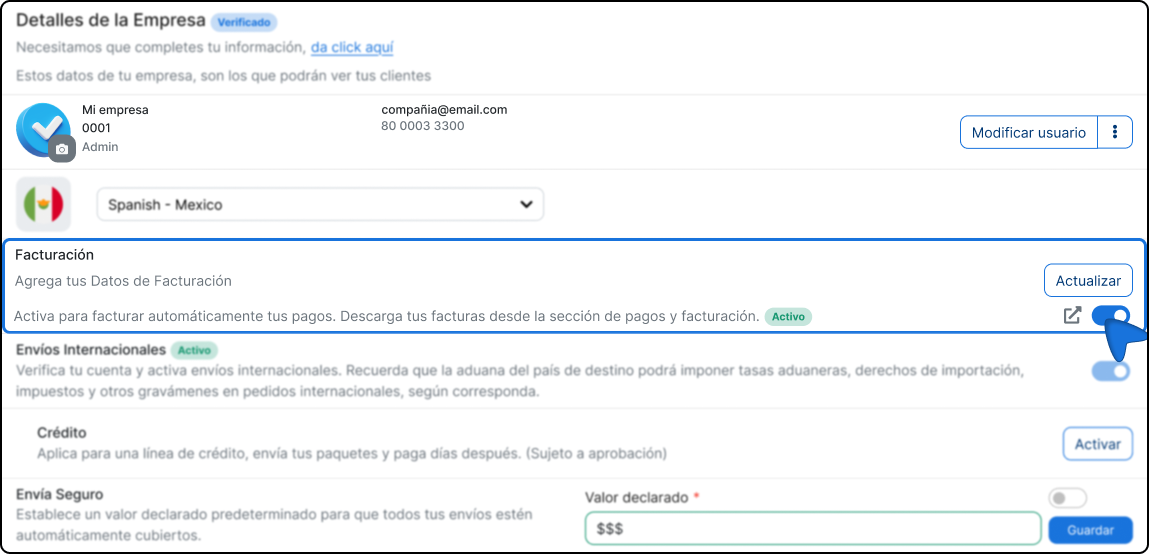
You can configure the platform to generate an invoice automatically. every time you recharge your account balance, without the need to do it manually.
Enable automatic billing
1. Login to our platform.
2. Go to the section My company.
3. Find the section Billing and activate it.
Download your invoices
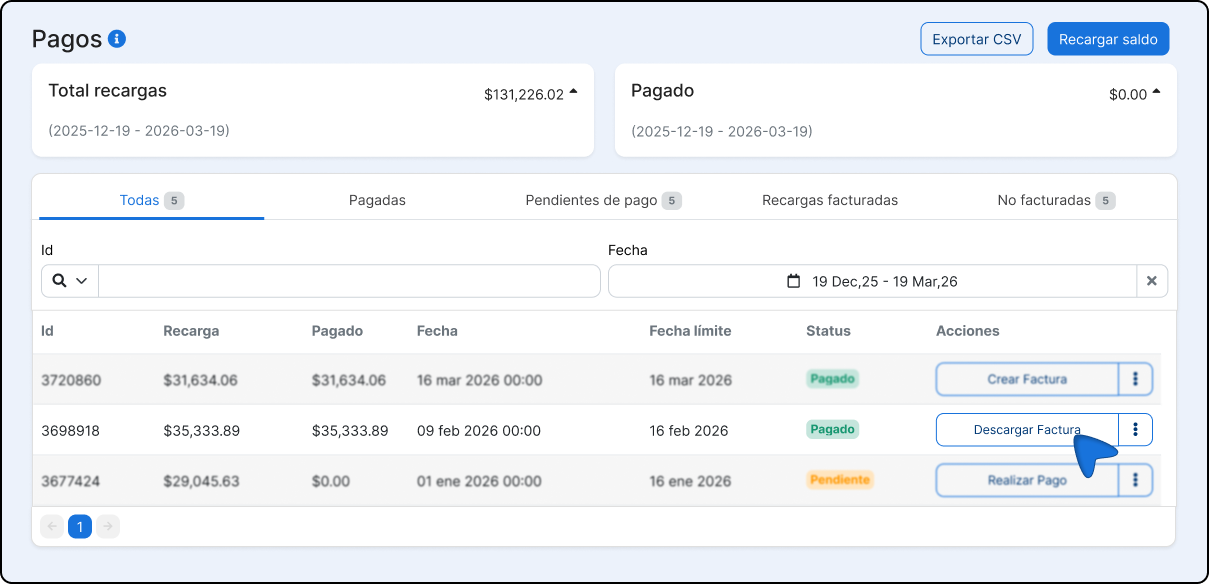
If you need to download any of your invoices again, you can do so by following these steps:
1. Login to our platform.
2. Go to Billing & Payments.
3. Select the invoice you want to download.
Additional considerations
Various billing data
You can register more than one billing profile in your account. In that case, it is recommended disable automatic billing to be able to manually choose with which information each invoice will be issued. If automatic invoicing is active, the system will use the data configured as predetermined.

Did you find this resource useful?