

Temu
Connecting your Temu store with Envia.com lets you manage all your shipments from one place.
Prerequisites
Section titled “Prerequisites”Before you start, make sure you have:
- An active Temu Seller Center account.
- An active Envia.com account.
- Access to the Apps and Services section of your Seller Center.
Connect Envia.com with your Temu store
Section titled “Connect Envia.com with your Temu store”In this first part you will generate an access token, a unique key that lets Envia.com communicate with your store securely, directly from your Temu seller dashboard.
-
Sign in to your Temu account.
-
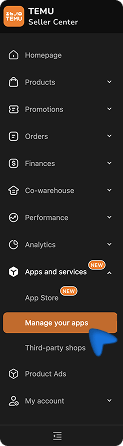
Inside your Temu Seller Center, find the Apps and Services section and select Manage your apps.
-
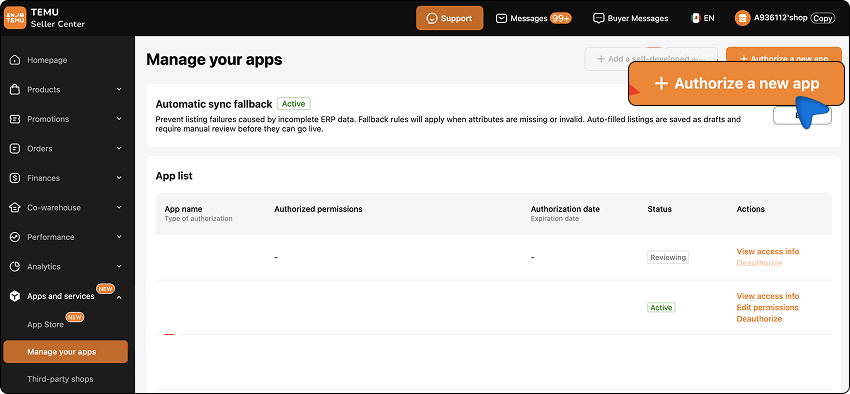
Then click Authorize a new app.
-
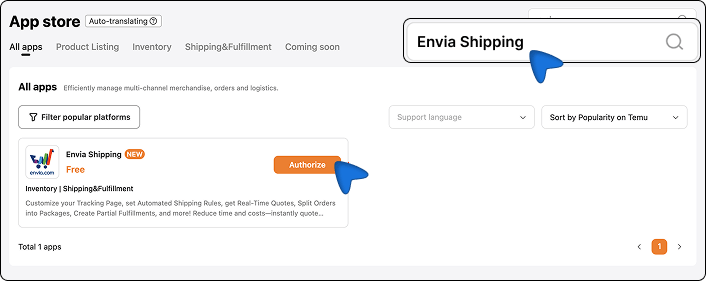
In the App Store search box type “Envia Shipping”, find the app, and click Authorize.
-
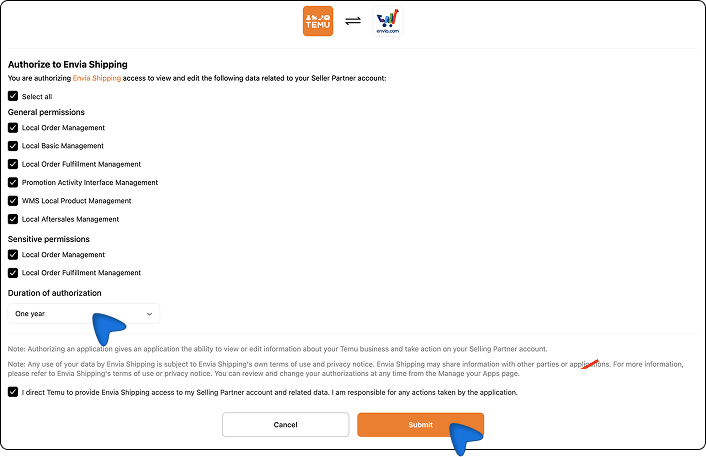
Set how long the access will be valid. We recommend selecting 1 year so you do not have to repeat this process sooner than needed. Keep all permissions selected and click Submit.
-
Temu will show you a unique Access Token. Copy it and store it in a safe place; you will need it in Part 2.
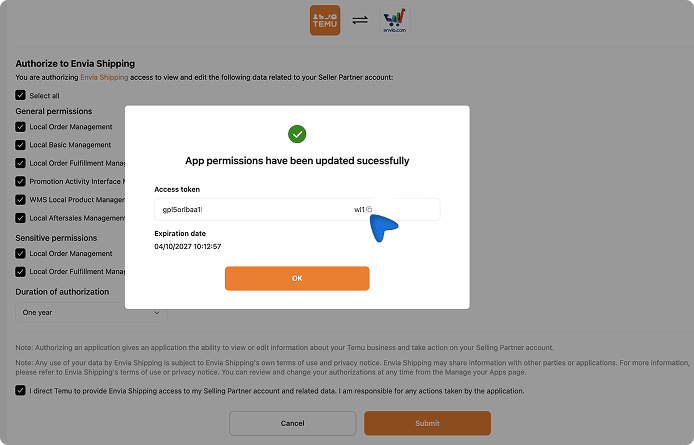
Connect your Temu store in Envia.com
Section titled “Connect your Temu store in Envia.com”-
Visit envia.com and go to Ecommerce Pro > Connect Store.
-
Click the Integrate my ecommerce button and select Temu.
-
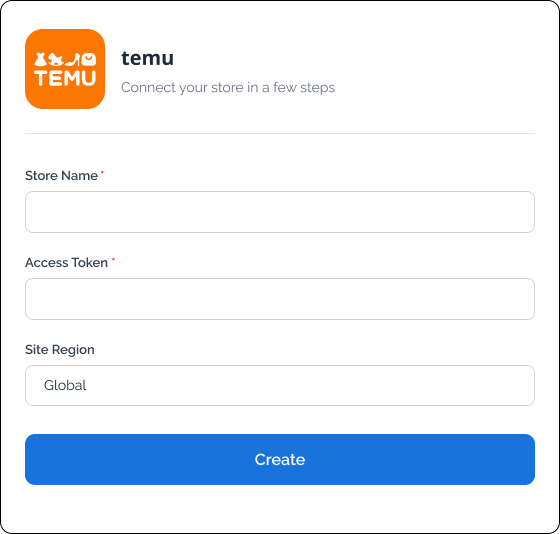
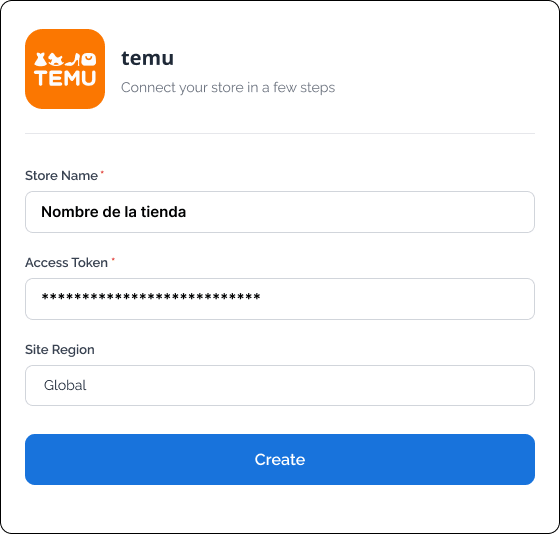
Complete the fields on the screen with your store information:
- Store Name: your store name as it appears in Temu.
- Access_token: the token you copied in step 5 of Part 1.
- Site Region: your store’s region.
-
Click Create.
-
Check the email registered in Envia.com and click Continue.
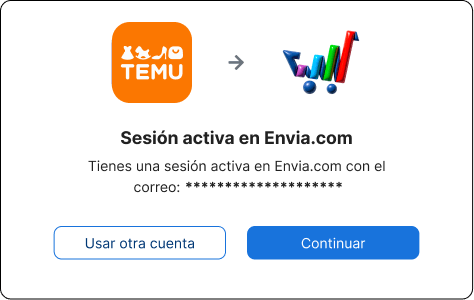
That’s it! Your Temu store is now integrated with Envia.com.
Set up your store in Envia.com
Section titled “Set up your store in Envia.com”You make these settings from your Envia.com dashboard. They are required for the integration to work correctly.

Origin address and packages
Set where your shipments leave from and which packaging you use. This is required to schedule pickups and get quotes
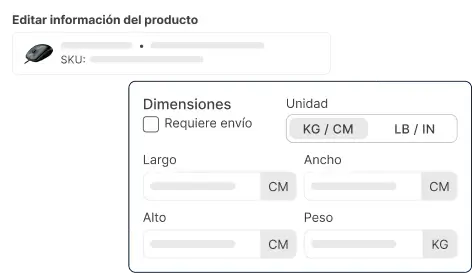
Products
Set the weight and size of each product. The system then calculates rates correctly and picks the right package

Automatic package
The system picks the best packaging for each order so you do not have to do it by hand
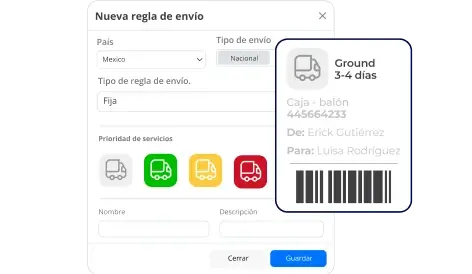
Automatic shipping rules
Set shipping rules that automatically calculate shipping costs for your orders