Scheduled maintenance on Envia.com: Thursday, October 29, 12:00–12:30 a.m. Login, APIs, and operations will be unavailable.


Invoicing
What are invoices?
Section titled “What are invoices?”Invoices are official documents that record the details of a transaction: products or services purchased, quantities, prices, and other relevant information. They serve as proof of payment between the seller and the buyer.
Invoices issued by envia.com are official and valid before the corresponding tax authority.
Before you start
Section titled “Before you start”Keep the following in mind before you request or configure your invoicing:
- You must have made at least one top-up before you can enter your billing details.
- The first invoice must always be generated manually.
- Invoices can only be requested within the same month the top-up was made. After that period, the invoice is issued automatically as a General public transaction.
Enter your billing details
Section titled “Enter your billing details”-
Sign in to your Envia.com account
-
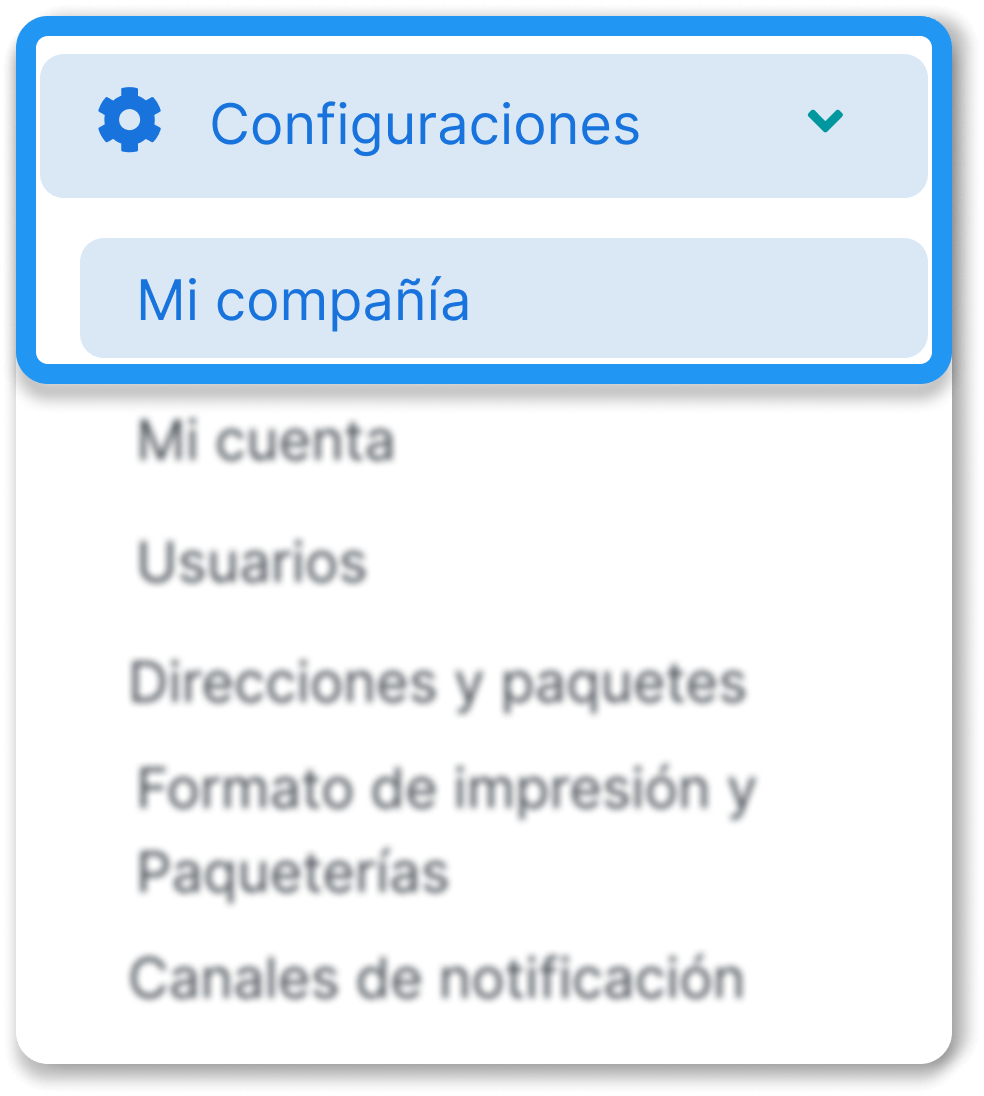
Go to Settings > My company
-
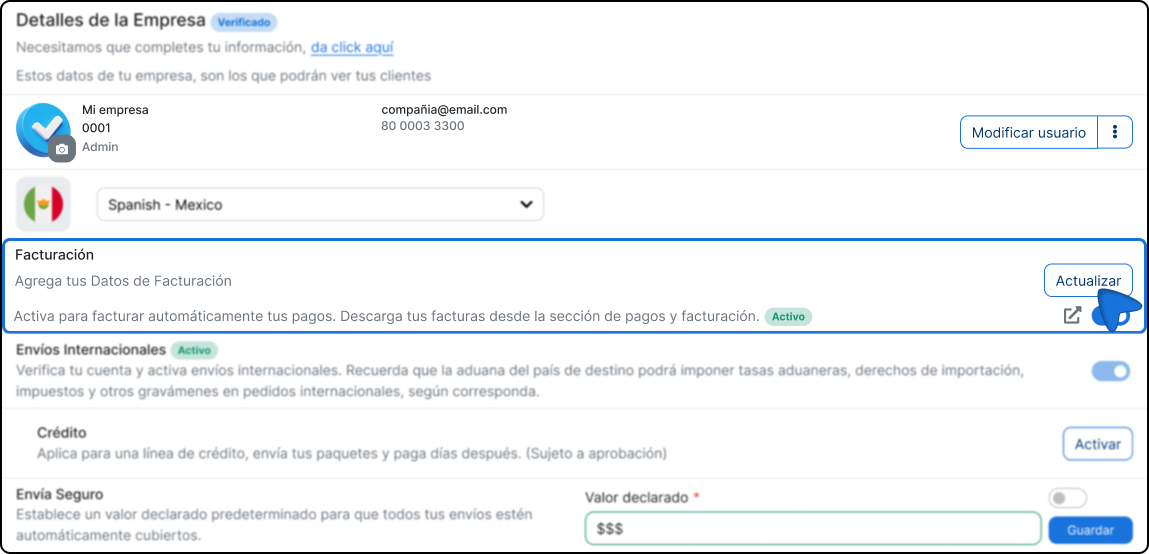
Find the Invoicing section and click Update
-
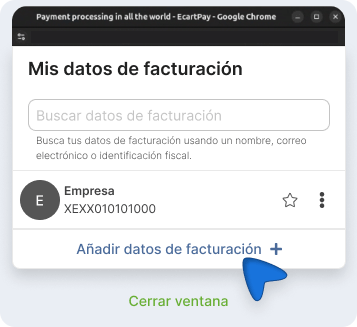
Click Add billing details + and complete the requested fields:
Tax information
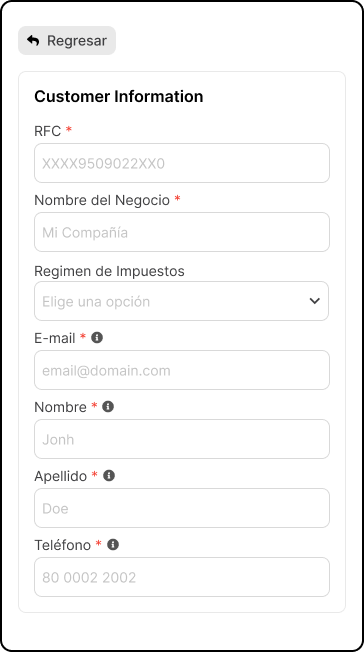
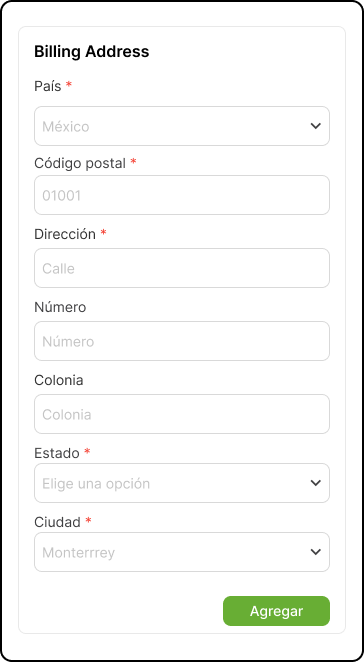
Billing address
-
Click Add to save the information.
Generate an invoice manually
Section titled “Generate an invoice manually”Once your billing details are registered, follow these steps to create an invoice from an existing payment.
-
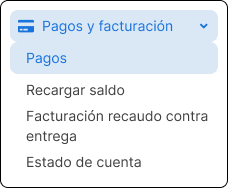
Go to Payments and billing > Payments.
-
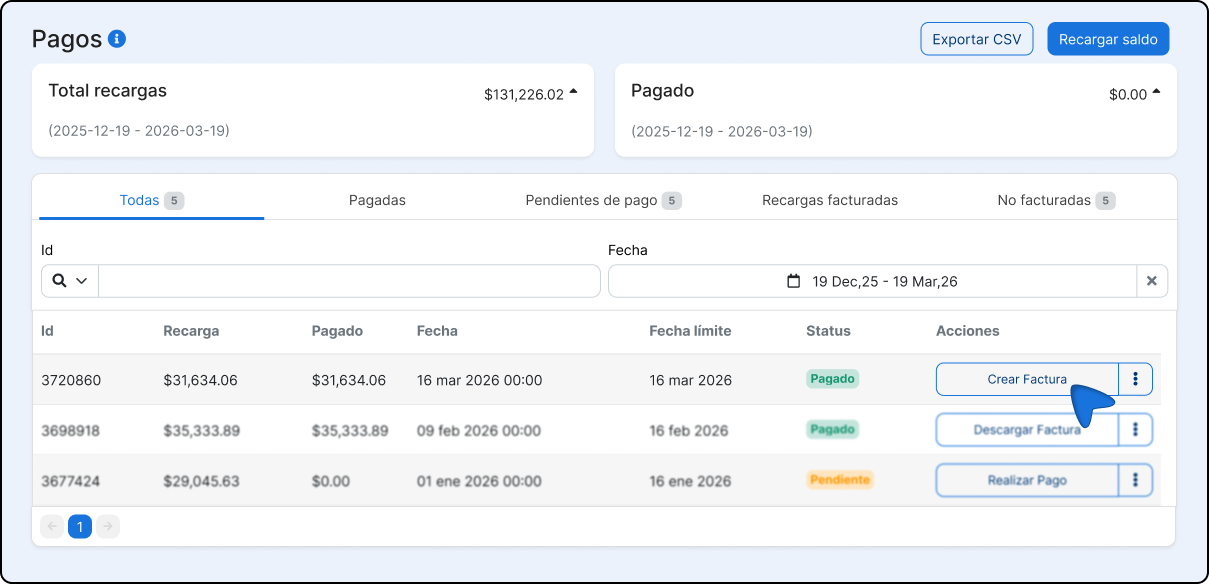
Find the payment you want to invoice and click the three-dot icon on the right.
-
Select Create invoice in the dropdown menu.
-
Complete the required fields and click Create invoice to finish.
Field Description Payment method How the payment was made (card, transfer, etc.) Payment type Payment in a single installment or in installments. Invoice date You can only select the current date or a later date. 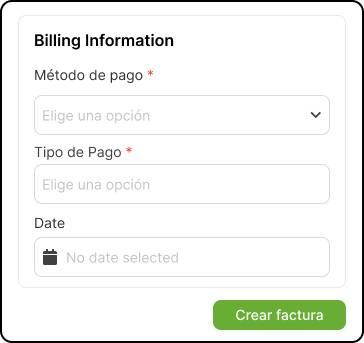
Automatic invoicing
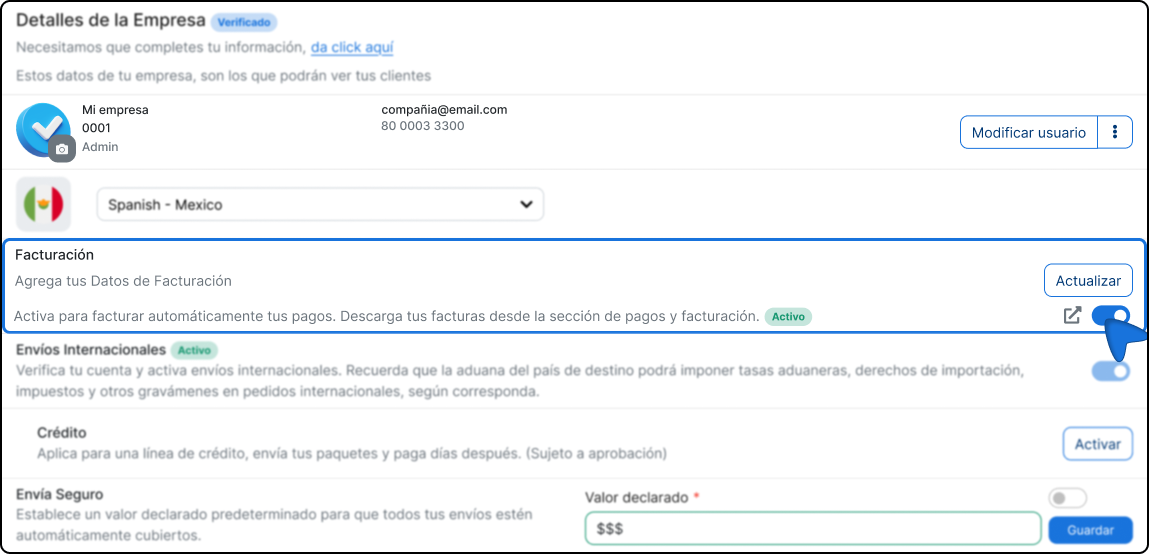
Section titled “Automatic invoicing”You can configure the platform to generate an invoice automatically every time you top up your balance, without doing it manually.
Enable automatic invoicing
Section titled “Enable automatic invoicing”-
Sign in to our platform.
-
Go to the My company section.
-
Find the Invoicing section and enable it.
Download your invoices
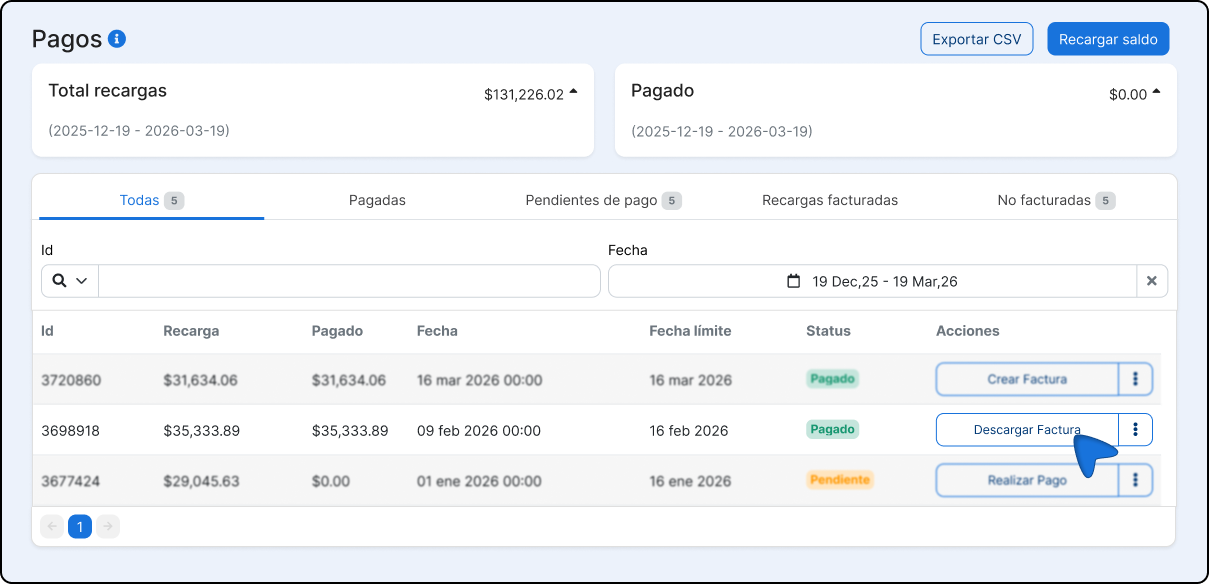
Section titled “Download your invoices”If you need to download any of your invoices again, you can do it by following these steps:
-
Sign in to our platform.
-
Go to Payments and Billing.
-
Select the invoice you want to download.
Additional considerations
Section titled “Additional considerations”Multiple billing details
Section titled “Multiple billing details”You can register more than one billing profile in your account. In that case, it is recommended to turn off automatic invoicing so you can choose manually which information will be used for each invoice. If automatic invoicing is on, the system will use the details configured as default.