Scheduled maintenance on Envia.com: Thursday, October 29, 12:00–12:30 a.m. Login, APIs, and operations will be unavailable.


Commercial invoice for international shipments
The commercial invoice is a required document on all international shipments. Customs uses it to:
- Verify what the package contains.
- Calculate taxes and duties.
- Confirm that the shipment complies with the destination country’s regulations.
If the commercial invoice is incorrect or is not provided, the shipment can be delayed, held, or returned.
Generate the shipping label
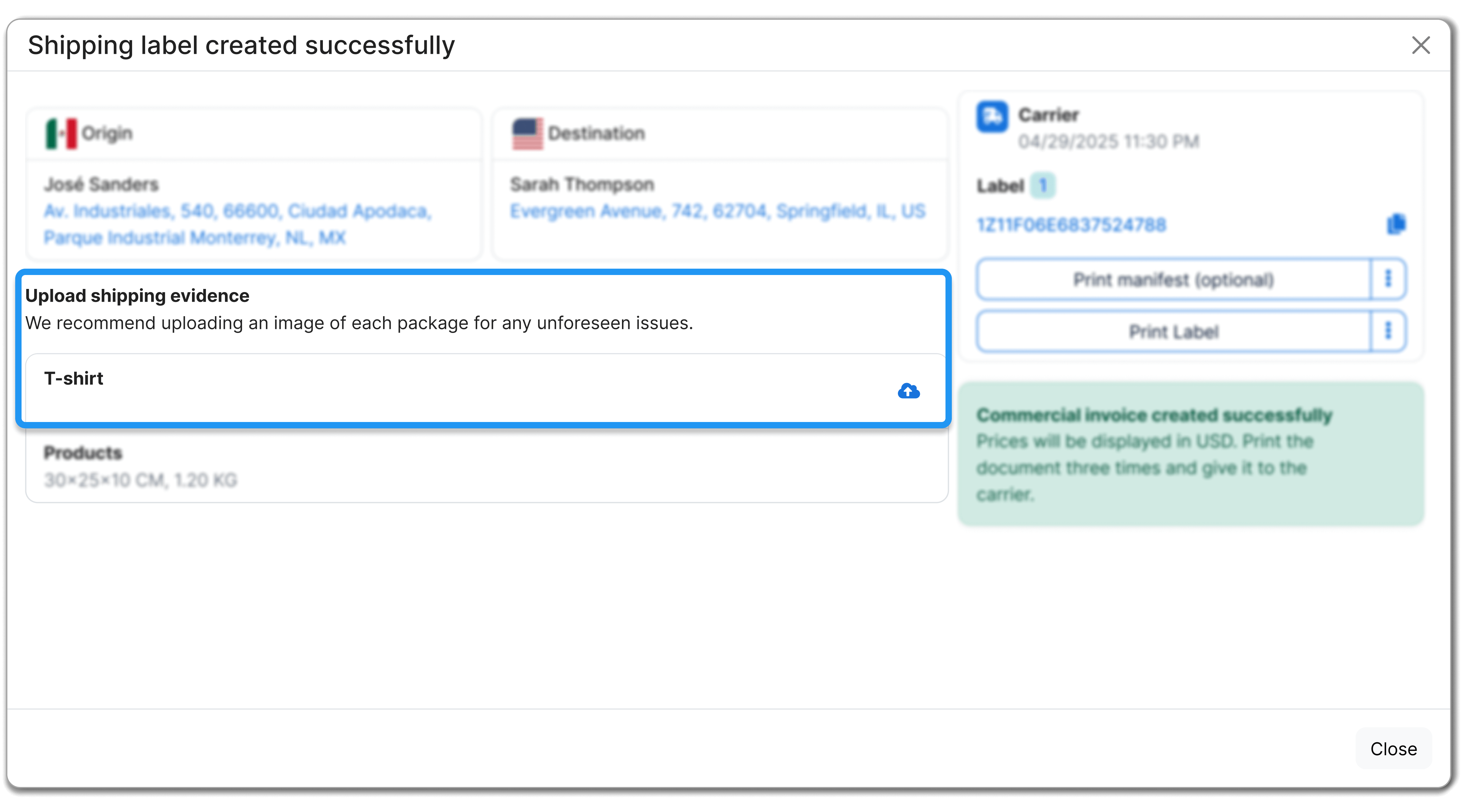
Section titled “Generate the shipping label”After choosing who will pay the customs charges (for example, Envia Guaranteed or the recipient pays on delivery) and checking that all shipment information is correct, click Generate label.
On the confirmation screen you will see:
- Confirmation that the label was created successfully.
- Access to download the shipping label.
- A notice that the commercial invoice was generated.
Download the commercial invoice
Section titled “Download the commercial invoice”-
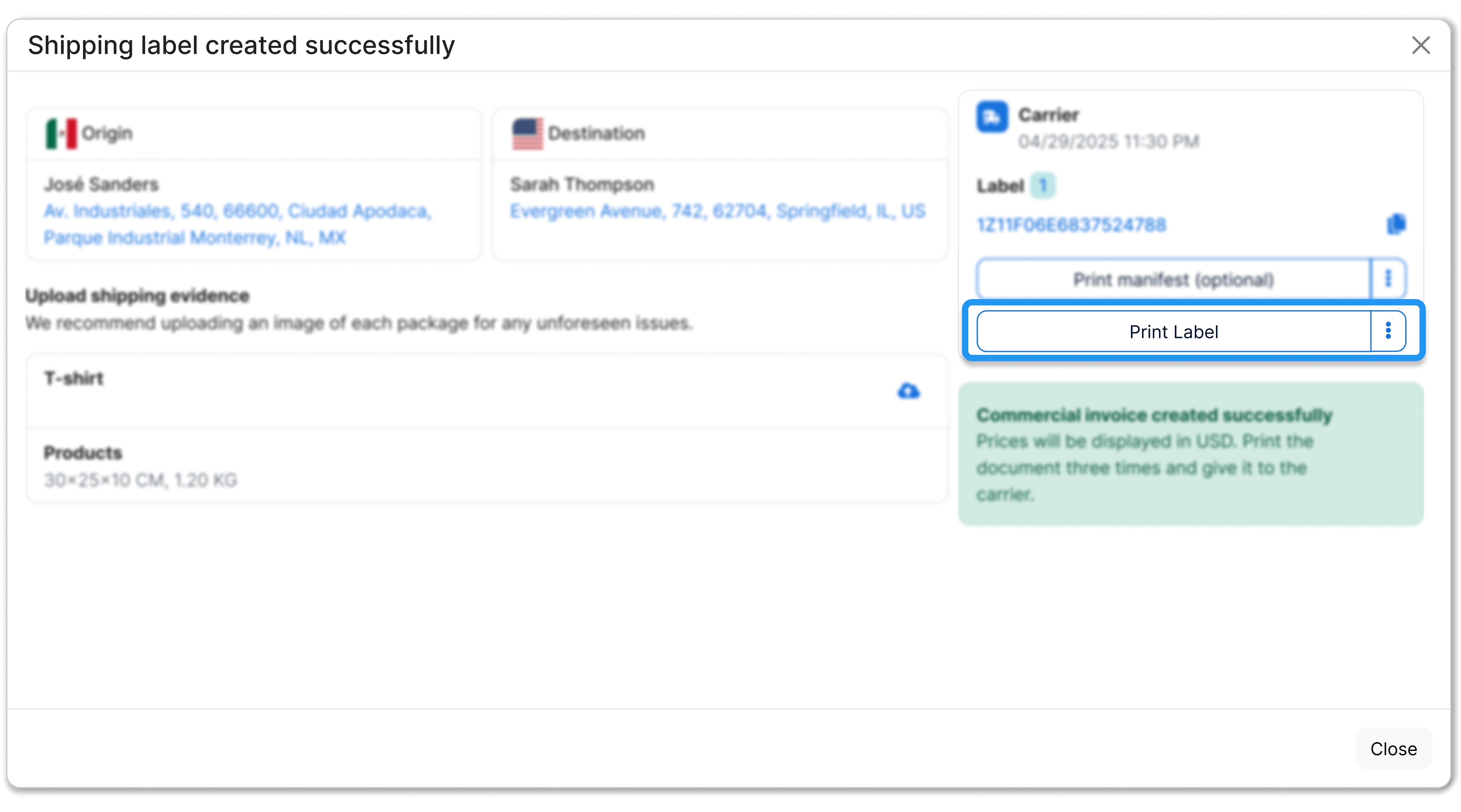
Click Print label from the shipment confirmation.
-
The system will download a PDF file that includes:
- The shipping label.
- The commercial invoice.
- Additional documents, if they apply.
-
Print the commercial invoice in three copies and give the copies to the carrier along with your package.
Avoid incidents from an incorrect commercial invoice
Section titled “Avoid incidents from an incorrect commercial invoice”If the commercial invoice is not provided or contains errors, situations such as these can occur:
- Delays in customs clearance.
- Requests for additional information.
- Package hold.
- Return of the shipment to the sender.
Validate that the information is consistent
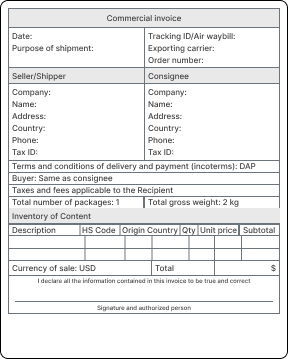
Section titled “Validate that the information is consistent”Customs will compare the commercial invoice information with what you declared on the shipping label. Before you hand over the package, check that the following data matches:
Declared value
- It must be exactly the same on the label and on the commercial invoice.
Product description
- It must be written in English.
- It must be clear, specific, and detailed.
Examples:
- ❌ Clothes ✅ Men’s cotton t-shirt, size M, 2 units
- ❌ Shoes ✅ Women’s leather sneakers, size 6 US, 1 pair
Export reason
It must match what you selected on the label: Sale, Gift, Sample, Return, or Warranty.
Export Declaration / Customs Reference No.
If you exported from the US with a value over 2,500 USD and saw AES ITN, the same number (X + 14 digits) should appear next to the incoterms.