Scheduled maintenance on Envia.com: Thursday, October 29, 12:00–12:30 a.m. Login, APIs, and operations will be unavailable.


Ship from the US to Mexico with Envia Cross-Border
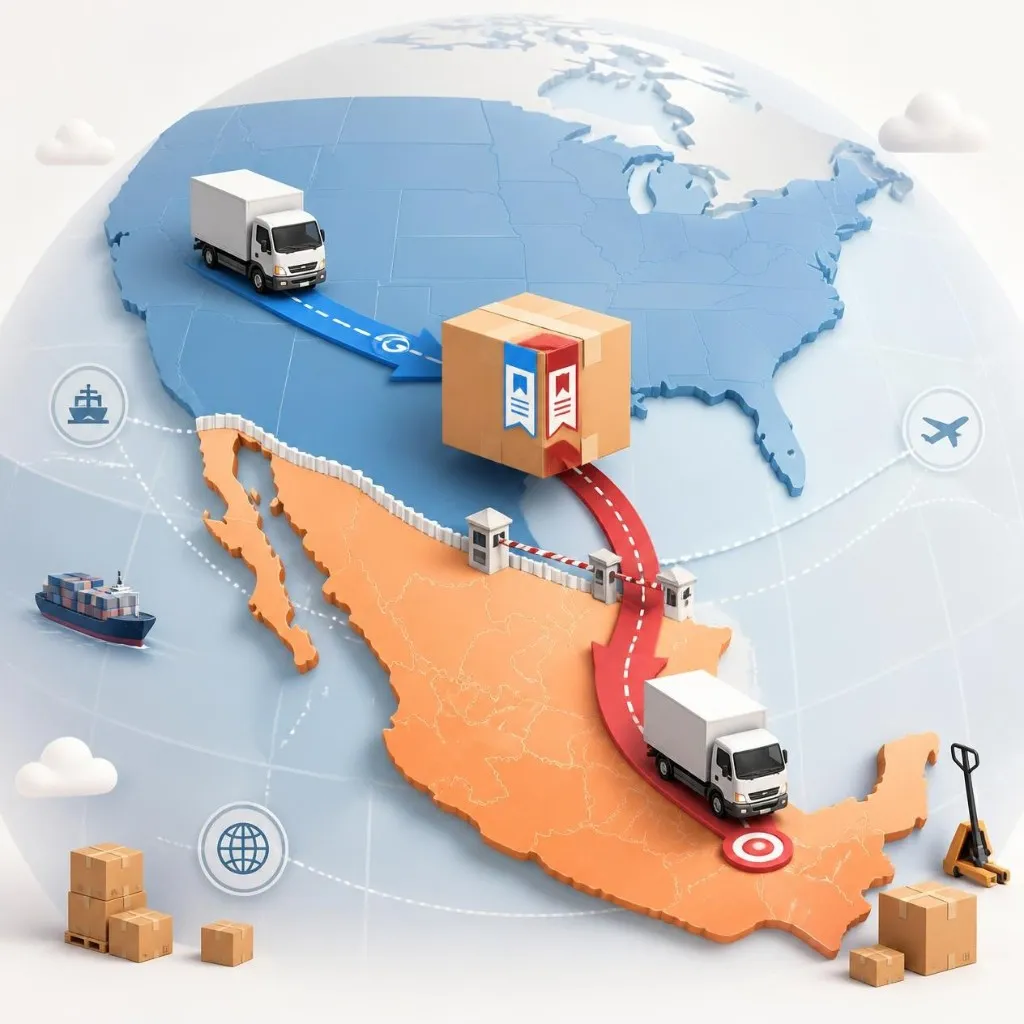
Envia Cross-Border lets you ship a package from the United States to Mexico in a single operation. The route has two legs, one in the United States and one in Mexico, but you generate one label and track a single tracking number.
How it works
Section titled “How it works”A leg is the route one carrier handles. Envia Cross-Border joins both legs in a single shipment. Each leg has its own label, and you stick both on the same package. You do not create one shipment in the United States and another in Mexico.
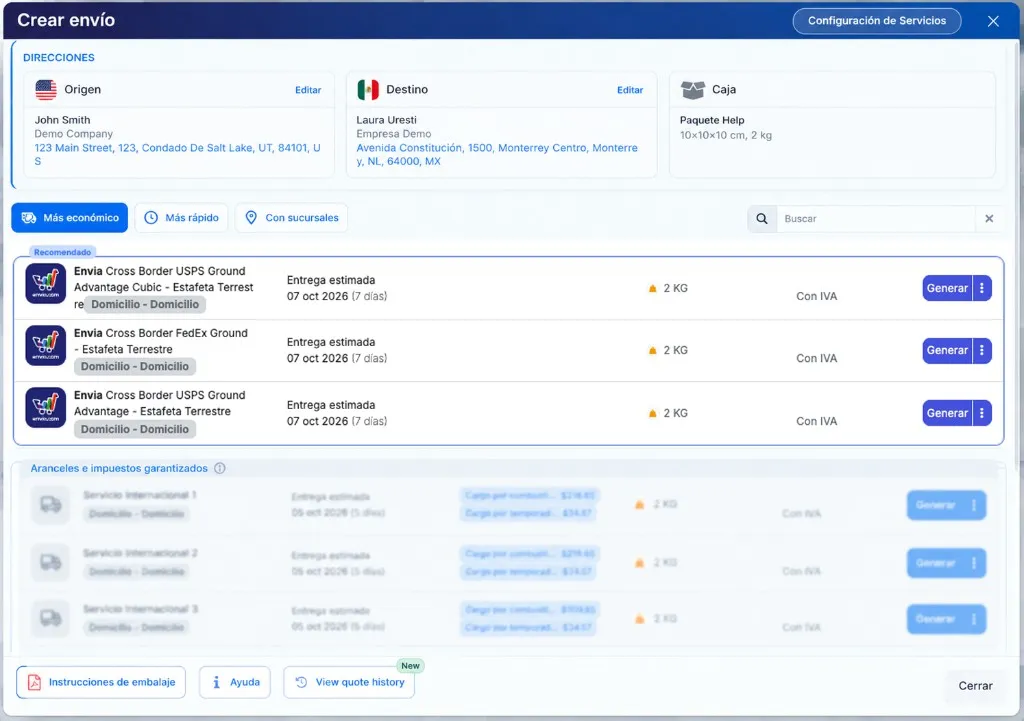
In the quote, each Envia Cross Border rate names both carriers: the one in the United States and the one in Mexico. You choose by comparing the price and the estimated date of that quote. If one shows Recommended, that is the suggestion for that package.
Quote and generate the label
Section titled “Quote and generate the label”-
Sign in to your Envia.com account.
-
Open Create shipment.
-
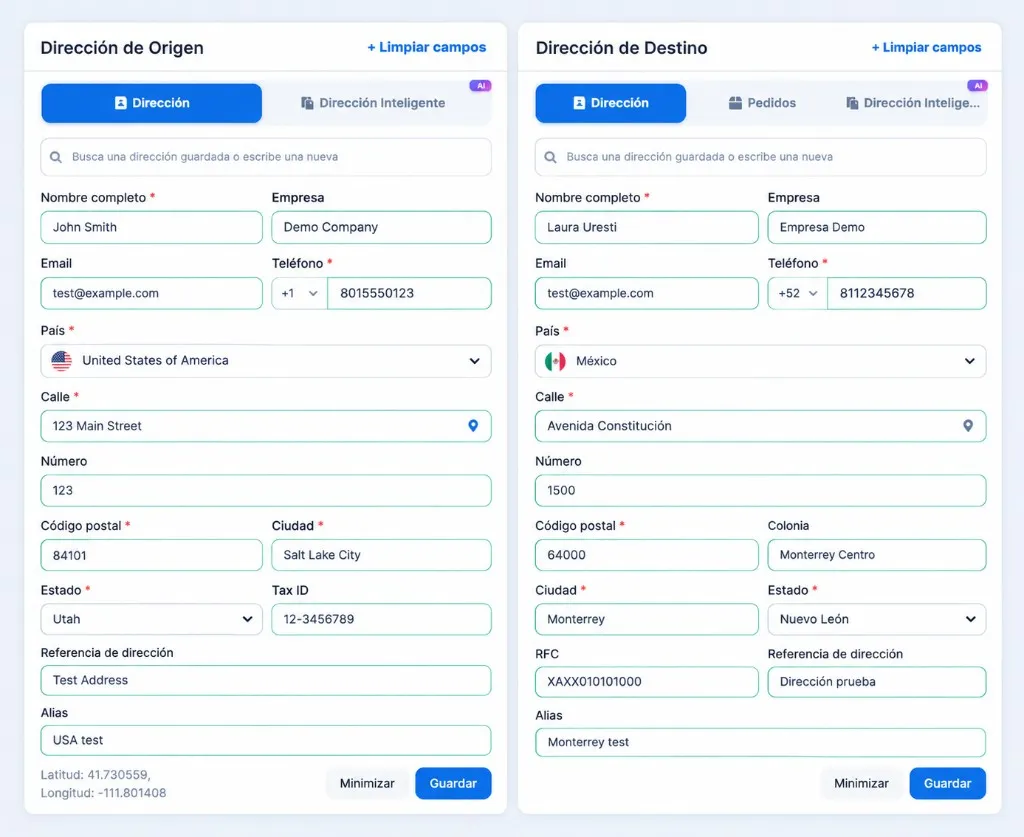
Complete Origin address in the United States and Destination address in Mexico. Fields marked * are required.
-
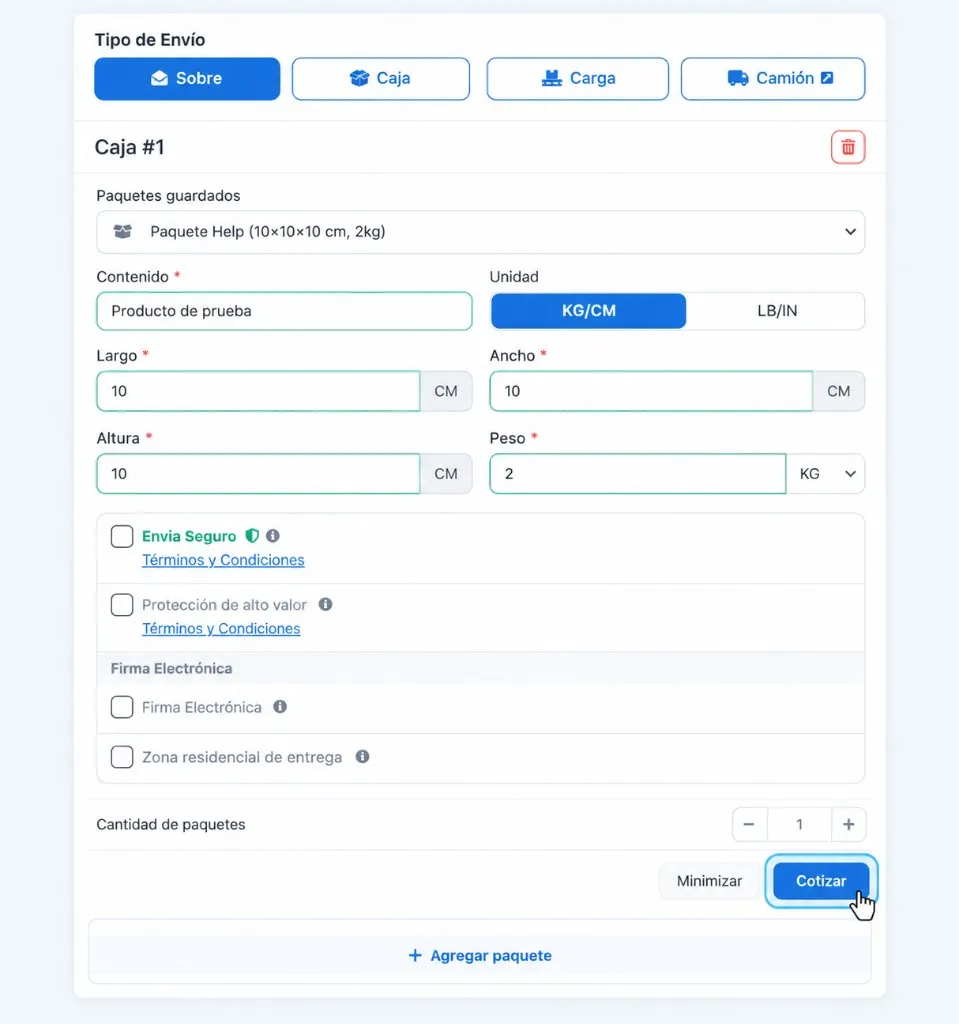
In Shipment type, choose Envelope or Box. Complete the details the form asks for.
-
Click Quote. The Create shipment panel opens with the rates.
-
Choose a rate whose name starts with Envia Cross Border. Compare the price and the date under Estimated delivery, then click Generate.
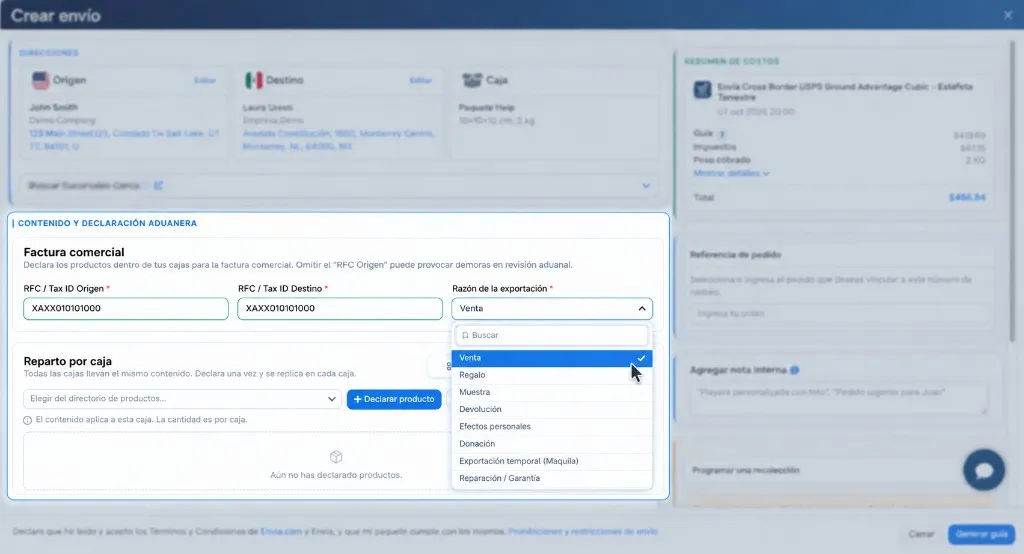
After Generate, the confirmation opens. Because the origin and destination are in different countries, it asks for the Commercial invoice and a declaration of what is in the box.
-
Complete RFC / Tax ID Origin and RFC / Tax ID Destination with a valid ID for that country. If the format does not match, the label is not created.
-
Choose Reason for export.
-
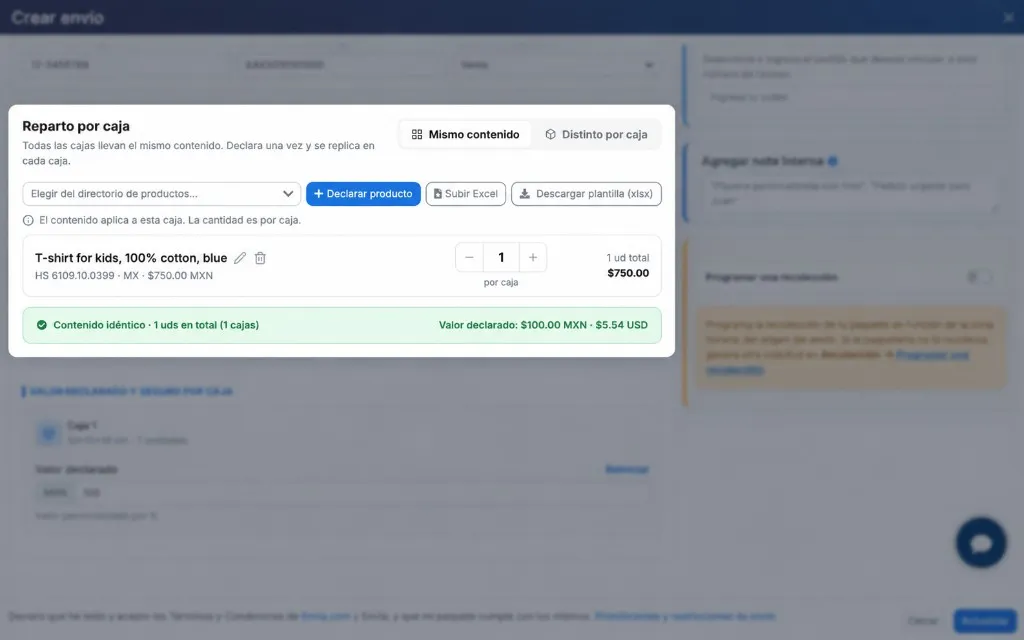
In Split by box, leave Same contents if there is one box or every box carries the same items. If each box carries different products, click Different per box.
-
Declare what goes in the box. Without that product you cannot generate the label.
Click Declare product or pick one in Choose from your product directory.
-
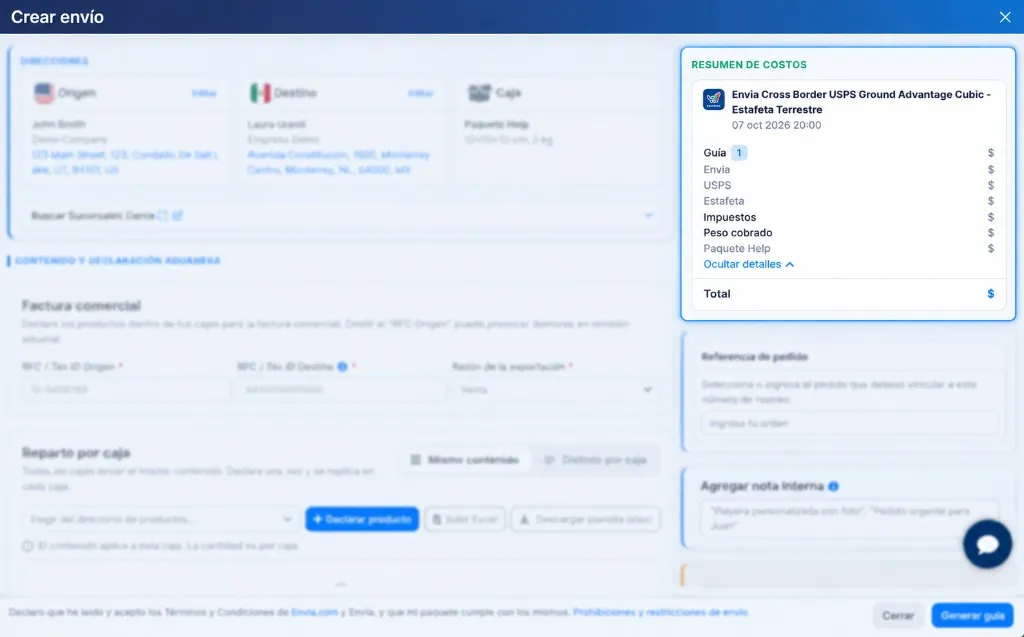
In Cost summary, open Show details. The label is split by carrier: Envia, the United States carrier, and the Mexico carrier.
-
Accept the terms and click Generate label.
-
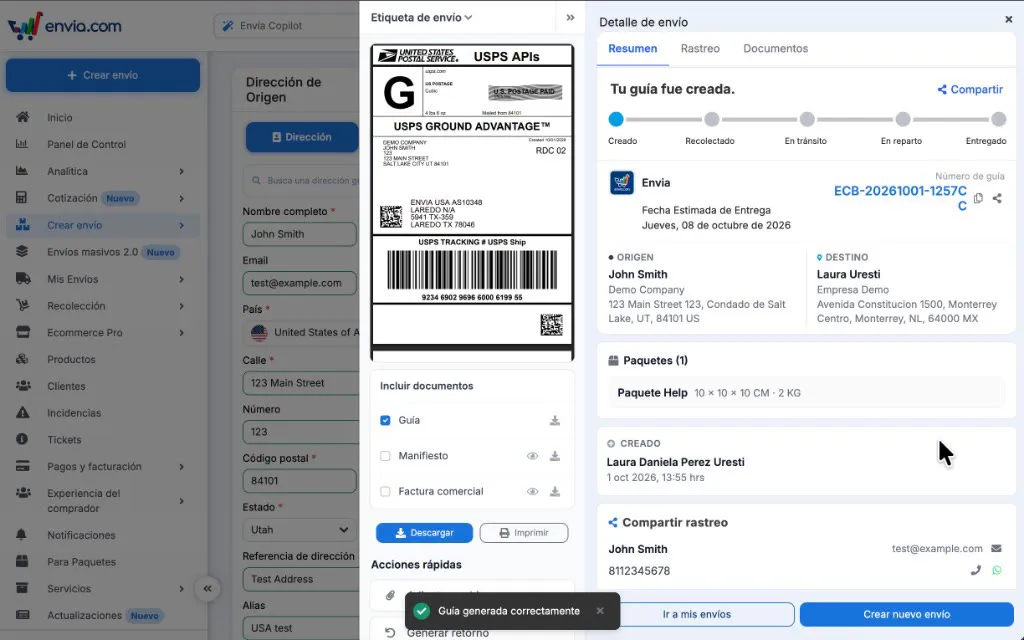
When it is created, you will see Label generated successfully.
Stick both labels on the package
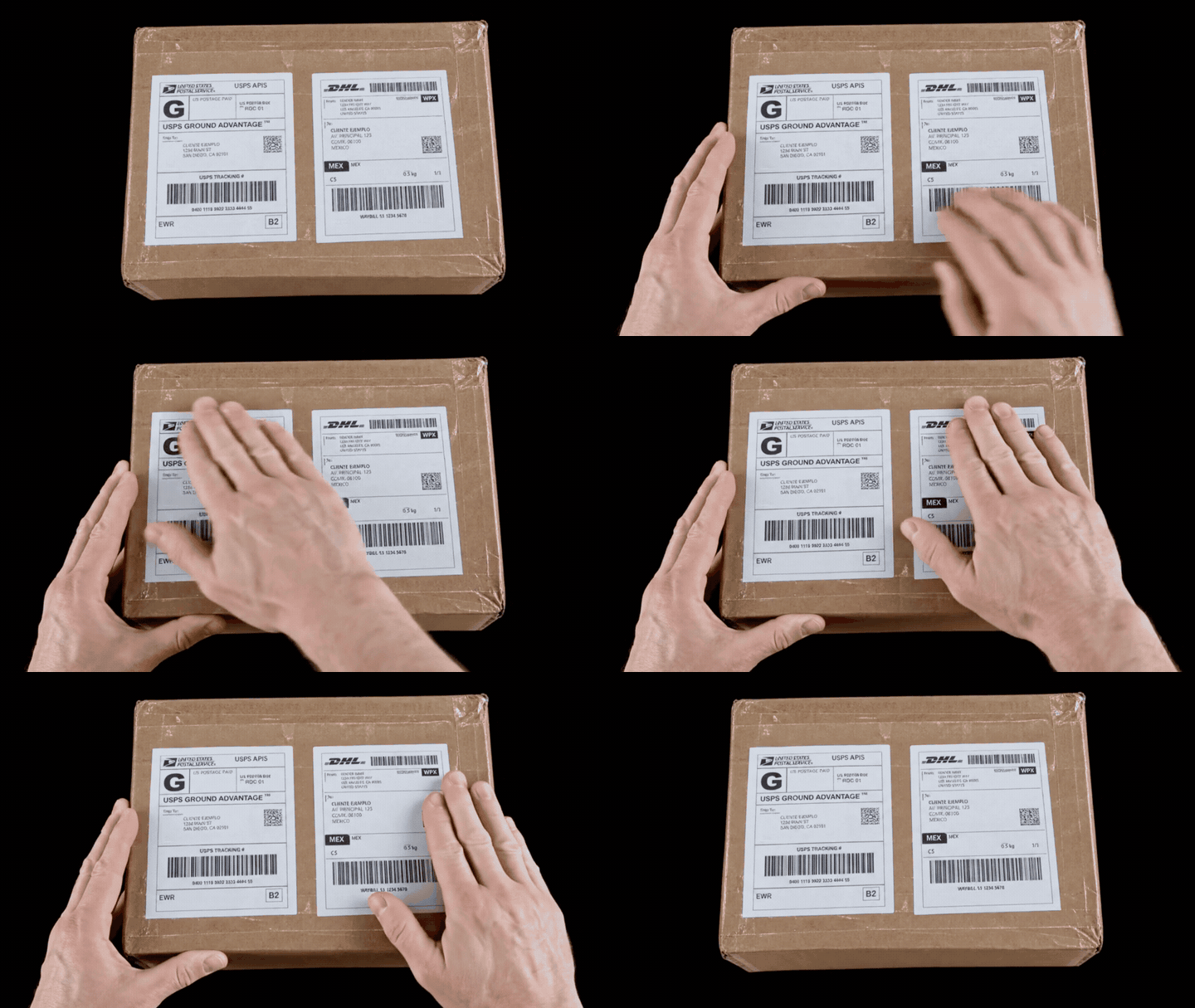
Section titled “Stick both labels on the package”Print both labels and stick them on the same package, on the same face, where they can be seen. One is for the United States leg and the other for the Mexico leg. Each carrier reads its own. If one is missing, that leg cannot identify the package.
Track the shipment in My Shipments
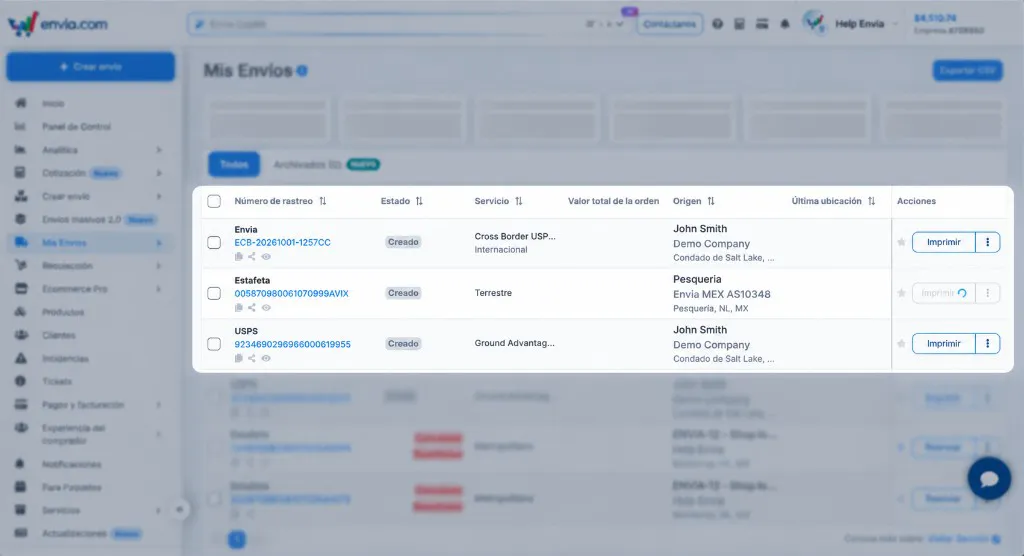
Section titled “Track the shipment in My Shipments”In My Shipments that shipment appears as three labels. The first is Envia. Under it are the two legs, one per carrier. Each has its own tracking number and status.
-
Sign in to your Envia.com account.
-
Open My Shipments.
-
Find the three rows. The top one is Envia: the service is Envia Cross Border and it has its tracking number. You can recognize it by the format ECB-YYYYMMDD-XXXXXX.
-
The two rows below are the legs. Each row shows the carrier, the service, the tracking number, and the status.
-
To see the full tracking, with both carriers, select the Envia row and click Guide number. The tracking page opens with the detail of the whole shipment.
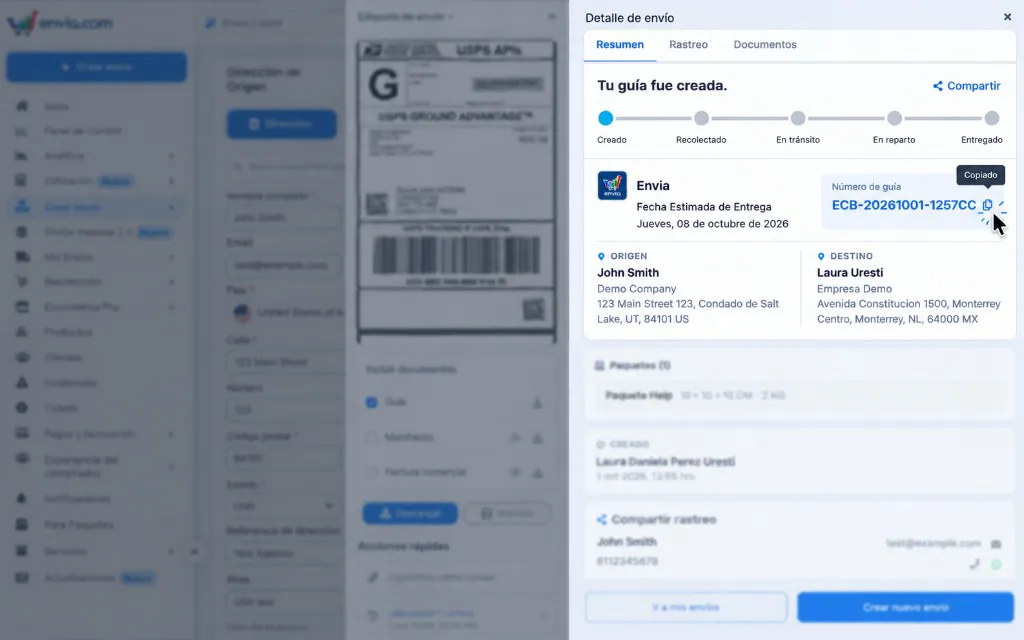
One leg can move ahead while the other stays behind. The United States leg changes when that carrier moves the package. The Mexico leg changes when the Mexican carrier receives it and delivers it. The shipment ends when the Mexico leg is Delivered.
Frequently asked questions
Section titled “Frequently asked questions”Why are there two labels if the shipment is one? Because the package changes carrier when it goes from the United States to Mexico. Each leg needs its label, and both go on the same package.
Can I ship from Mexico to the United States with Envia Cross-Border? No. It only quotes and generates from the US to Mexico.
Why does Envia Cross-Border not appear when I quote? The origin is not the US, the destination is not Mexico, or the shipment type is Freight. It is also missing if international shipments are not active.