Scheduled maintenance on Envia.com: Thursday, October 29, 12:00–12:30 a.m. Login, APIs, and operations will be unavailable.


Create a ticket
A ticket is the formal report of a problem. We follow up internally and with the carrier; you can check the status and you get notices by email and in shipping.
If the shipment already appears in Incidents, open it or create the ticket from that row. This guide is for reporting from Tickets.
Create the ticket
Section titled “Create the ticket”-
Go to shipping.envia.com.
-
In the menu, open Tickets.
-
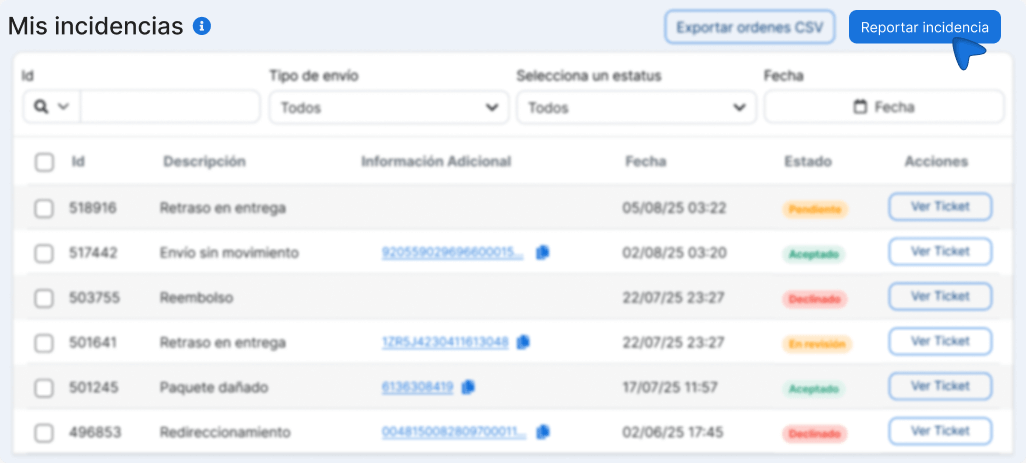
Press Report incident.
-
Choose the incident type that matches your problem.
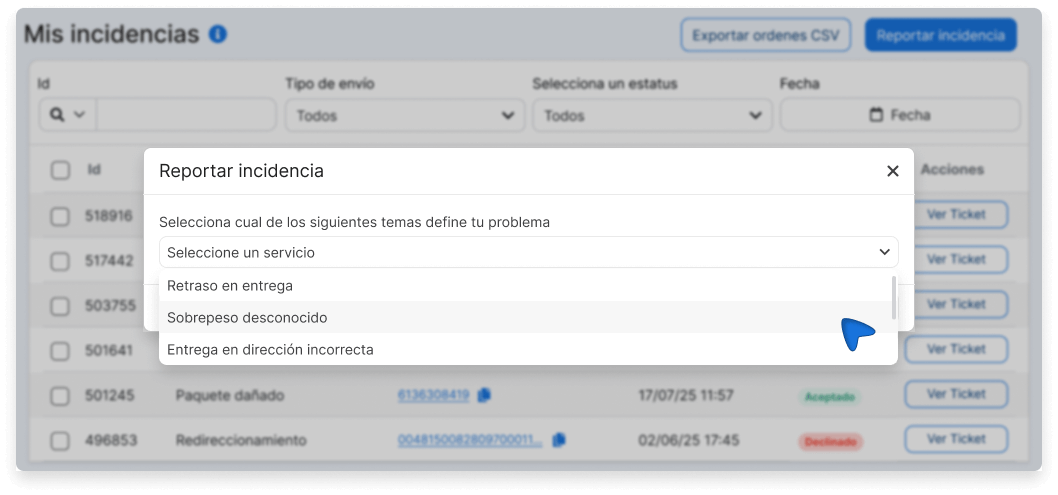
-
Select the related label, or the payment, depending on the type.
-
Complete the data that type asks for and attach the evidence.
-
Attach the evidence and press Submit evidence.
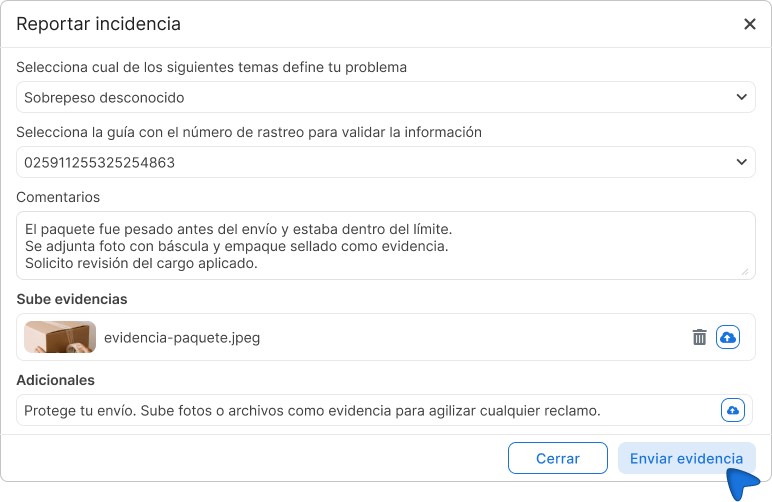
When the ticket exists, updates arrive in the upper-right corner of shipping and by email. Follow-up is in Review tickets.
Incident types
Section titled “Incident types”| Incident type | When to use it |
|---|---|
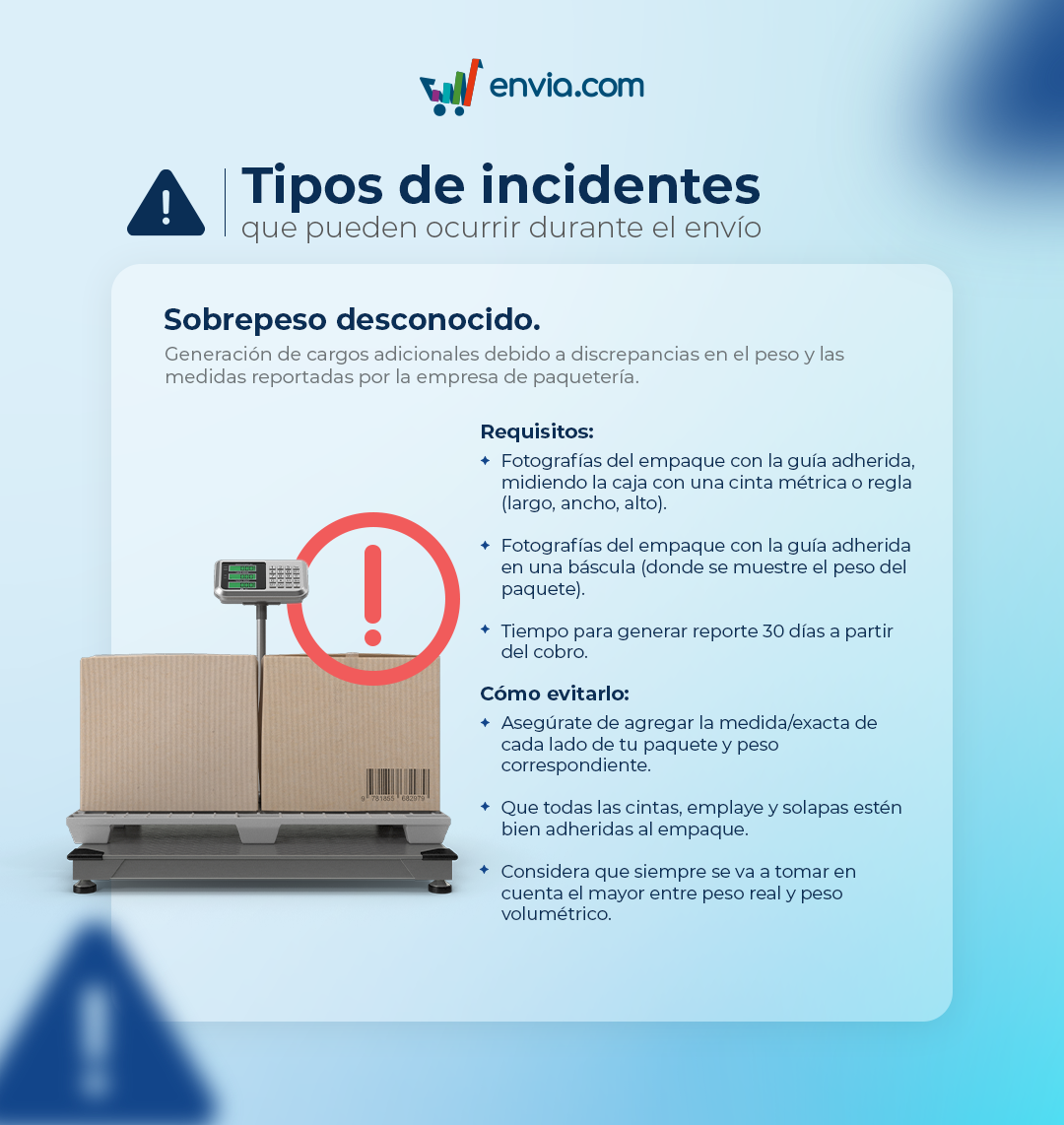
| Unknown overweight | A weight charge was applied that does not match what you declared when you created the label |
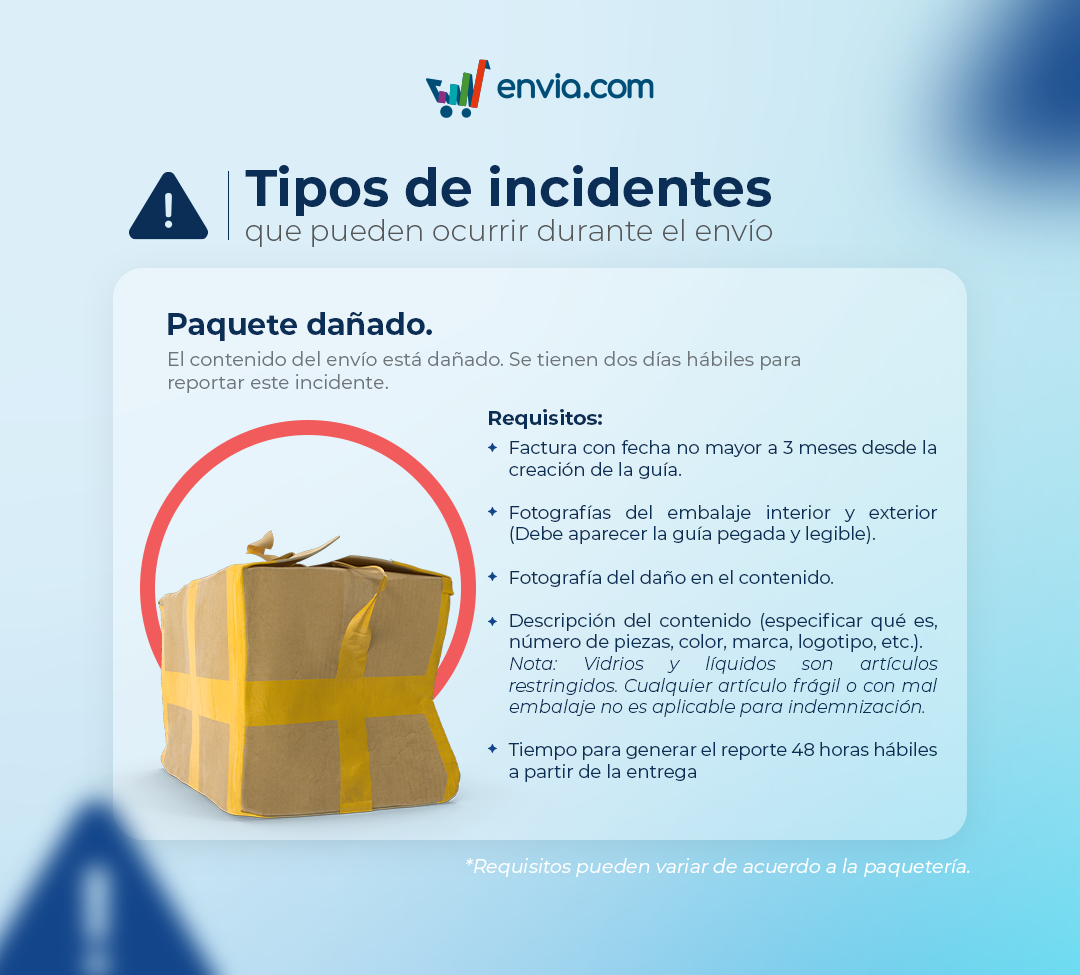
| Damaged package | The package arrived broken, wet, open, or with signs of mishandling |
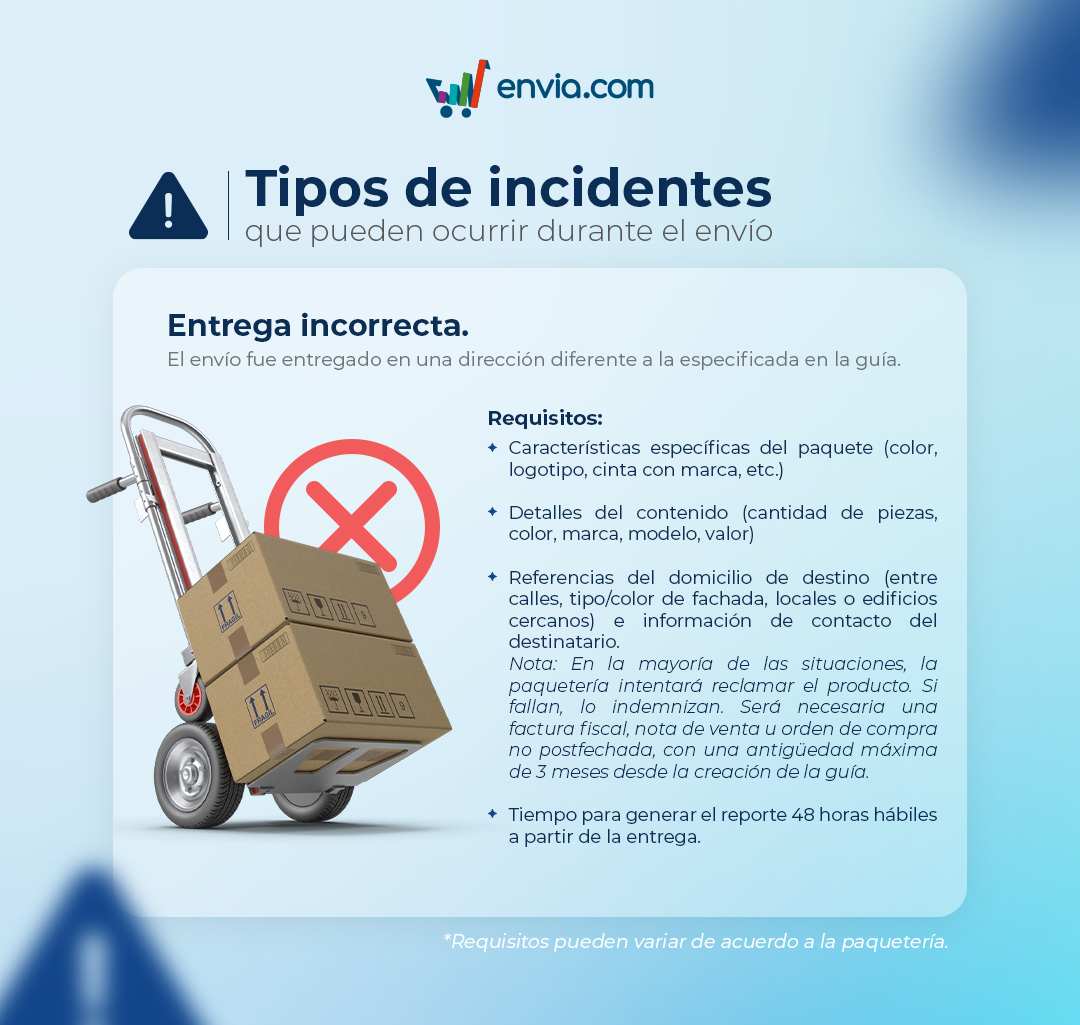
| Delivered to the wrong address | The package was delivered to an address different from the one you provided |
| Refund | You request a refund of the amount paid for the shipment |
| Partial refund | You request a partial refund of the amount paid |
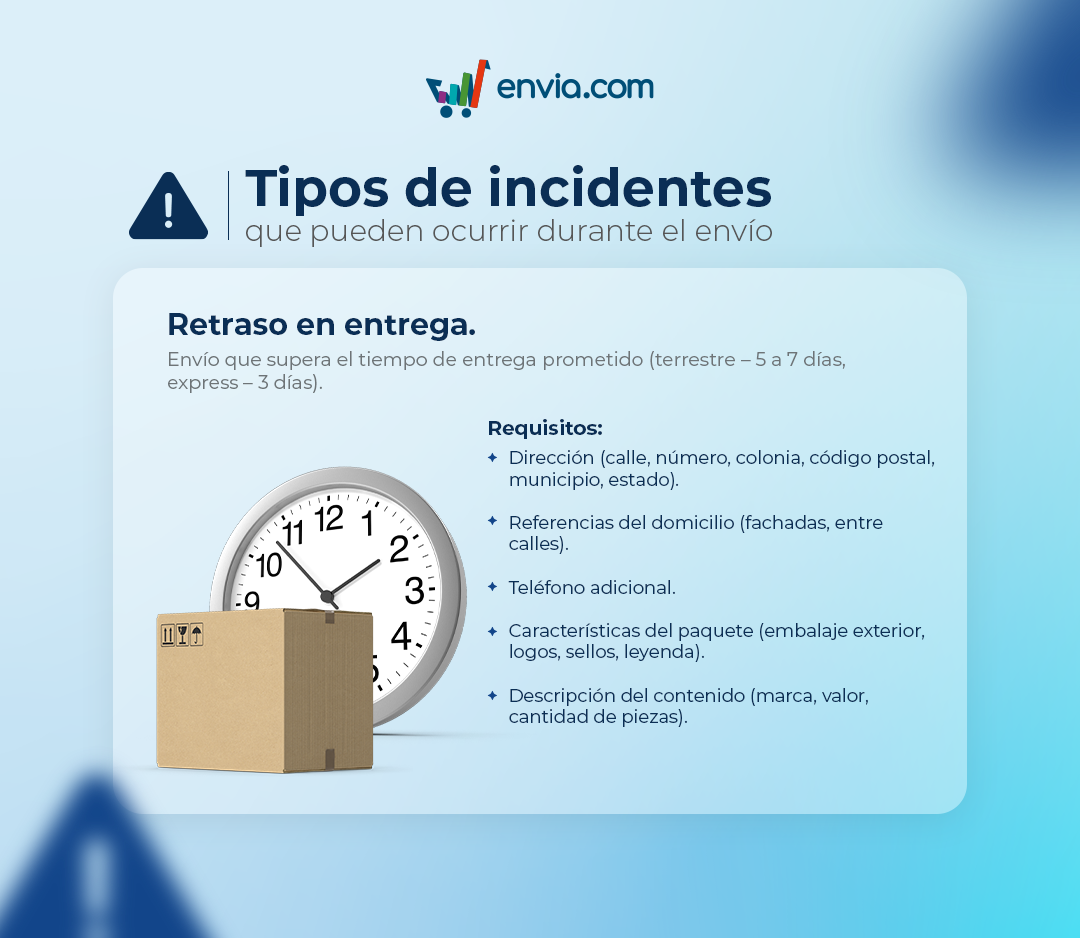
| Delivery delay | The shipment is still in transit after the estimated time |
| Payment not reflected | You made a payment that does not appear in your account |
| Shipment with no movement | The package has not been scanned and shows no progress since pickup |
| Credit | You request a credit be applied to your account |
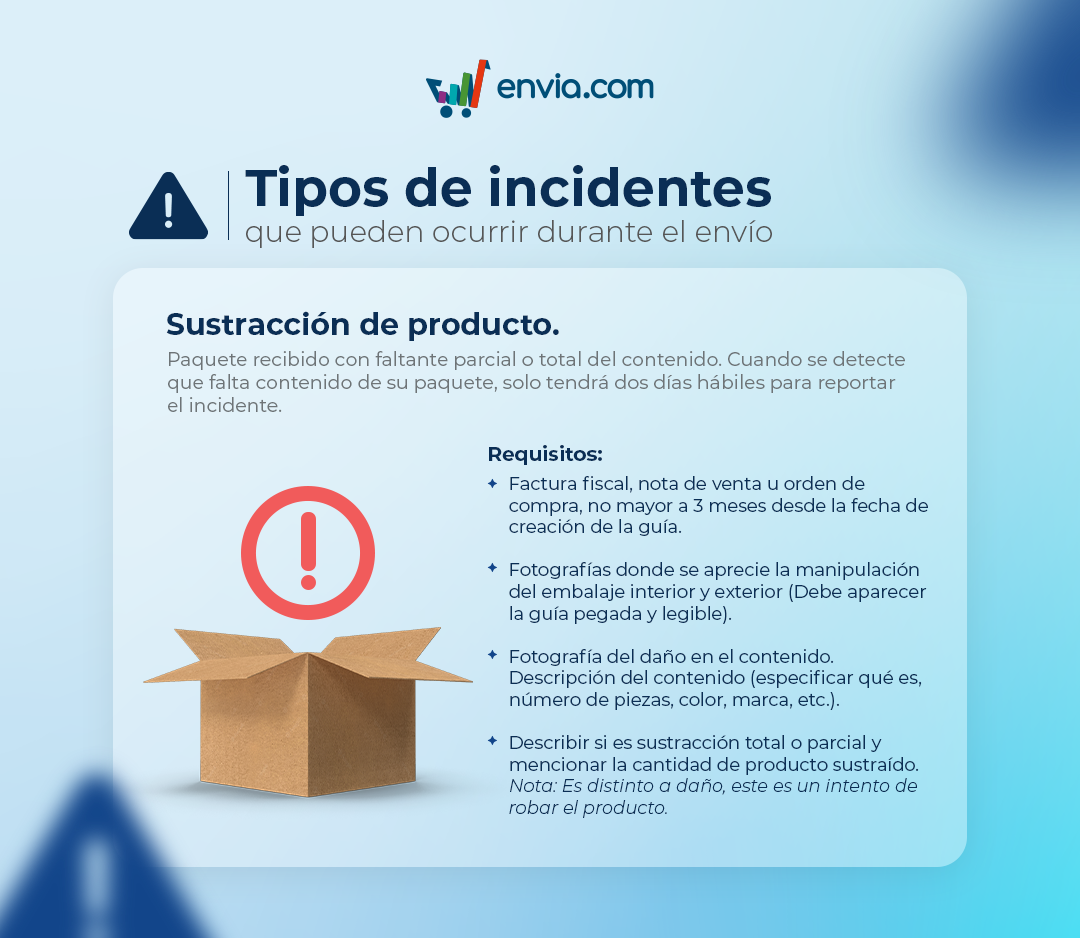
| Product theft | Part of the contents was taken or stolen in transit |
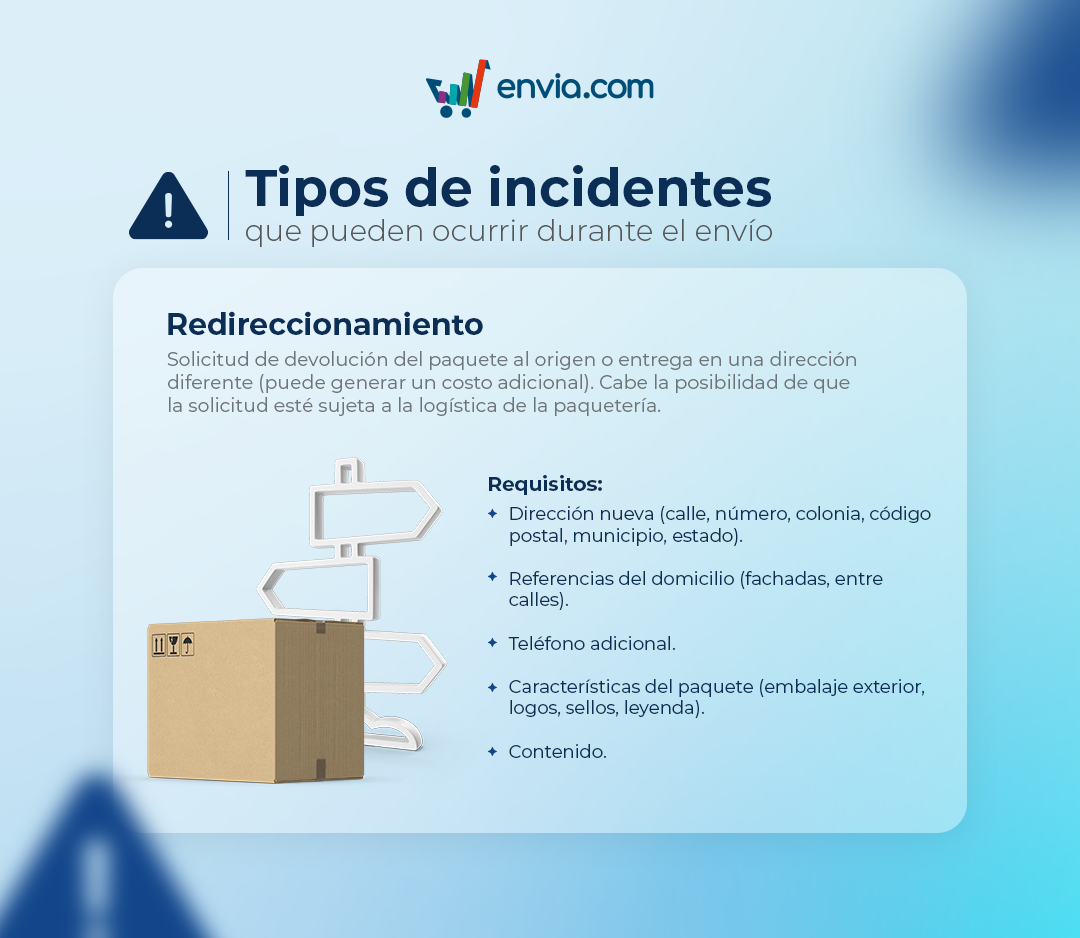
| Redirection | You need to change the delivery address after generating the label |
| Late payment | The charge was made late and affected your shipping operations |
| Irregular package | The shipment has prohibited contents, labeling errors, or inadequate packaging |
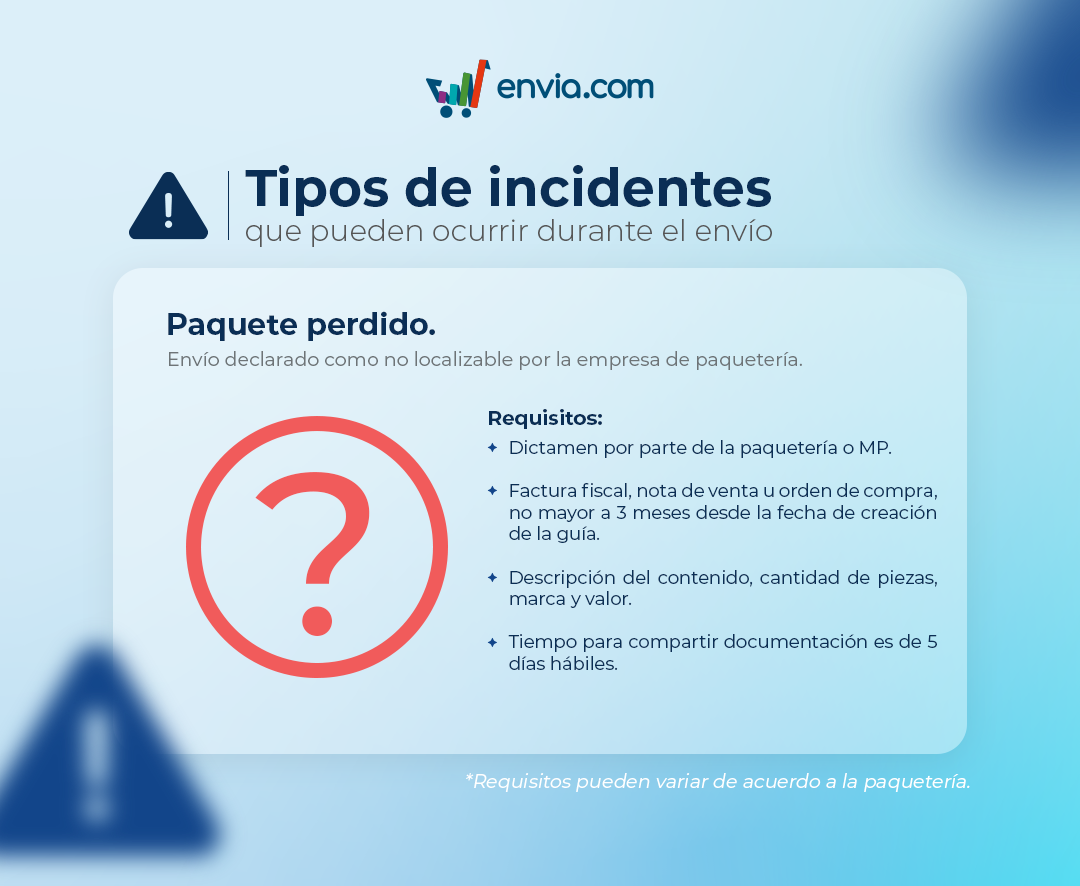
| Lost package | The shipment was declared not located by the carrier |
Requirements by incident type
Section titled “Requirements by incident type”Shipment with no movement
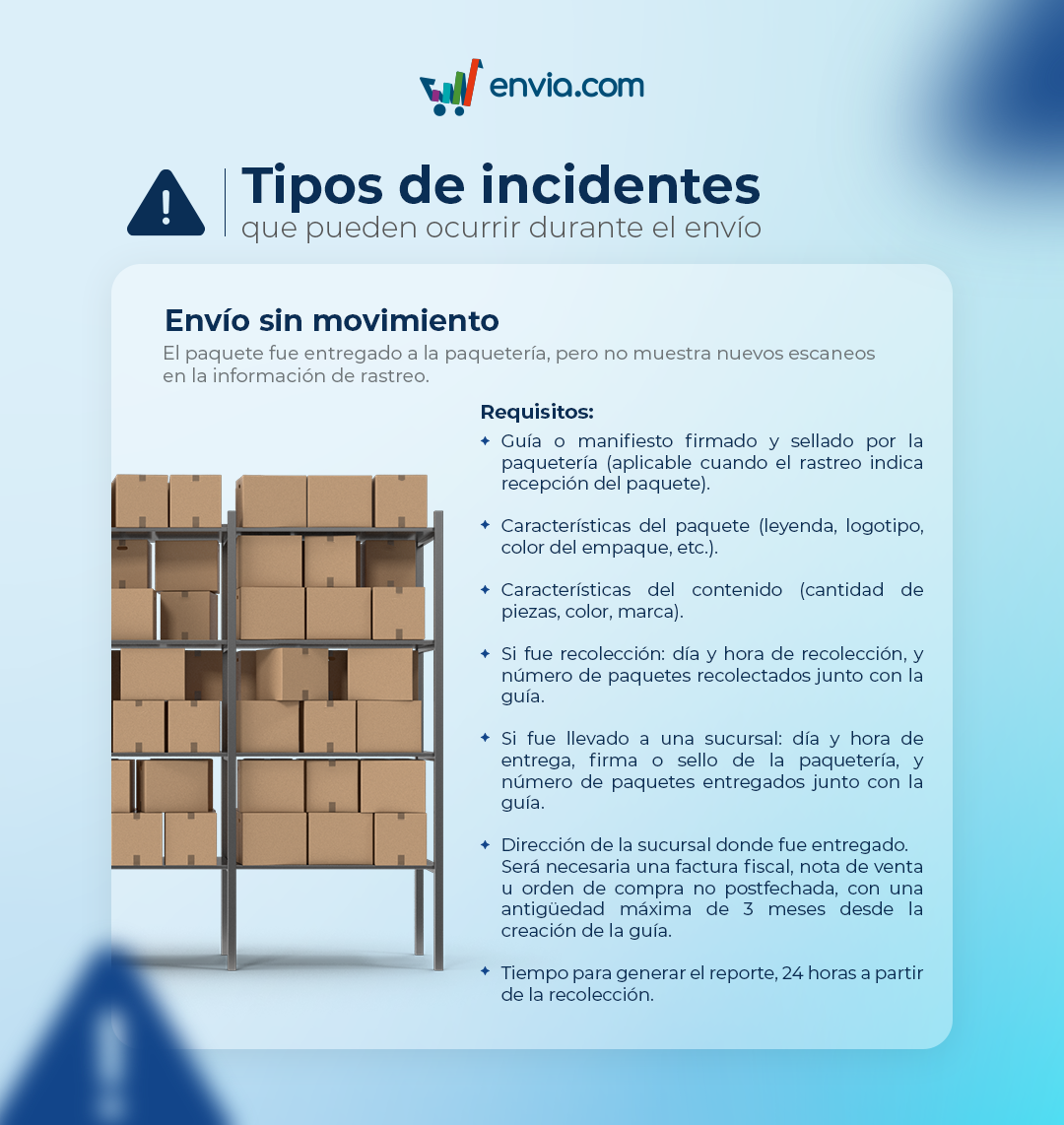
Unknown overweight
Wrong delivery
Damaged package
Redirection
Delivery delay
Product theft
Lost package
Frequently asked questions
Section titled “Frequently asked questions”What if I use custom keys?
Contact the carrier’s support. Envia does not intervene on those labels.