Scheduled maintenance on Envia.com: Thursday, October 29, 12:00–12:30 a.m. Login, APIs, and operations will be unavailable.


Generate an international shipping label
With your account already enabled for international shipping, the next step is to generate your first label. From the Envia.com platform you can do it in a few minutes: you only need to enter the sender and recipient data, the package information, and choose the carrier that works best for you.
A well-created international label makes sure your shipment has the correct customs documentation and that your package arrives without delays or unexpected extra costs.
Create a label
Section titled “Create a label”From your Envia.com account, select Create shipment to start the process.

Complete the origin and destination address
Section titled “Complete the origin and destination address”- Fill in every field accurately: name, address, postal code, phone, and email.
- Make sure you enter a valid RFC or Tax ID for both the sender and the recipient.
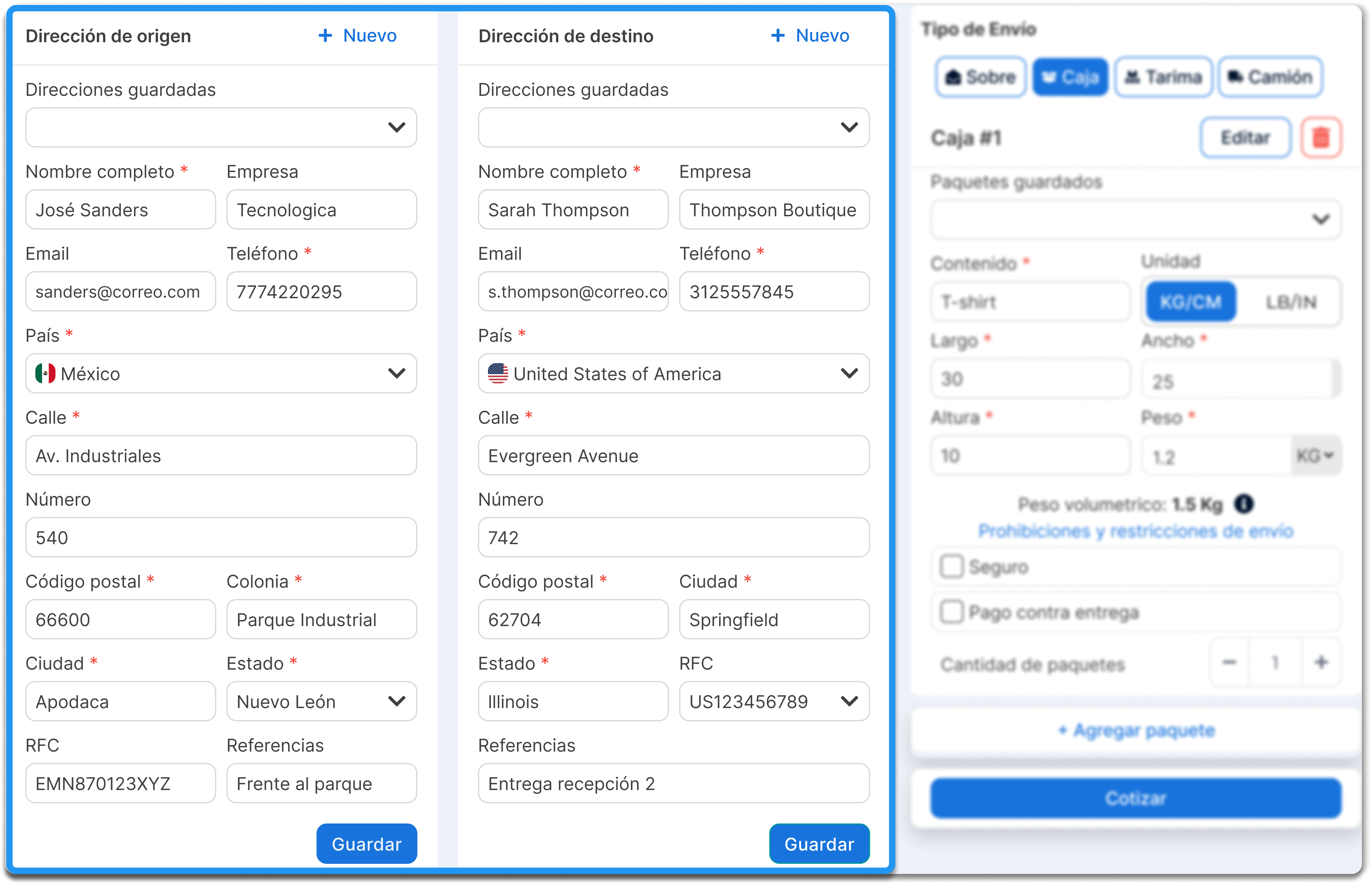
Select the shipment type
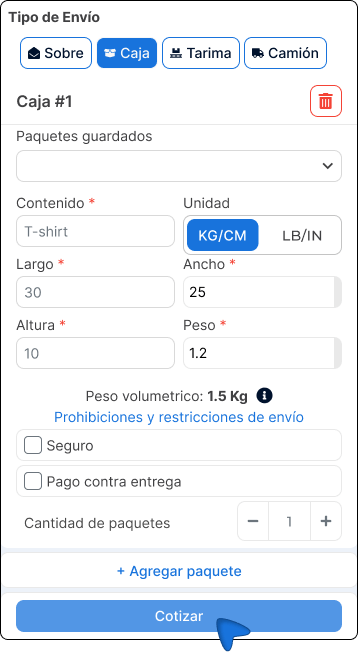
Section titled “Select the shipment type”Describe your package and add the requested data:
- Package contents.
- Unit (for example: box, envelope, pallet).
- Dimensions (length, width, height) and actual weight.
Add extra services and enter the number of packages
Section titled “Add extra services and enter the number of packages”- If you want, add extra services such as insurance or cash on delivery
- If you are sending more than one package to the same destination, specify it here and enter how many packages the shipment includes.
- Click Quote to see the available carrier options.
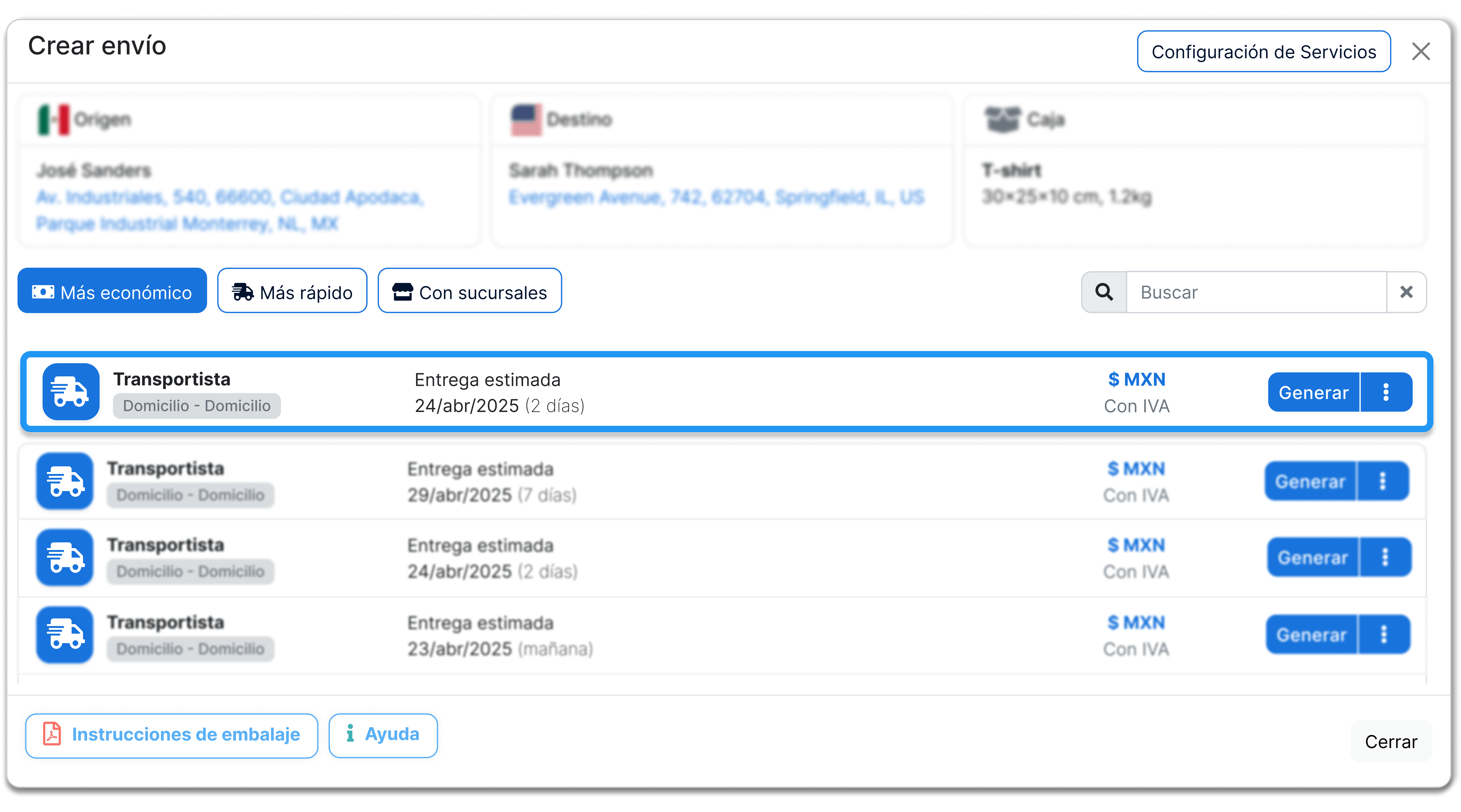
Quote and choose your international carrier
Section titled “Quote and choose your international carrier”- Review prices and delivery times, select the one that best fits your need, and click Generate to confirm your choice.
Important notes
Section titled “Important notes”- A valid RFC or Tax ID is required for both sender and recipient; without this data, the shipment can be held or returned at customs.
- Verify that the actual dimensions and weight match what you registered; discrepancies can generate additional charges.
- If you send several packages to the same destination, group them on the same label.
- Before you generate your label, check that the product is not on the destination country’s restricted items list.
The next step is to declare your products correctly, so customs can calculate taxes and release the package without delays. If the origin is the United States and the declared value is over 2,500 USD, AES ITN can appear: Declare AES ITN on US exports.