Scheduled maintenance on Envia.com: Thursday, October 29, 12:00–12:30 a.m. Login, APIs, and operations will be unavailable.


Tiendanube

Connect your Tiendanube store with Envia.com to automate shipments, quote rates in real time, and access multiple carriers. This integration lets you manage orders efficiently and improve your buyers’ experience.
Connect your Tiendanube to Envia.com
Section titled “Connect your Tiendanube to Envia.com”- Sign in to your Envia.com account
- Go to Ecommerce Pro > Connect Store
- Click Integrate my ecommerce, select Tiendanube
- Enter your Tiendanube URL and click Continue.
- Accept the permissions our app needs. Click the Next buttons and then Accept
- Verify the email registered in Envia.com and click Continue.
That’s it! Your Tiendanube is now integrated with Envia.com
Set up your store in Envia.com
Section titled “Set up your store in Envia.com”You make these settings from your Envia.com dashboard. They are required for the integration to work correctly.

Origin address and packages
Set where your shipments leave from and which packaging you use to calculate shipping rates
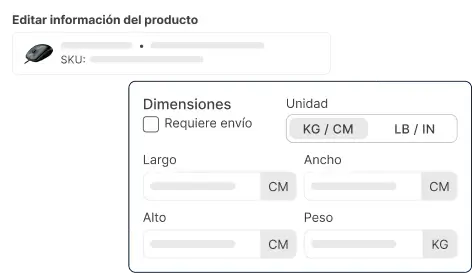
Products
Set the weight and size of each product. The system then calculates rates correctly and picks the right package
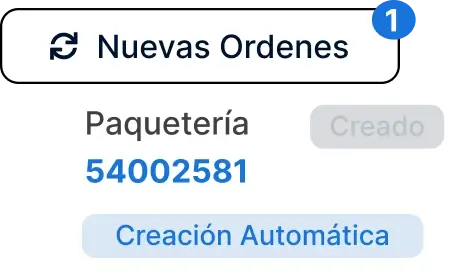
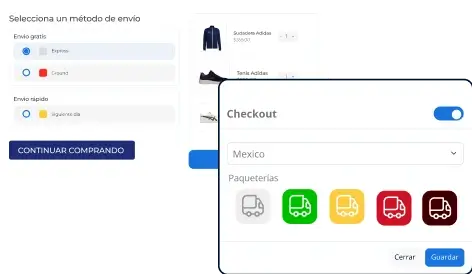
Store checkout
Show the shipping cost in real time when the buyer checks out. It improves the experience and avoids surprises
Set up international shipping in your Tiendanube
Section titled “Set up international shipping in your Tiendanube”- Select a carrier with international coverage from the Envia.com automatic quote (checkout)
- Then, in your Tiendanube admin, add the destination countries where you want to ship your products.
- Make sure the currency of those countries matches your store’s currency*(Tiendanube does not allow currency changes inside the platform)*.
🔗 See more details in the TiendaNube Help Center.
Frequently asked questions
Section titled “Frequently asked questions”How do native costs work in Tiendanube?
You can set fixed shipping costs in your Tiendanube online store, with different conditions. To learn how to set them up, see the following article with the available options.