Scheduled maintenance on Envia.com: Thursday, October 29, 12:00–12:30 a.m. Login, APIs, and operations will be unavailable.


Connect Odoo Online/Odoo SaaS
Oauth from Ecommerce Pro connects Odoo 18 on Odoo Online (Odoo SaaS) with Envia. Store orders arrive in Envia and there you quote and create the label: there is no Envia panel inside Odoo. Support for this connection is from Envia.
Use it when your URL is yourdomain.odoo.com and you want the usual connect-store flow. It does not install the Odoo.sh plugin. No module offers cash on delivery (COD).
In this flow you create the key in Odoo and paste it in Envia. The plugin does the opposite: it builds the keys on its own.
Steps to connect Odoo from Ecommerce Pro
Section titled “Steps to connect Odoo from Ecommerce Pro”-
Sign in to your Envia.com account.
-
Open Ecommerce Pro > Connect Store.
-
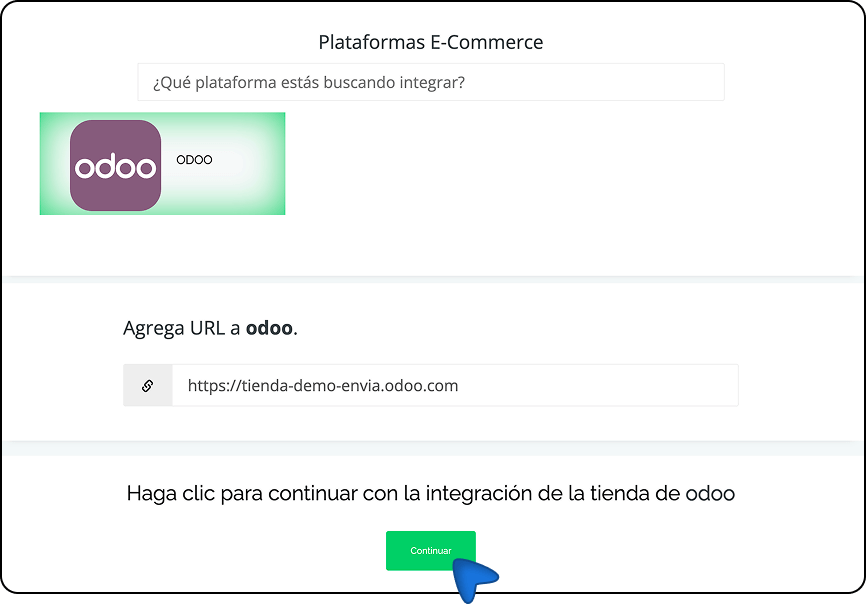
Click Integrate my ecommerce and select Odoo.
-
Enter the URL of your Odoo instance and click Continue.
-
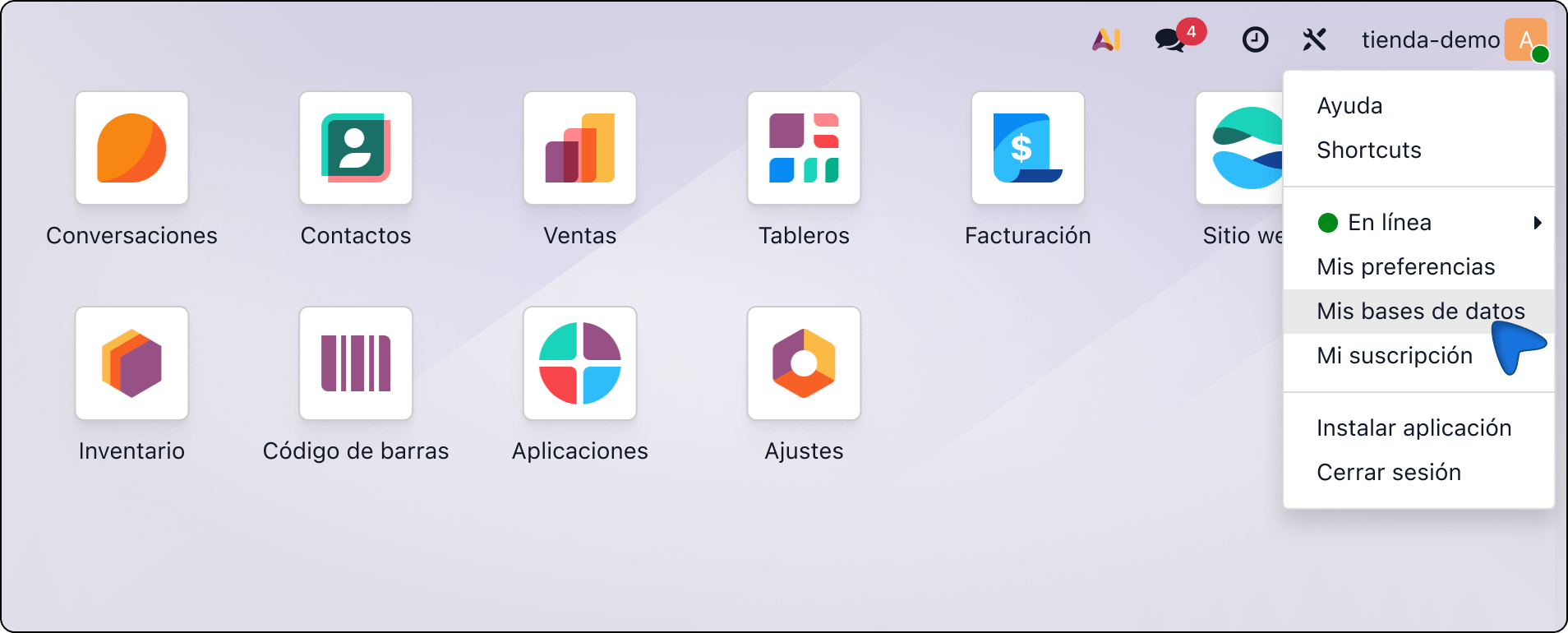
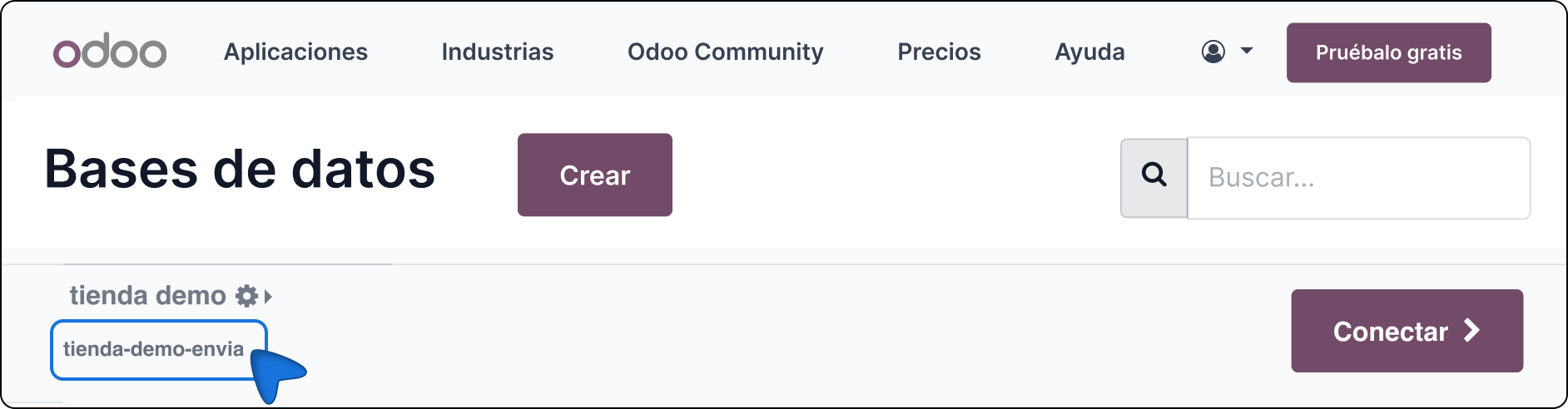
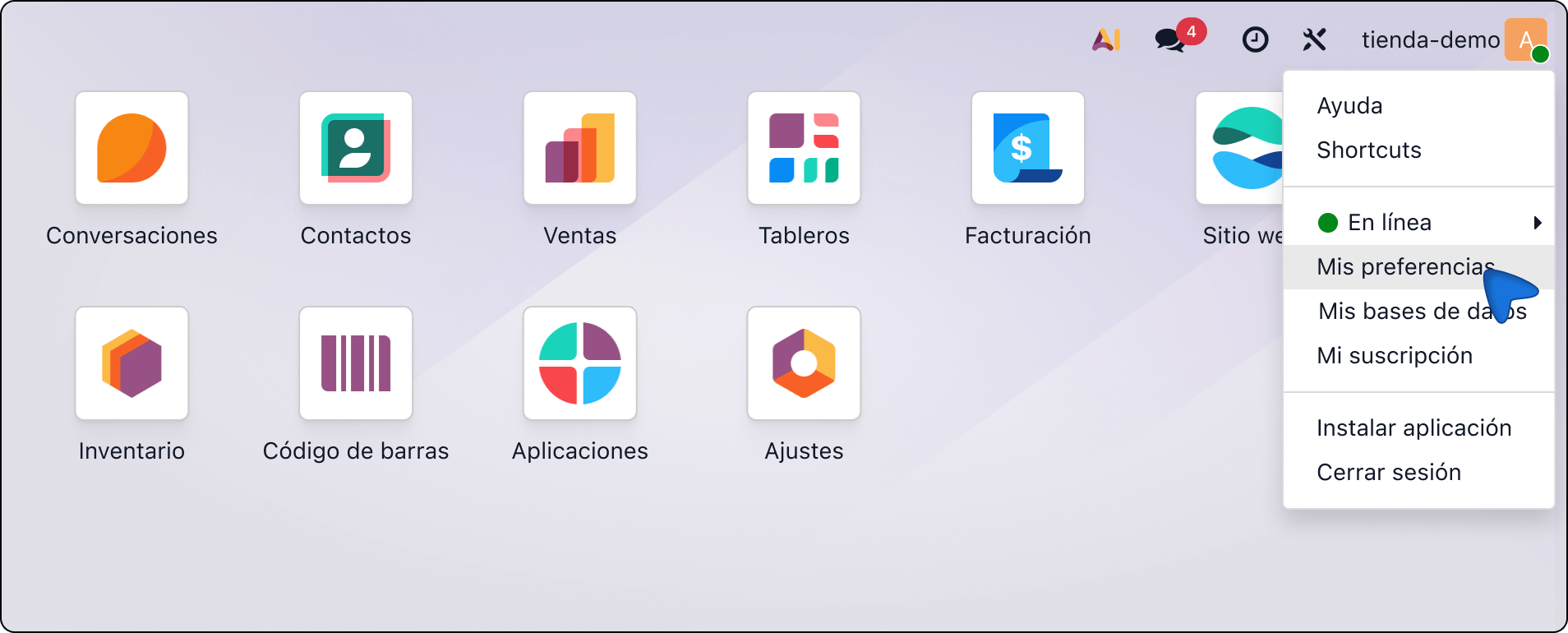
In another tab, go to Odoo. Open the corner menu and choose My Databases. Copy the database name: the text under the domain, not the URL.
-
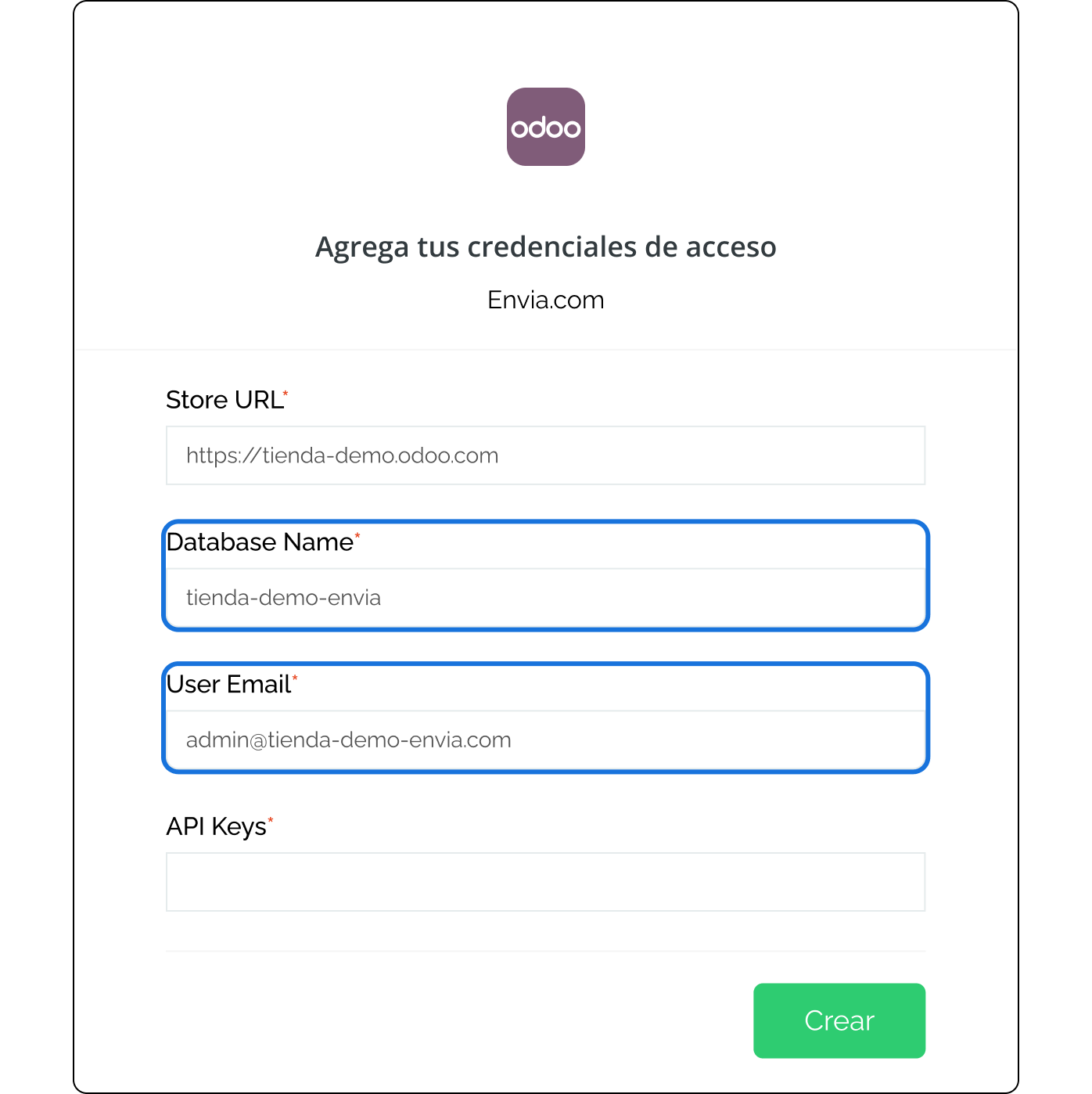
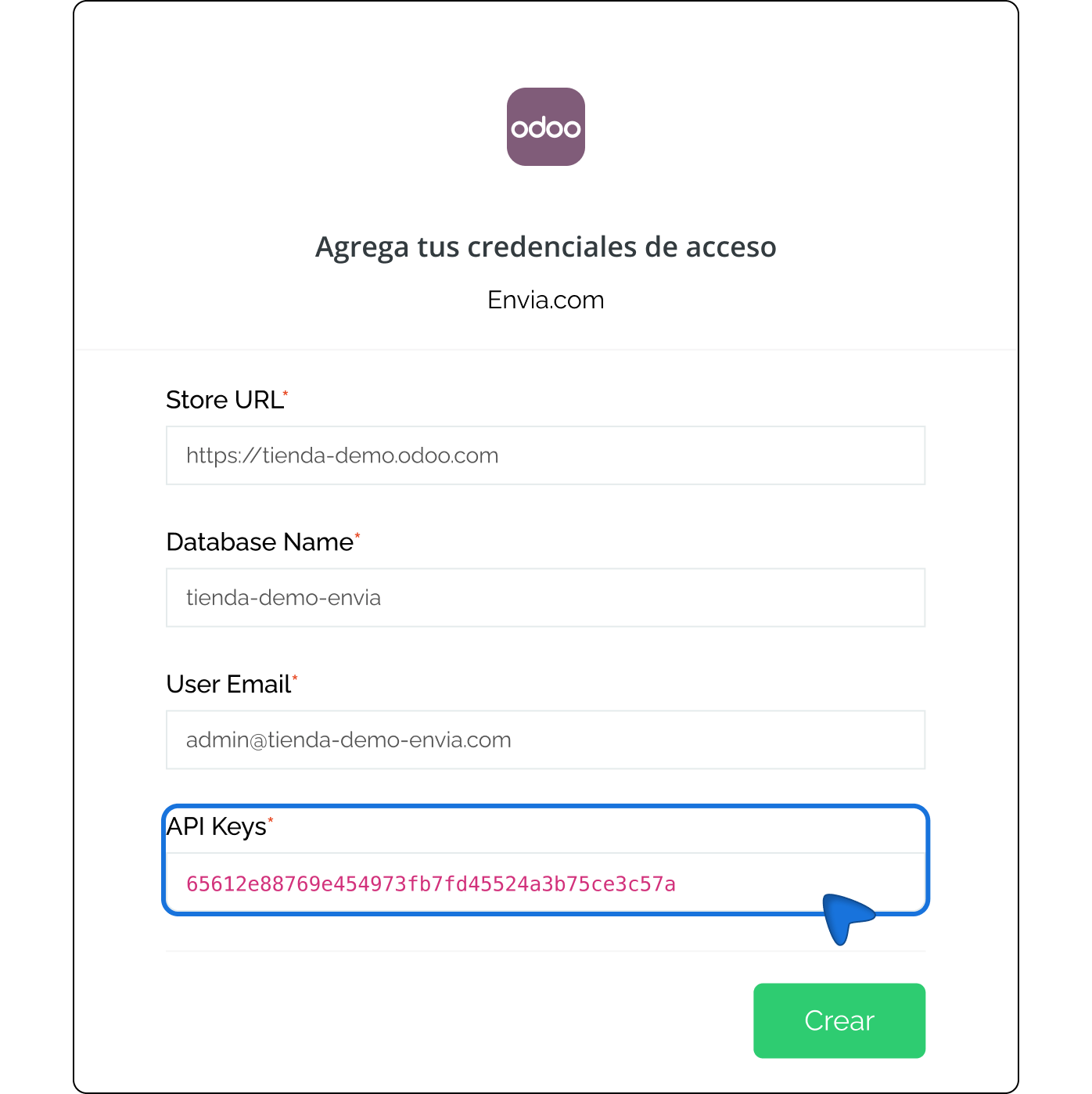
In Envia, paste that value in Database Name. In User Email, enter the email you use to sign in to Odoo.
-
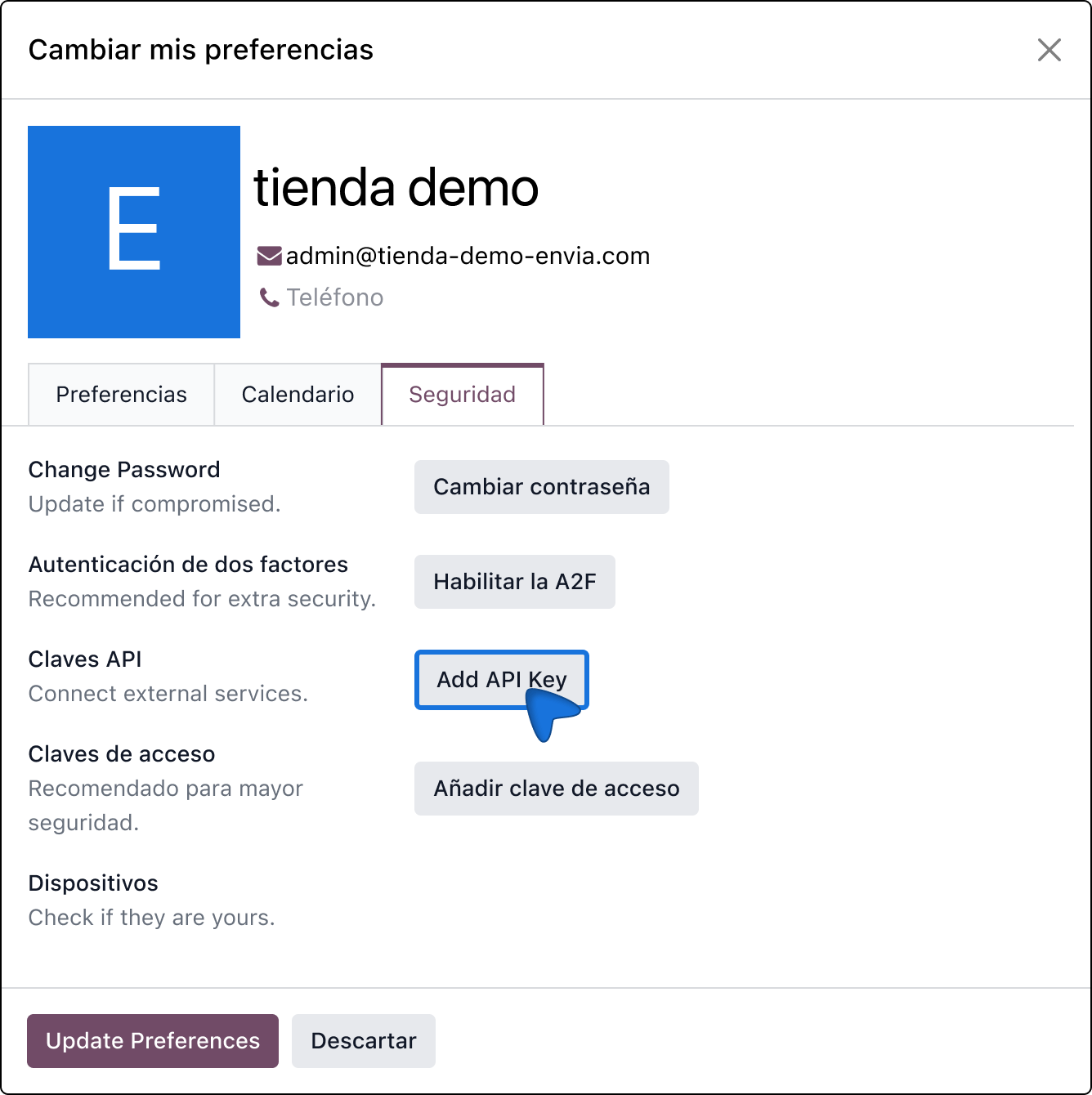
In Odoo, open the user menu > My Preferences. Under Account Security, click New API Key.
-
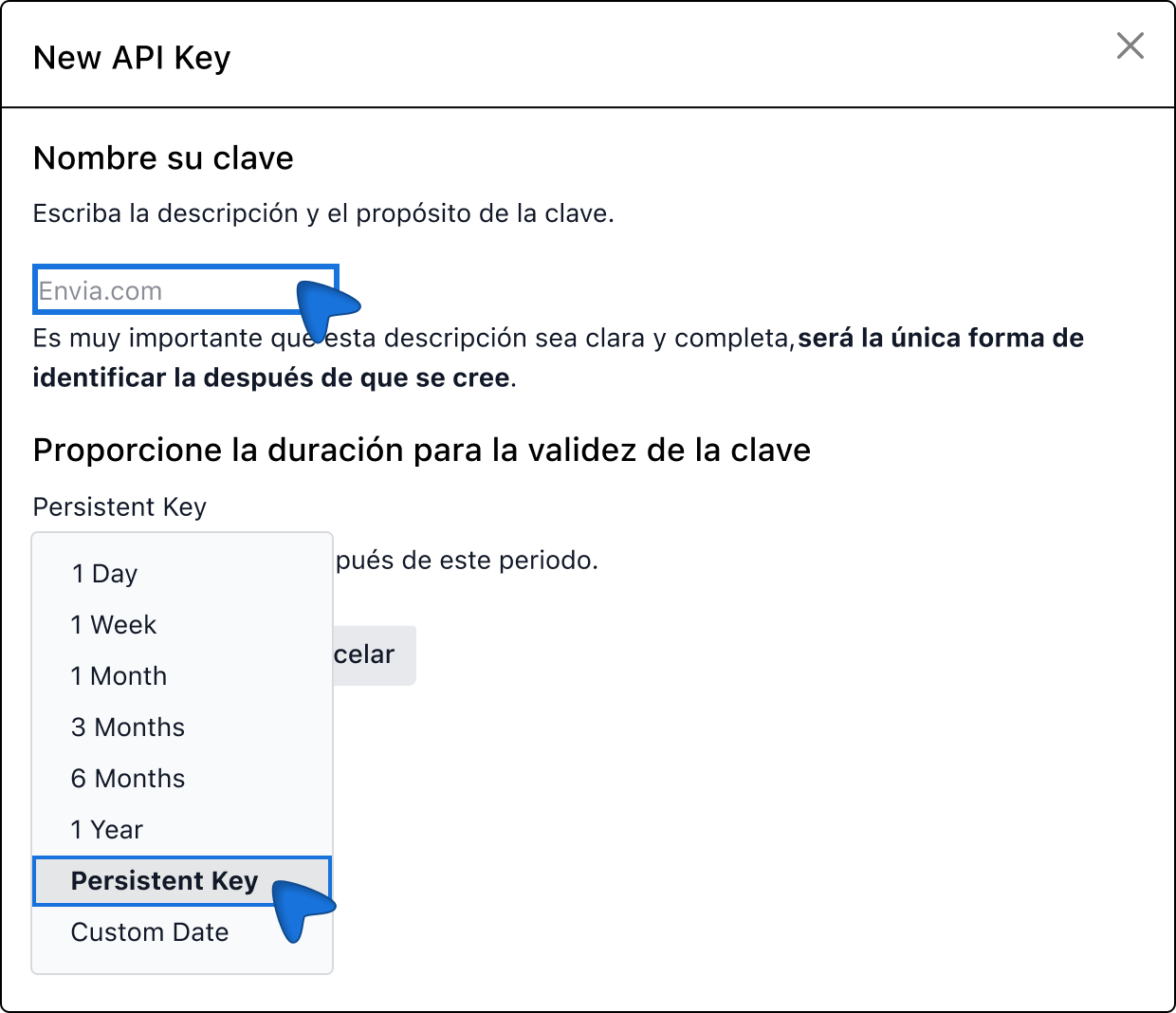
In the key description write Envia.com. For duration choose Persistent Key and click Generate Key. Copy it then: it is not shown again.
-
In Envia, paste the key in API Keys and click Create.
-
Verify the email on your Envia account and click Continue.
When the store appears in Connect Store, orders start arriving in Envia.
Settings in Envia
Section titled “Settings in Envia”Open Ecommerce Pro > Set up your store. Without this you cannot quote or create the label.
- Origin locations: where your shipments leave from. Choose the warehouse or address you use in Odoo.
- Packages: dimensions and weight you quote with.
- Products: weight (and size, if it applies). Without weight, quoting does not work well.
- Label generation from the store: in this flow labels are created in Envia, not inside Odoo. Do not expect a label button on the Odoo delivery.
There is no Envia checkout inside the Odoo site with this module. The buyer pays in Odoo; you handle shipping in Envia.
Create the label
Section titled “Create the label”- Open Ecommerce Pro > View orders.
- If you do not see the order, use Refresh to sync.
- Check origin and package. If needed, change origin or package on that order.
- Click Quote, choose the service, and create the label.
The label and tracking are managed in Envia.
If it does not connect
Section titled “If it does not connect”- Check the URL (
yourdomain.odoo.com), the database name (do not copy the domain), and the email. - If you copied the key wrong, create another persistent key and paste it again.
- This guide is for Odoo 18 on Odoo Online. If you are on Odoo.sh and want to quote and label in Odoo, use the Envia.com plugin.
- If you already installed Envia Shipping, do not mix the two paths: either uninstall Odoo’s module or stop using Oauth.
Frequently asked questions
Section titled “Frequently asked questions”Are labels created in Odoo?
No. With Oauth, labels are created in Envia, once the order is in View orders.
Who helps if it fails?
Support for Oauth from Ecommerce Pro is from Envia.
Does it work for Odoo 19 on Odoo.sh?
This path is meant for Odoo 18 on Online. On Odoo.sh the option with more features is the Envia.com plugin.