Scheduled maintenance on Envia.com: Thursday, October 29, 12:00–12:30 a.m. Login, APIs, and operations will be unavailable.


Shipment notifications by Email, SMS, and WhatsApp
When a package changes status, your customers want to know. And when there is a problem with an order, you also want to find out before the customer contacts you.
Envia.com notifications do that automatically: they notify the right person, at the right time, on the channel they use most. Without you having to check every shipment manually or reply to messages asking “where is my package?”.
You can configure two independent flows: one for your internal team, with alerts about orders and shipments that need attention, and another for your buyers, with automatic tracking updates by Email, SMS, or WhatsApp at each stage of the package journey.
Go to Notifications to access this section.
Notification types
Section titled “Notification types”The section has two tabs:
| Tab | For whom | What it does |
|---|---|---|
| For you | Your internal team | Alerts you when something important happens with your orders and shipments |
| For your customers | The final recipient of the package | Notifies the buyer about the progress of their shipment |
For you — Internal alerts
Section titled “For you — Internal alerts”Configure which events you want to receive in your account and who on your team receives them.
Recipients
Section titled “Recipients”In the Recipients section you will see the list of people in your company who can receive notifications. Each person has an Email option you can turn on or off individually.
In the Additional Recipients section you can add external emails or people who do not have an account on the platform but need to receive certain alerts.
Events
Section titled “Events”Events are organized by category: Orders, Shipments, Pickups, and more. Enable only the ones that are relevant to your operation. The counter on the tab shows how many you have active out of the total available.
For your customers — Final recipient
Section titled “For your customers — Final recipient”Automatically notify your buyers every time their package changes status.
Available channels
Section titled “Available channels”You can send notifications on three channels:
| Channel | Additional cost per message |
|---|---|
| No cost | |
| SMS | Mexico: $1.50 MXN / Colombia: $350 COP |
| Mexico: $1.00 MXN / Colombia: $50 COP |
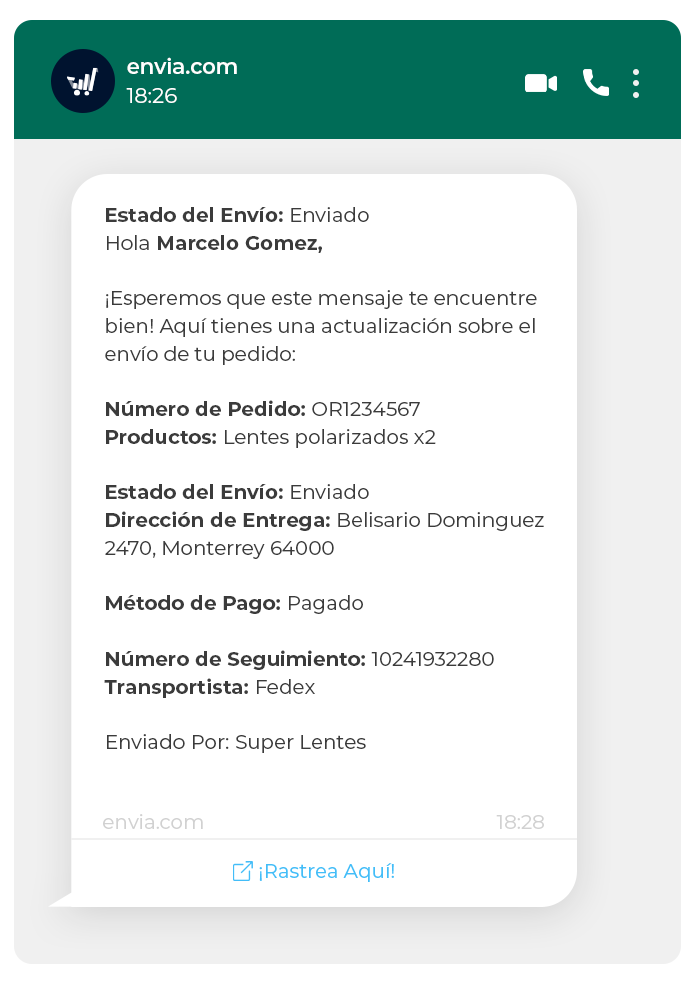
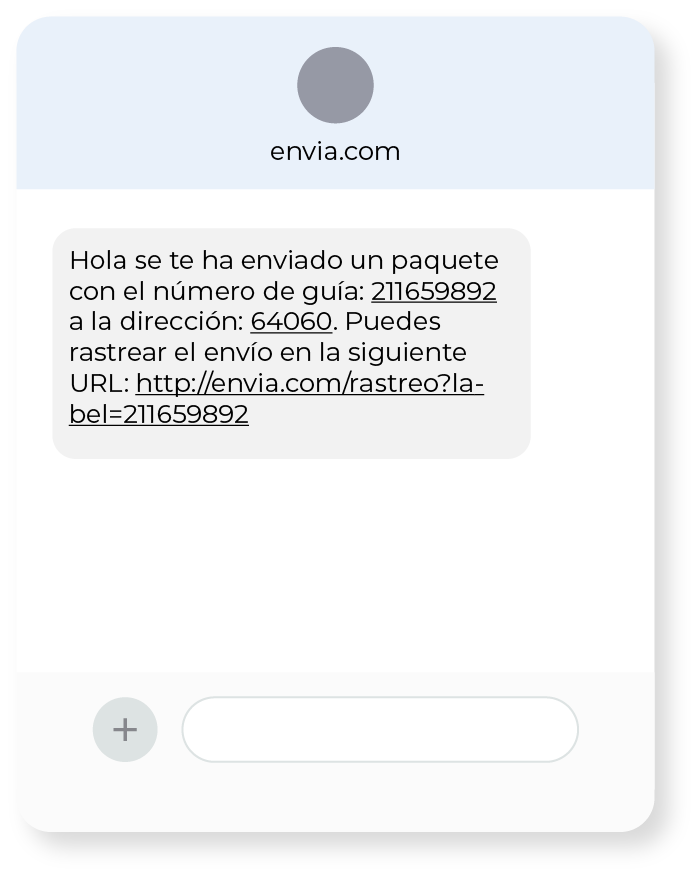
Tracking events
Section titled “Tracking events”Turn each event on or off independently by channel:
| Event | What it means |
|---|---|
| Label created | A new shipping label was generated |
| Package picked up | The carrier picked up the package and it is on its way |
| Out for delivery | The package is on its way to final delivery today |
| Ready for pickup | The package arrived at the pickup location |
| Delivery confirmation | The customer confirms they received the package |
| Delivered | The recipient received the package |
| Problem with the shipment | An exception occurred that needs attention |
| Failed delivery attempt | The carrier could not deliver the package |
Ecommerce Pro — COD notification by WhatsApp
Section titled “Ecommerce Pro — COD notification by WhatsApp”If you use cash on delivery (COD), you can enable a special WhatsApp notification that tells your customer when the order is created, so they can confirm they want to receive it and know how much they have to pay before the driver arrives.
This notification helps reduce cancellations at delivery, because the customer already knows how much they must pay and confirms they intend to receive the order in advance.
You can preview the message before enabling it with the Preview button.
Notification history
Section titled “Notification history”The History tab shows a complete record of all notifications sent:
| Column | Description |
|---|---|
| Customer | Name of the recipient who received the notification |
| Notification | Type of event sent |
| Channel | Email, SMS, or WhatsApp |
| Tracking number | The shipment it corresponds to |
| Date | Exact date and time it was sent |
Recommendations
Section titled “Recommendations”- At a minimum, enable Out for delivery, Delivered, and Problem with the shipment so your customers are always informed at the most critical moments.
- If you sell online, combine Email and WhatsApp to increase the chance the message arrives and is read.
- If you use COD, enable WhatsApp confirmation to reduce rejections at delivery.
- Review the history periodically to detect patterns of problems on recurring deliveries.