

Mercado Envíos 1 (ME1)
Mercado Envíos 1 (ME1) allows you to manage your shipments with your own logistics, while the cost and delivery time are automatically calculated and displayed in your listing. The buyer sees it before purchasing, increasing trust and conversions.
What is ME1?
Section titled “What is ME1?”Mercado Envíos 1 (ME1) is a modality in which you manage the delivery of your products, but without the need to calculate the shipping cost or coordinate it by messages with the buyer. When activated, the shipping cost and delivery time are automatically calculated and displayed directly in the listing when the buyer enters their postal code on the platform.
Benefits
Section titled “Benefits”- You use your own logistics and choose the best way to ship your products.
- You save time, as the shipping cost is automatically calculated by the platform.
- Increases buyer confidence and sales possibilities, because the shipping cost and delivery time are displayed directly in the listing.
- Full control: you decide which carrier to use and manage each shipment from Envia.com.
Countries and carriers where ME1 is available
Section titled “Countries and carriers where ME1 is available”ME1 is enabled in the following countries along with their assigned carrier:
| Country | Carrier |
|---|---|
| 🇲🇽 Mexico | Paquetexpress |
| 🇦🇷 Argentina | Urbano |
| 🇨🇱 Chile | Starken |
| 🇨🇴 Colombia | Coordinadora |
| 🇧🇷 Brazil | Loggi |
Available shipping options
Section titled “Available shipping options”When listing your products on Mercado Libre, you can choose one of the following shipping modalities. Each one adapts to different types of products and logistical needs.
1. Custom
Section titled “1. Custom”Configure shipping according to your product’s characteristics. You can add multiple shipping methods and define specific costs and delivery times.
- Total adaptation to each product’s characteristics.
- Flexibility to define costs and delivery times.
- Option to offer different shipping methods to your customers.
2. Not Specified
Section titled “2. Not Specified”Coordinate shipping details directly with your buyer. Ideal for very specific products or situations where you prefer to manage shipping personally.
- Full control over the shipping process.
- Flexibility to customize shipping according to the buyer’s specific needs.
- Direct communication to resolve any details quickly.
3. Free Shipping
Section titled “3. Free Shipping”Increase your sales by offering free shipping. You can easily configure this option for multiple products and cover the shipping cost by adjusting each product’s price.
- Increases sales attraction and conversion.
- Improves customer experience by offering additional value.
- Easy and quick setup for multiple products.
4. ME1
Section titled “4. ME1”Ideal for large and heavy products, with special handling. The system automatically calculates costs and delivery times, showing all information to the buyer.
Remember to correctly register the product’s dimensions and weight.
- Full transparency in costs and delivery times.
- Automatic calculation that saves time and avoids errors.
- Perfect for products that require special handling.
ME1 Activation Process
Section titled “ME1 Activation Process”The ME1 activation process requires collaboration with the seller’s Commercial Advisor or Key Account Manager (KAM). Follow these steps to activate ME1:
-
Perform the Mercado Libre integration through Ecommerce Pro. If you haven’t done it yet, consult the connection guide.
-
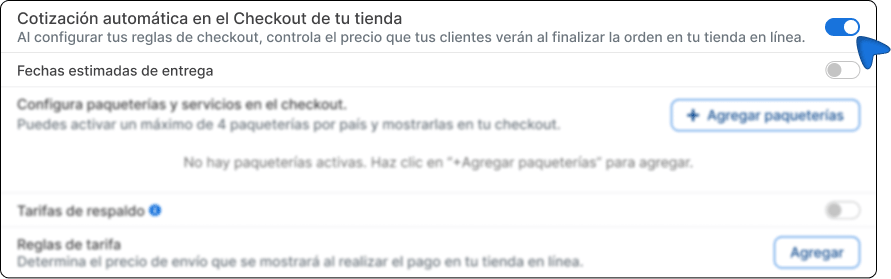
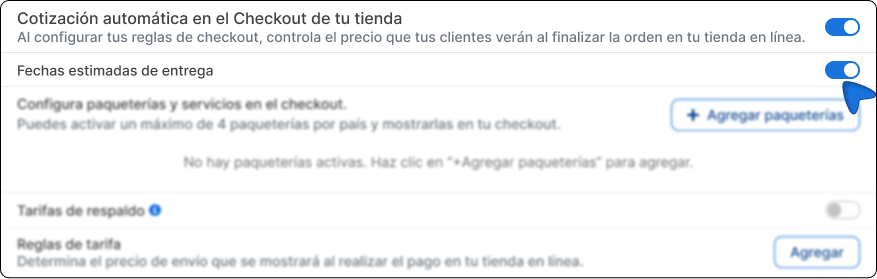
Activate the automatic quotation option at the store checkout and enable estimated delivery dates.
-
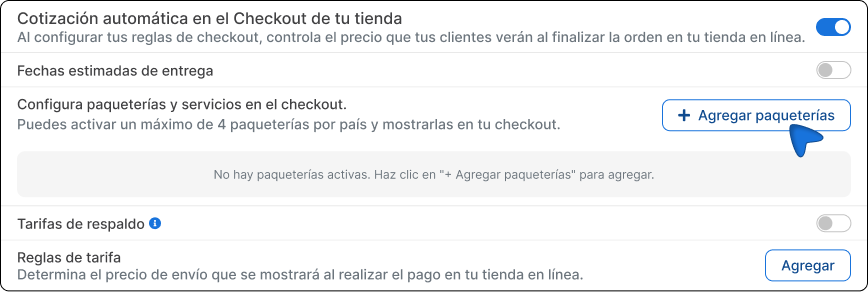
Click the +Add carriers button.
-
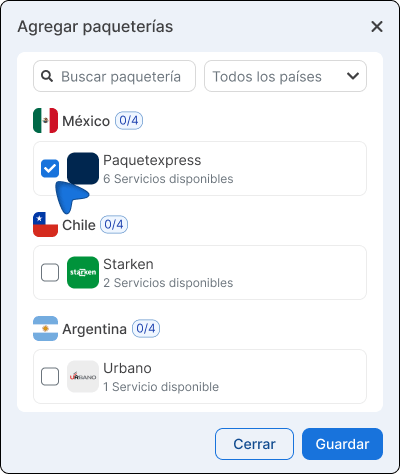
Choose the carrier corresponding to your country.
-
Download the contingency table. This table defines the shipping costs for ME1 and the geographical regions where you plan to make shipments.
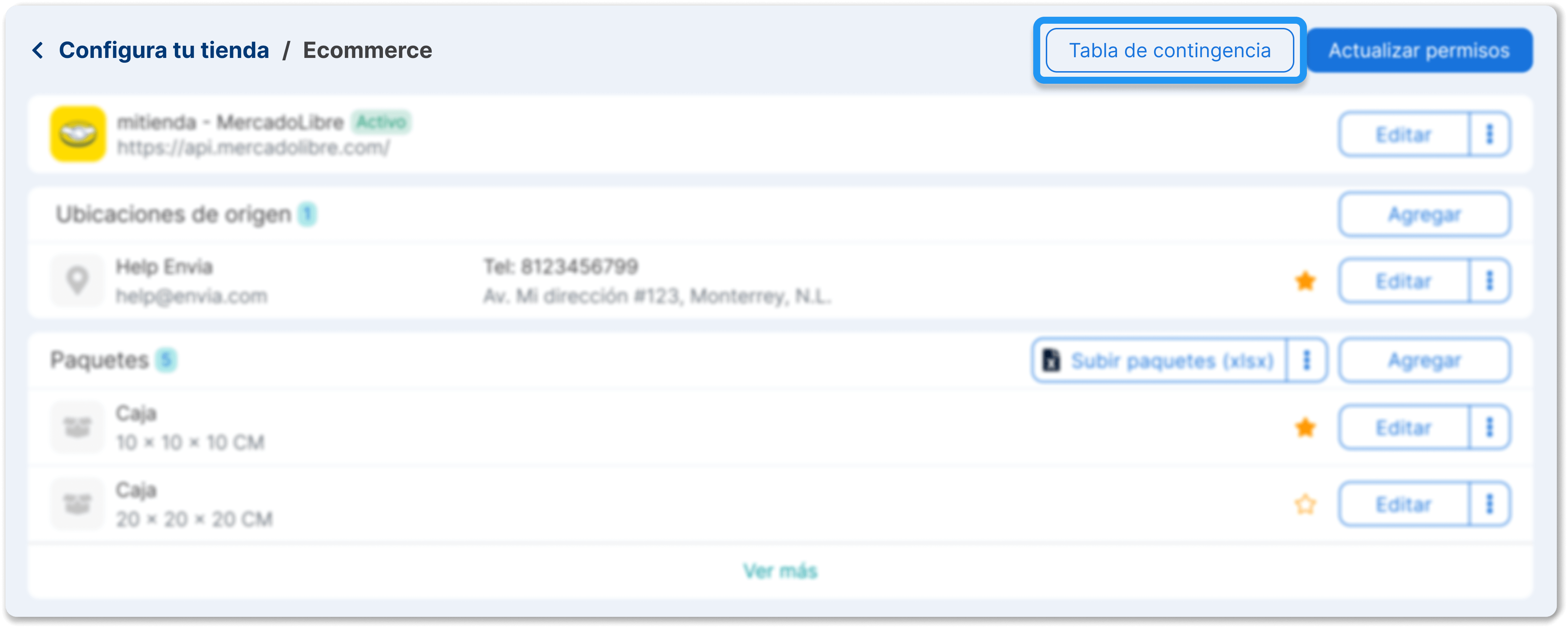
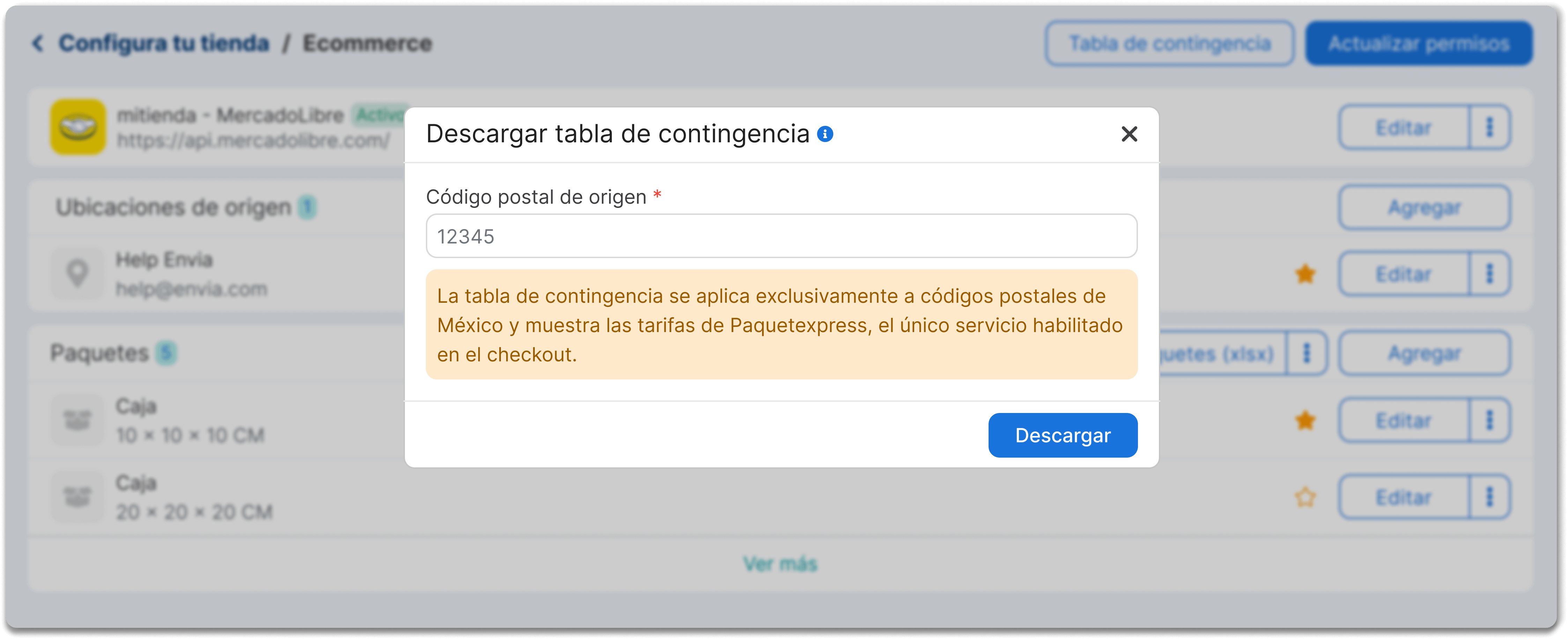
-
Once the table is completed, request ME1 activation from your Mercado Libre commercial advisor or Envia.com Ecommerce Expert.
-
The Envia.com team will send the activation request to the Mercado Libre team. This process may take approximately 7 business days from the request date.
-
After this time, check your request status to confirm that ME1 is active.
Product configuration for ME1
Section titled “Product configuration for ME1”Once ME1 is active and approved by Mercado Libre, the last step is to enable the products that will use this modality so that the cost is displayed correctly at checkout.
-
Go to Ecommerce Pro > Products.
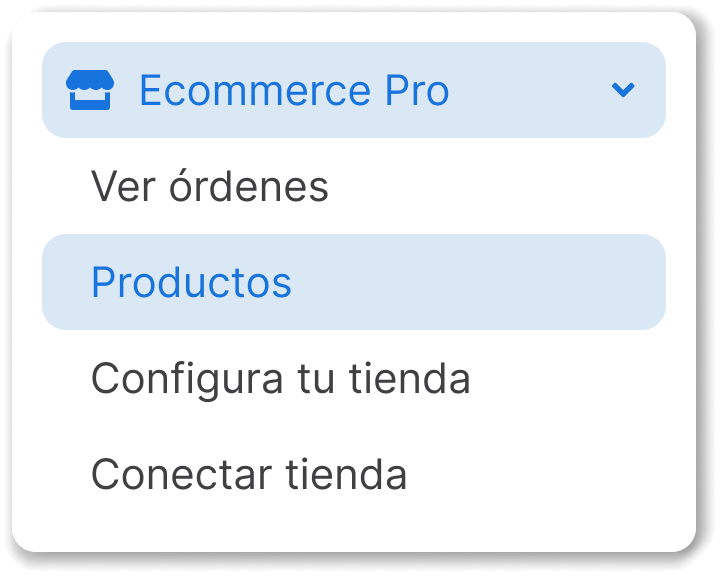
-
Click on the product you want to activate as ME1.
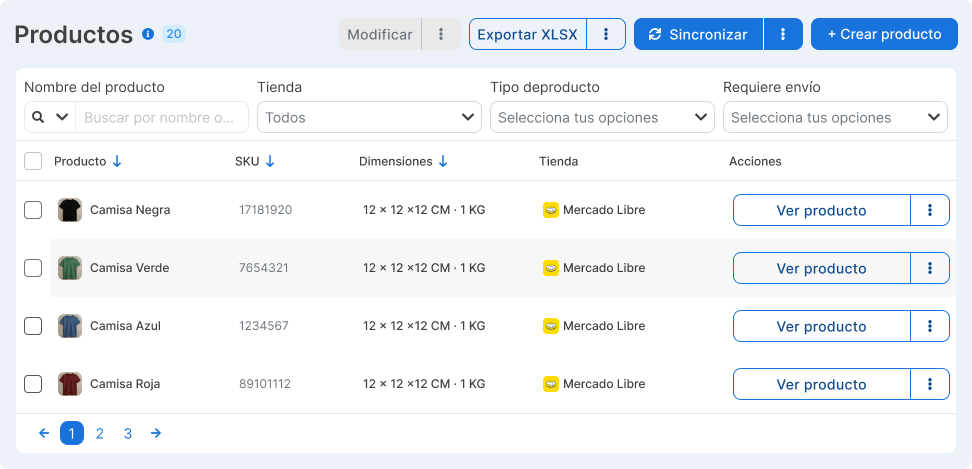
-
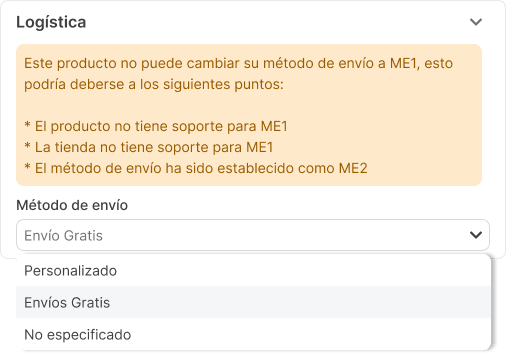
A panel will open on the right side of your screen. Enable the ME1 option in the logistics section.
Additional information
Section titled “Additional information”- The service is available exclusively for Mexico, Argentina, Chile, Colombia and Brazil.
- The table includes weight ranges from 0 to 100 kg.
- The prices shown correspond to your current plan.
- The information includes estimated delivery days according to distance.
Frequently asked questions
Section titled “Frequently asked questions”Is it possible to offer free shipping on products enabled with ME1?
Yes. If you want the shipping to be displayed at no cost to the buyer, you can configure it as follows:
-
When downloading the contingency table, set the value 0 in the shipping cost column for the corresponding rates.
-
In the Automatic Quotation section of your store checkout, configure a rate rule with a 100% discount on the shipping cost.
Does ME1 work with Mercado Envíos 2 (ME2)?
Yes. In fact, you must have ME2 active before enabling ME1. Both operate simultaneously, but ME2 remains your preferred shipping modality.
Can I change the carriers after activating ME1?
Yes. You can modify the available carriers from Configure your store > Automatic quotation at checkout. Changes are reflected in the Mercado Libre checkout.