Scheduled maintenance on Envia.com: Thursday, October 29, 12:00–12:30 a.m. Login, APIs, and operations will be unavailable.


Classify products as stackable or rollable
When a customer buys several units of a product, the system usually calculates the package as if each piece occupied its full volume. This causes:
- Packages larger than necessary
- High shipping costs
- Wasted packing material
Classifying products as stackable or rollable solves this problem. By indicating how they are grouped, the system calculates the actual space they will occupy, which lets you reduce costs, optimize space, and avoid errors when assigning packages.
Stackable products
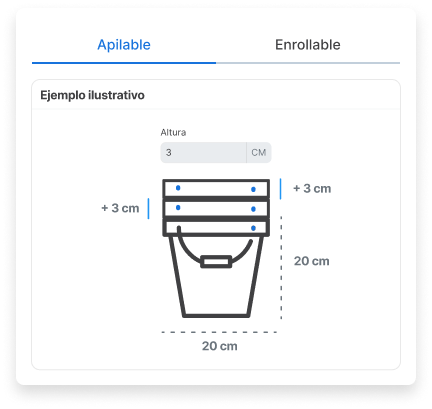
Section titled “Stackable products”If your products can be placed on top of each other (such as plates, trays, or flat boxes), you can specify the height increase generated when they are stacked.
For example: A stack of 10 flat plates does not measure the same as 10 times the height of a single plate, but considerably less because of how they stack.
Rollable products
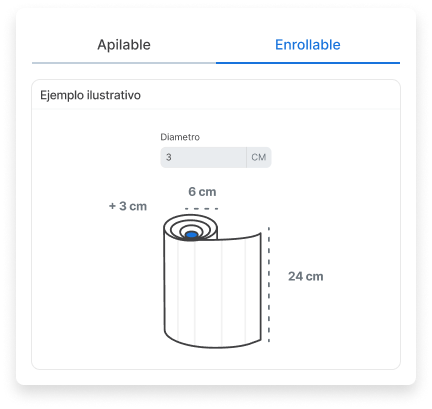
Section titled “Rollable products”If your products can be rolled (such as fabrics, rugs, or posters), you can indicate the diameter increase they generate when rolled.
For example: Several posters rolled together do not necessarily double the diameter of a single one; they add a specific increment.
Steps to configure the products
Section titled “Steps to configure the products”-
Sign in to your Envia.com account.
-
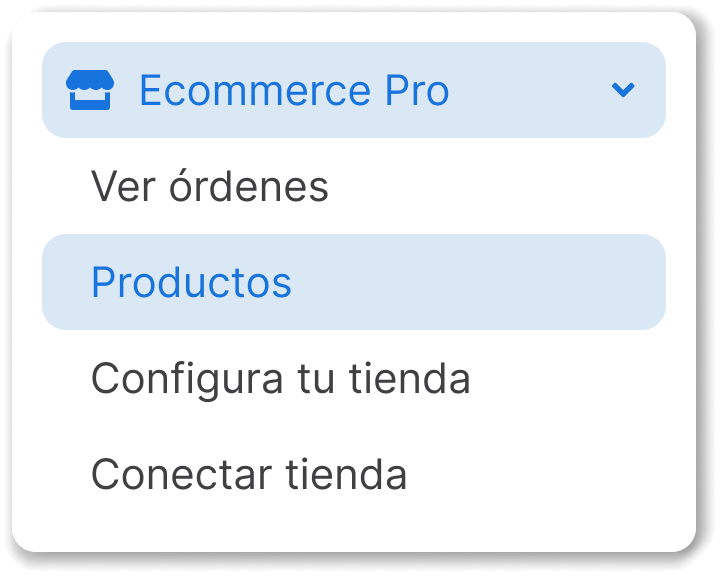
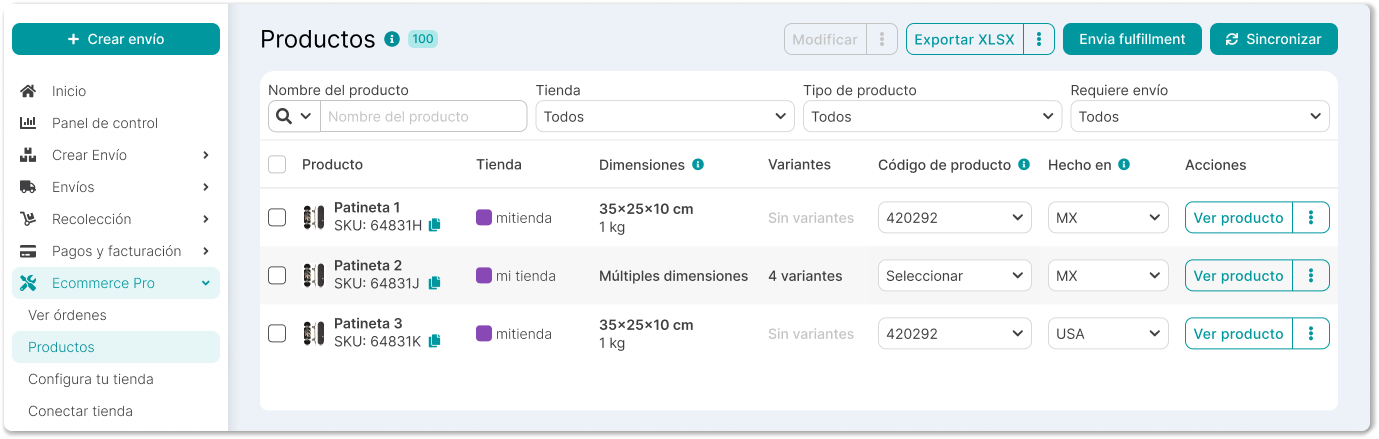
Go to Ecommerce Pro > Products.
-
Click View product in the Actions column.
-
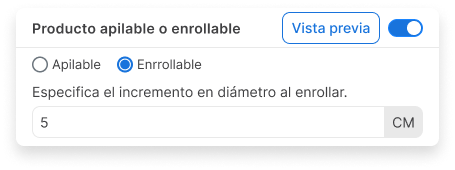
In the side panel, enable the Stackable or rollable products section
-
Select whether your product is stackable or rollable and specify the height or diameter increment as applicable.