Scheduled maintenance on Envia.com: Thursday, October 29, 12:00–12:30 a.m. Login, APIs, and operations will be unavailable.


Declare AES ITN on US exports
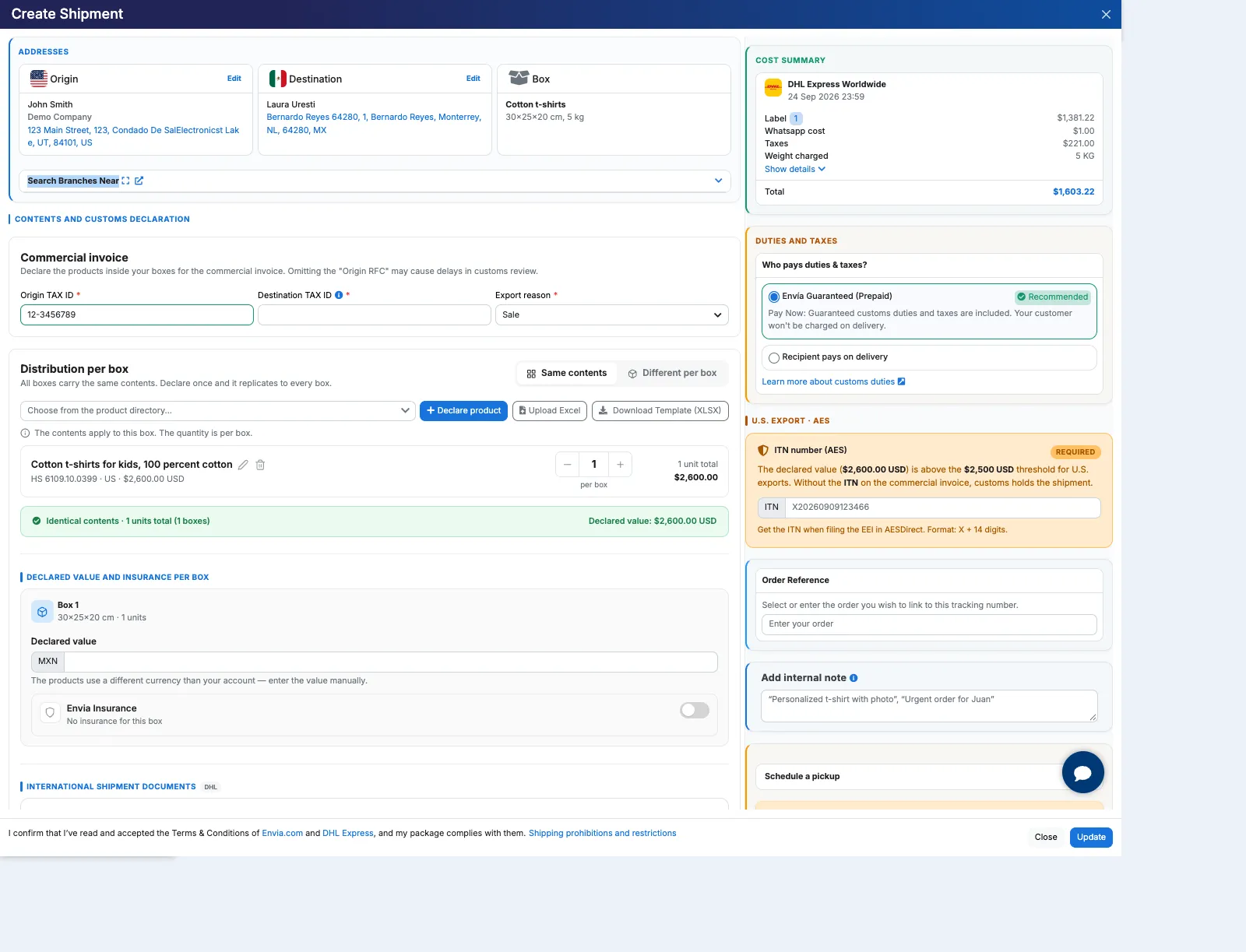
The U.S. export · AES card is the block that appears when you confirm a shipment leaving the United States. It asks for the ITN number (AES) when the declared value is over $2,500 USD. Without that number on the commercial invoice, customs can hold the shipment. You get it by filing the EEI in AESDirect, paste it on the card, and when you create the label it travels with the shipment and prints on the invoice.
- AES (Automated Export System): the US export filing system.
- ITN (Internal Transaction Number): the number of that filing. It starts with X and is followed by 14 digits.
- EEI: Envia does not file that declaration for you and does not invent an official ITN.
This continues Product declaration: you already filled the Commercial invoice and Distribution per box. You stay in the same Create Shipment confirmation.
When AES ITN appears
Section titled “When AES ITN appears”The card does not show on every international shipment. It appears when all of these are true:
| Condition | What to check |
|---|---|
| Origin in the United States | The Origin Address is the US. |
| Declared value over $2,500 USD | Envia converts the declared value to dollars with the catalog rate. If you quote in another currency, the threshold is calculated in USD. |
| The carrier asks for it | Only some international services show it. If you do not see it, that route does not use this block. |
If the value is $2,500 USD or less, or the origin is not the US, create the label without this card.
The $2,500 USD threshold is the one the card shows in this flow. It does not replace other documents the carrier may ask for later.
Complete AES ITN and create the label
Section titled “Complete AES ITN and create the label”-
You are still in the Create Shipment confirmation: origin, destination, Contents and customs declaration on the left, and on the right the summary and the U.S. export · AES card.
-
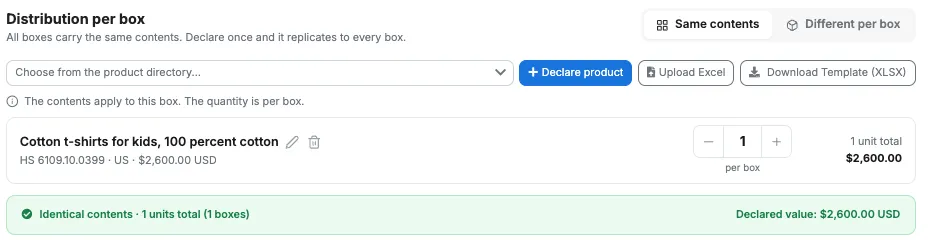
With the products already declared and the value over $2,500 USD, the notice and the card appear.
-
On U.S. export · AES, the ITN number (AES) field is marked Required. File the EEI in AESDirect, copy the ITN, and paste it. The format is X + 14 digits (the field shows an example such as
X20260909123466).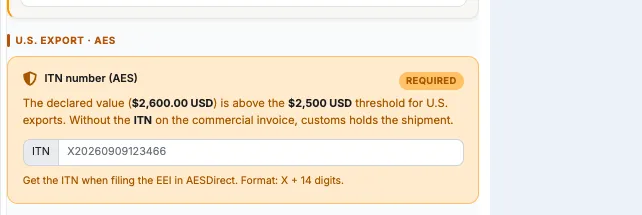
-
Review the summary, accept the terms, and click Create Label. If you change a value, the button can switch to Update and requote. Then Create Label comes back.
There is no separate menu to “create the ITN”. You paste it in this confirmation; if the card is empty or the format does not match, the label is not created.
Check the ITN on the commercial invoice
Section titled “Check the ITN on the commercial invoice”After Create Label:
- Download or print the Commercial invoice (the PDF title is Commercial invoice).
- Next to the incoterms (DAP / DDP), look for Export Declaration / Customs Reference No. The same ITN (X + 14 digits) should appear there.
- If you did not send an ITN, the field label can still appear and the value can be empty.
If you already closed the confirmation, open the shipment in My Shipments and download Commercial invoice. The saved file is not rebuilt: the ITN is the one from the first generation.
How to download and print that invoice: Commercial invoice for international shipments.
Frequently asked questions
Section titled “Frequently asked questions”Why don’t I see AES ITN? The origin is not the US, the declared value is not over $2,500 USD, or that carrier does not ask for the block. Declare the products correctly and create the label.
Is it the same as uploading the EEI? No. You get the ITN in AESDirect when you file the EEI and paste it in ITN number (AES). The Export Declaration (EEI/SED) type in International shipping files is an extra PDF, if the carrier offers it. It does not replace the card field.
Can I create the label without the ITN? Yes, if the card does not appear. If it appears, the field is Required: without an ITN in X + 14 digits format, the label is not created.