Scheduled maintenance on Envia.com: Thursday, October 29, 12:00–12:30 a.m. Login, APIs, and operations will be unavailable.


Create return labels for prepared Shopify orders
Do you have products your customers want to return and want to do it without complications? You can now manage returns quickly and in sync from Ecommerce Pro for prepared Shopify orders. This feature lets you create return labels in seconds, record the reason for each item, and see everything reflected automatically in your Shopify admin.
Requirements
Section titled “Requirements”Before using this feature, make sure you update your store permissions in the Ecommerce Pro Settings section. This enables return sync with your Shopify admin.

Steps to create a return label
Section titled “Steps to create a return label”-
Sign in to your Envia.com account
-
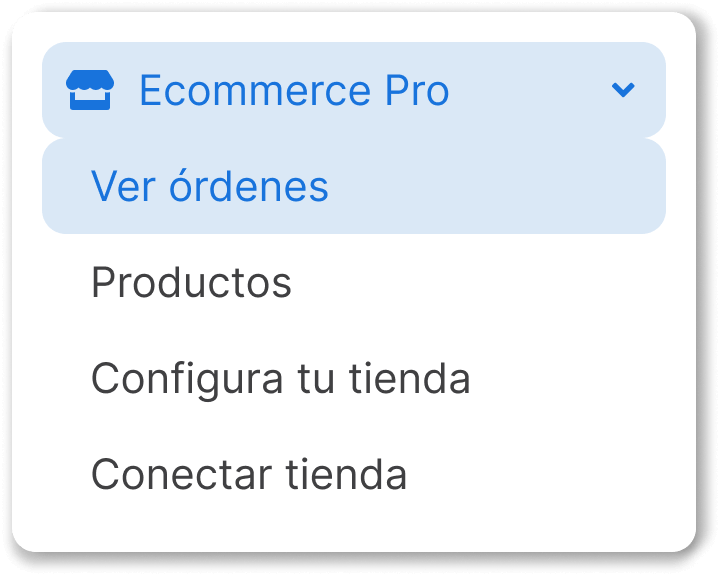
Go to Ecommerce Pro > View orders
-
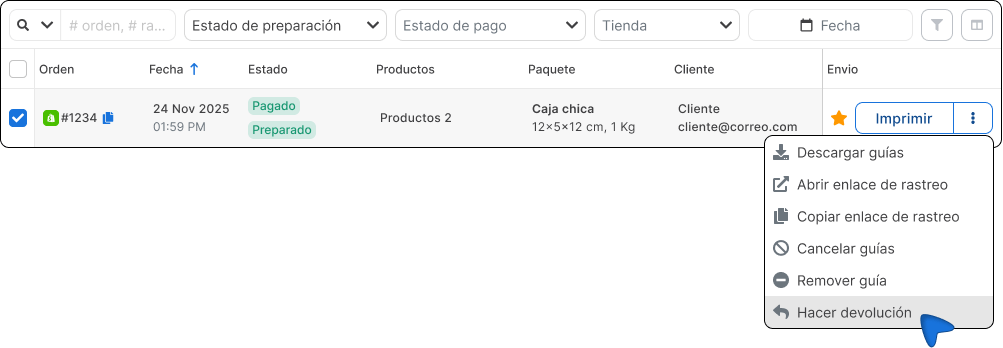
Find a label with Prepared status
-
Click the three dots next to Print and select Make a return.
-
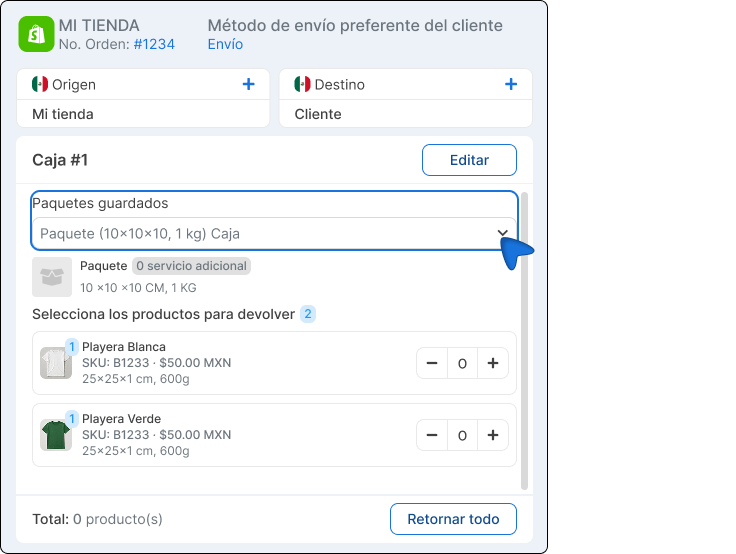
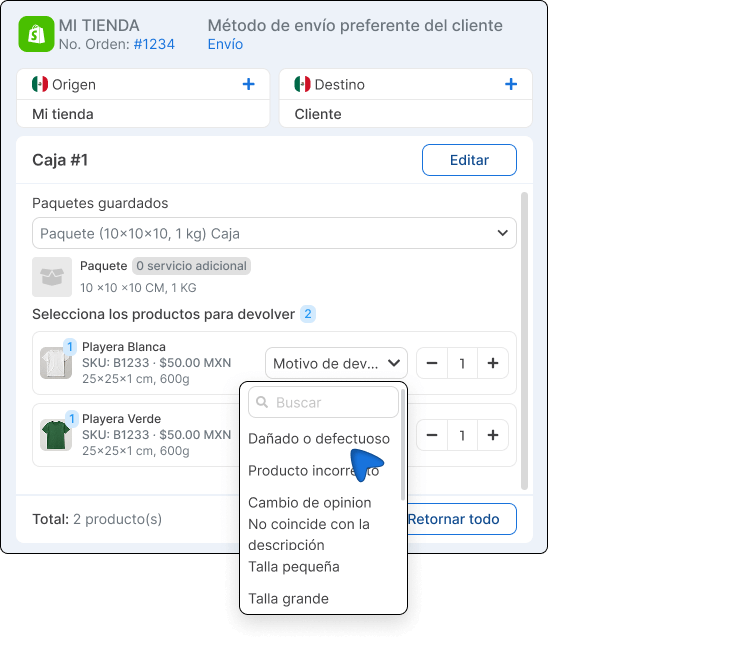
Check that the origin and destination addresses are correct (they are automatically reversed based on the original label).
-
Select a package for the return.
-
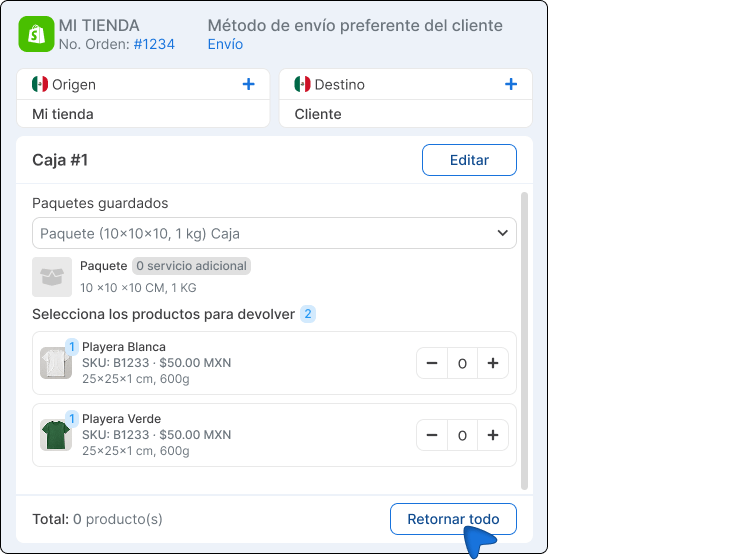
Mark the products to return and write the return reason for each one.
-
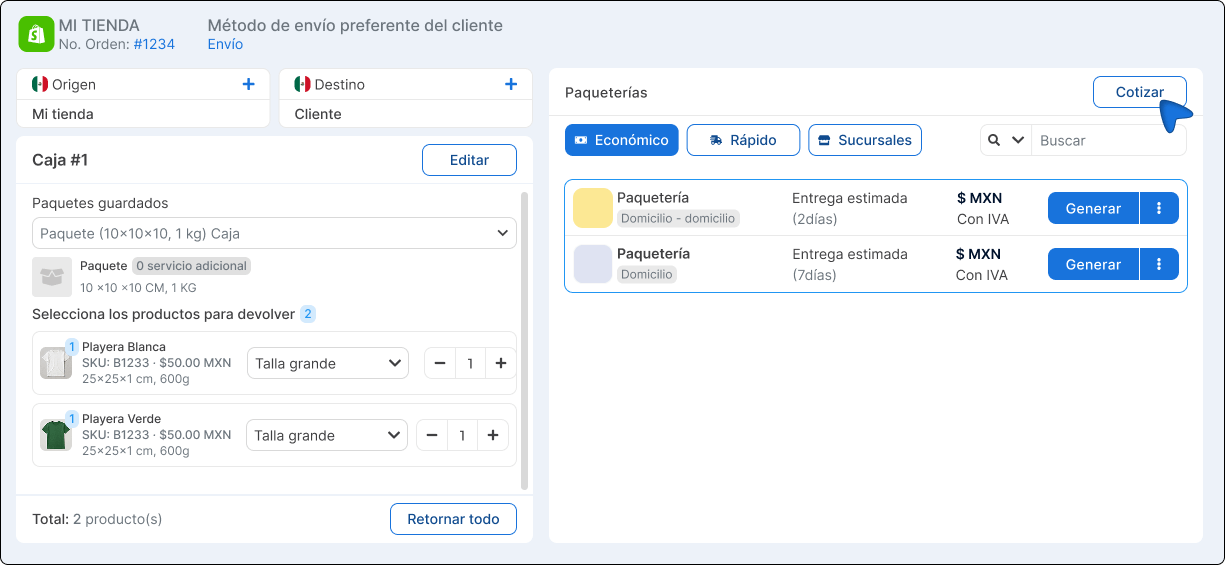
Click Quote, select a carrier you prefer, and generate the label.
-
Done! You will be able to see the tracking number, reason, and return status directly in your Shopify admin.
